Here I will guide you about transparent background images for YouTube thumbnails. YouTube Thumbnails has become one of the most competitive platforms for content creators, businesses, and influencers. Every day, millions of videos are uploaded on YouTube, and it makes it difficult to get the viewer’s attention. One of the most effective ways to get attention is by designing eye-catching thumbnails. In these thumbnails, using transparent background images has become extremely popular because it creates a clean, professional, and attractive appearance.
In this article, you will learn what transparent backgrounds are, why they are important, how to create them, and best practices to use them effectively.
What Are Transparent Background Images?
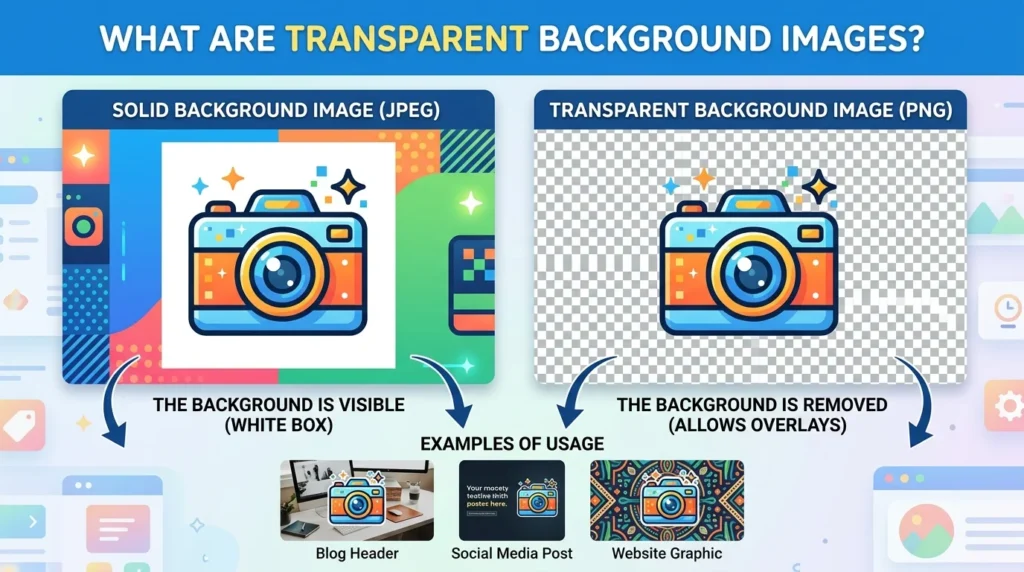
Transparent background images are those images in which the background has been removed from the image, and it can show only the main subject visible. These images are usually saved in PNG format because PNG files support transparency.
For example, instead of showing a person standing in front of a plain white background, a transparent image can remove the white background completely. This allows the subject to blend naturally into any custom thumbnail background.
Creators can often use the transparent images for:
- Faces and reactions
- Products
- Logos
- Gaming characters
- Objects and icons
- Text effects
Transparent PNG images give designers more flexibility and help thumbnails look more professional.
Why Transparent Background Images Matter for YouTube Thumbnails
1. They Make Thumbnails More Professional:
A transparent image may look cleaner and professional than a regular cropped image. It can remove every distraction and focus the viewer’s attention on the main subject of the thumbnail.
Professional YouTubers may often use transparent cutouts with expressive facial reactions because they instantly attract viewers’ attention.
2. Better Visual Appeal:
Transparent images blend smoothly with colorful backgrounds, gradients, or effects. This can create a polished and clean design that can easily get a viewer’s attention.
A good visual thumbnail can attract the viewer to itself instead of scrolling past it.
3. Improved Branding:
Using a transparent logo and consistent character images can help to build a recognizable brand identity. In this way, viewers can quickly recognize your brand without reading your title.
4. More Creative Freedom:
Transparent images allow creators to place objects anywhere in the thumbnail without worrying about unwanted backgrounds. This makes it easier to add shadows, outlines, text, and visual effects.
How to Make Transparent Background Images Increase Click-Through Rate (CTR)

The click-through rate is one of the most important things on YouTube. If more people like your video on this platform, YouTube can also recommend it to the others.
Transparent background images help to improve CTR because they:
- Highlight emotions clearly
- Create less visual clutter
- Improve readability of text
- Make thumbnails easier to understand quickly
- Look more modern and professional
Many successful YouTubers use transparent reaction faces combined with bold text and bright colors because this style captures the attention immediately.
Best File Format for Transparent Images:
The most commonly used file format for the transparent images is PNG because it is the only file that can support transparent images easily.
Why is PNG the Best Choice?
PNG files support transparent backgrounds without losing image quality. It can also provide sharp edges and clean cutouts.
Benefits of PNG format include:
- High-quality images
- Transparent support
- Better text clarity
- Ideal for thumbnail editing
Even PNG files can be larger in size, and they provide better visual results for YouTube thumbnails.
How to Create Transparent Background Images
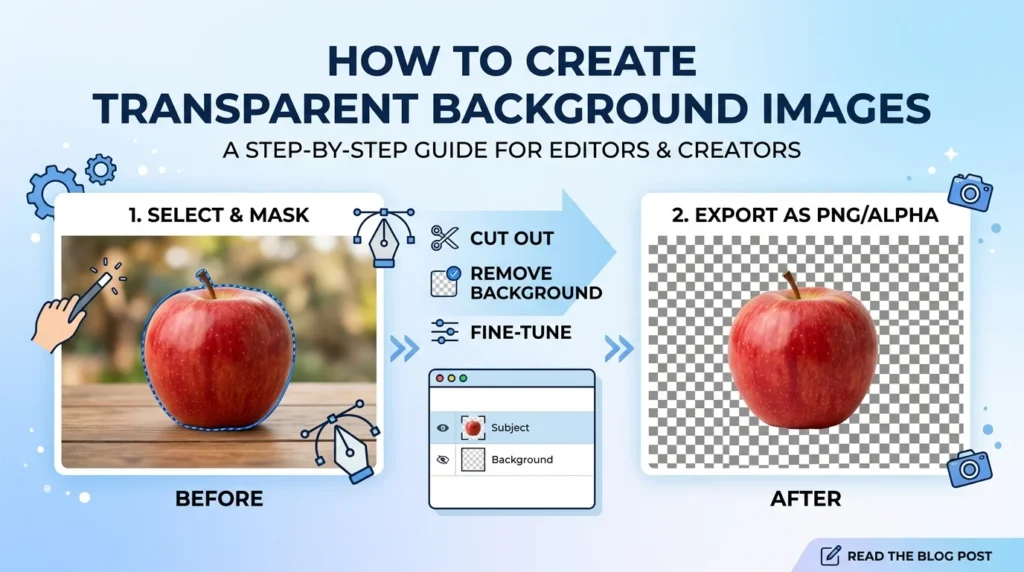
Creating transparent images is much easier with the help of online and advanced AI tools.
1. Use Online Background Remover Tools:
There are many free tools available that can automatically remove image backgrounds using AI technology. These tools are simple and beginner-friendly.
Popular options include:
- Remove.bg
- Canva
- Adobe Express
- Fotor
- Pixlr
You simply upload an image, and the tool removes the background within seconds.
2. Use Photoshop:
Adobe Photoshop offers advanced background removal features for professional editing.
Basic steps include:
- Open the image
- Use the “Remove Background” option
- Refine edges if necessary
- Save the file as PNG
Photoshop gives better control for detailed edits, especially around hair and complex shapes.
3. Use Canva:
Canva is one of the easiest tools for YouTube thumbnail design. The Pro version includes a background remover feature that works very well.
Canva also allows creators to:
- Add text effects
- Apply shadows
- Create custom backgrounds
- Resize thumbnails for YouTube
Common Mistakes to Avoid:
There are some common mistakes that you can avoid during the removal of the background.
Poor Background Removal:
Always check that the image you can upload for the removal of the background looks clean and is not blurred. Because it can reduce the quality of the image and make them unprofessional.
Too Much Text:
Even with great transparent images, too much text can make thumbnails messy. Keep text short and bold.
Ignoring Mobile Users:
Most YouTube users watch videos on mobile devices. Make sure your thumbnail is readable on smaller screens.
Using Copyrighted Images:
Always use your own images in thumbnails. Singing copyrighted images can lead to legal issues or YouTube penalties.
Where to Find Transparent PNG Images:
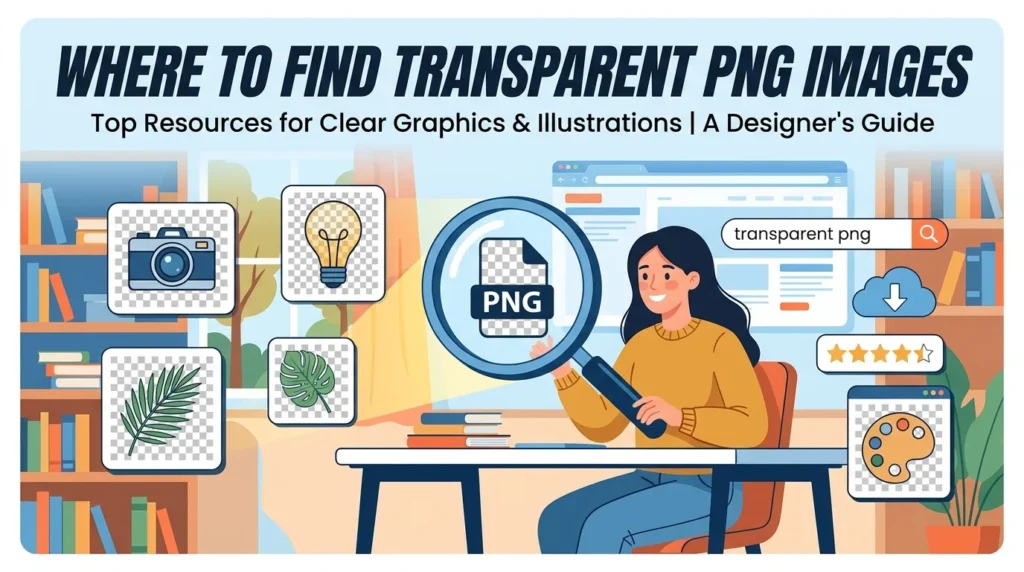
If you do not want to create your own transparent images, several websites can offer free website resources.
Popular platforms include:
- PNGTree
- Freepik
- CleanPNG
- StickPNG
- Pixabay
Tips for Better YouTube Thumbnail Design:
Transparent background images can work best when they can be combined with smart design strategies.
Use Emotional Expressions:
Human emotions attract attention. Excited, surprised, and shocked expressions often perform well on YouTube.
Include Minimal Text:
Short phrases like “SECRET TRICK” or “DON’T BUY THIS” can create curiosity and improve clicks. It can also attract more viewers on your thumbnail.
Maintain Consistent Style:
Using a consistent thumbnail style helps viewers recognize your content quickly.
Test Different Designs
Experiment with different thumbnail styles and monitor performance using YouTube analytics.
Final Thought:
Transparent background images have become an essential part of modern YouTube thumbnail design. They help creators and beginners to produce cleaner, more professional, and visually appealing thumbnails that attract more clicks.
If you are a beginner or an experienced YouTuber, using transparent PNG images can significantly improve your content presentation. With the help of modern editing tools and AI background removers, creating transparent images is now simple and accessible for everyone.
Investing time in better thumbnails can make a huge difference in growing your channel, increasing views, and building a strong brand presence online.