If you want to design a website for e-commerce that actually drives sales, you need more than a pretty layout. You need smart UX, a fast-loading experience, and a design that guides every shopper straight to the “Buy Now” button.
This guide breaks down everything from homepage layout to mobile design, product pages to checkout flow, so your store doesn’t just look good; it sells.
Let’s build something great.
Why E-commerce Website Design Is a Game-Changer
Most people think web design is about looks. But in e-commerce, design is your #1 sales tool.
A well-designed online store builds trust instantly, removes buying friction, and makes the shopping experience feel effortless. A poorly designed one confuses shoppers and sends them straight to your competitors.
Research shows 75% of consumers judge a business’s credibility by its website design alone. That first impression is your only chance to say, “We’re legit. You can trust us.”
What Separates a Good E-commerce Website from a Great One?
A great online store does these things automatically:
- Loads in under 3 seconds on any device
- Has clean, intuitive navigation shoppers can figure out instantly
- Displays products beautifully with high-quality images
- Makes the checkout process feel safe and simple
- Works perfectly on mobile, tablet, and desktop
How to Design a Website for E-commerce: Your Full Roadmap
Plan Your Site Structure for E-commerce First
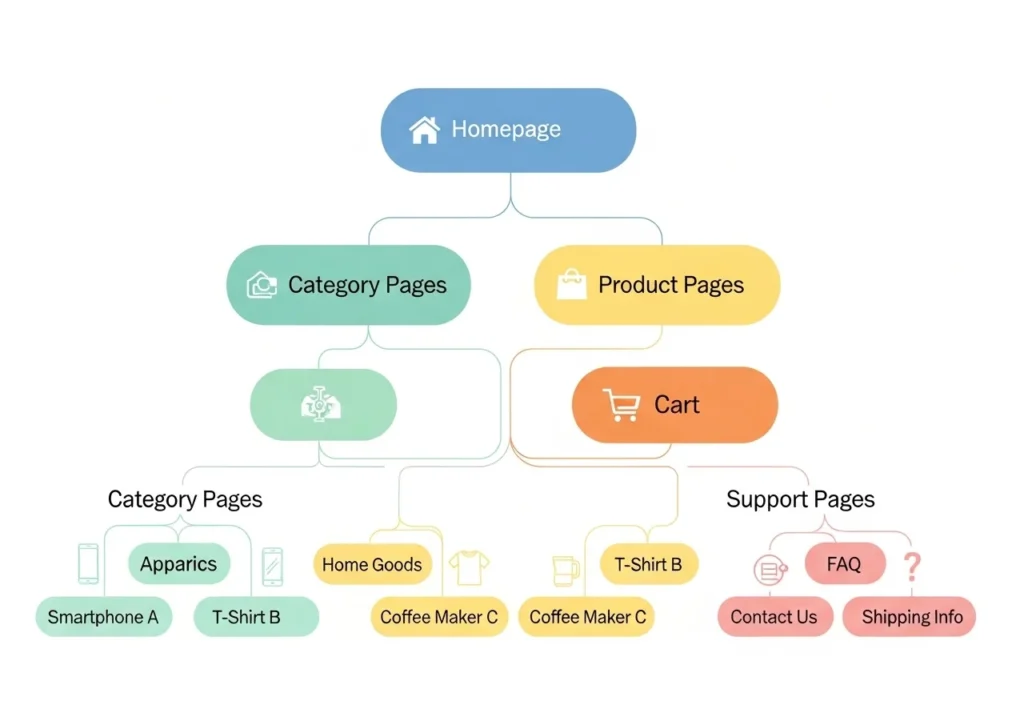
Before you touch colors or fonts, map your site architecture. A clear site structure for e-commerce helps shoppers find products fast and helps Google understand your store.
Here’s a proven structure that works:
- Homepage Brand story, hero image, featured products
- Category Pages Product collections with filters
- Product Pages: Individual item details and CTAs
- Cart and Checkout The final conversion steps
- Support Pages: About, Contact, FAQ, Returns Policy
Think of it like a physical retail store. If a customer walked in and couldn’t find anything, they’d walk out. The same thing happens online, only faster.
Design an E-commerce Homepage That Converts
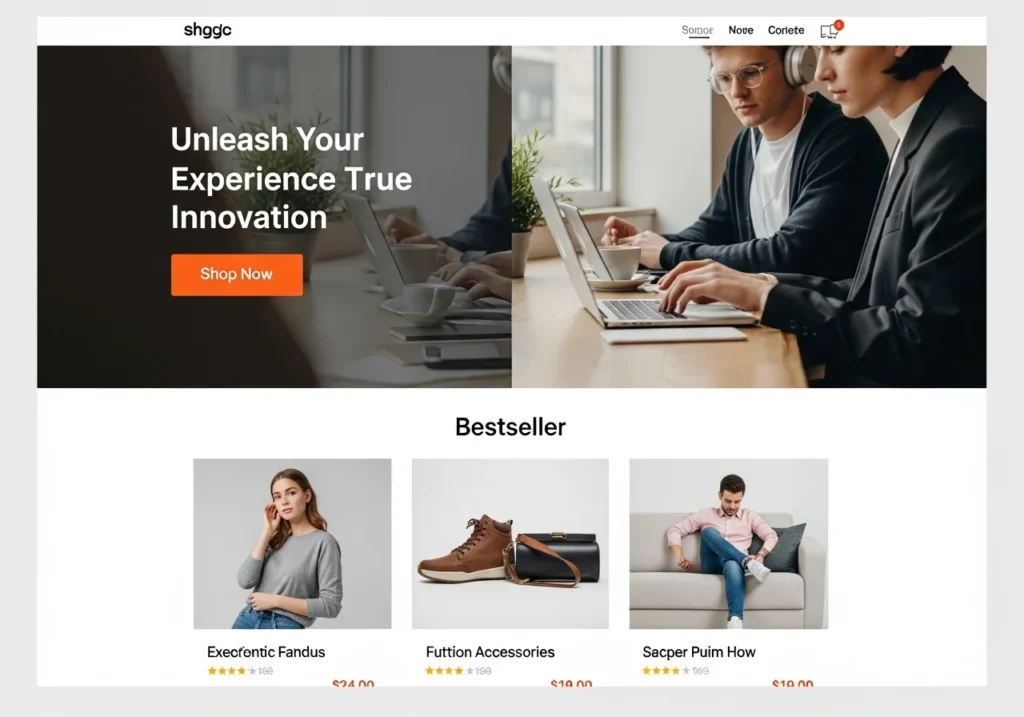
Your homepage is your digital storefront window. It needs to do three things in the first five seconds: grab attention, build trust, and drive action.
Key homepage elements you must include:
- A bold hero image with a headline and CTA button
- Featured products or bestsellers section
- A short value proposition (“Free Shipping. Easy Returns. 5-Star Reviews.”)
- Social proof like customer reviews or press logos
- A promotional banner for sales or limited-time offers
- Email signup with a discount incentive
Don’t try to put everything above the fold. Guide shoppers naturally down the page using visual hierarchy.
Master E-commerce UX Design
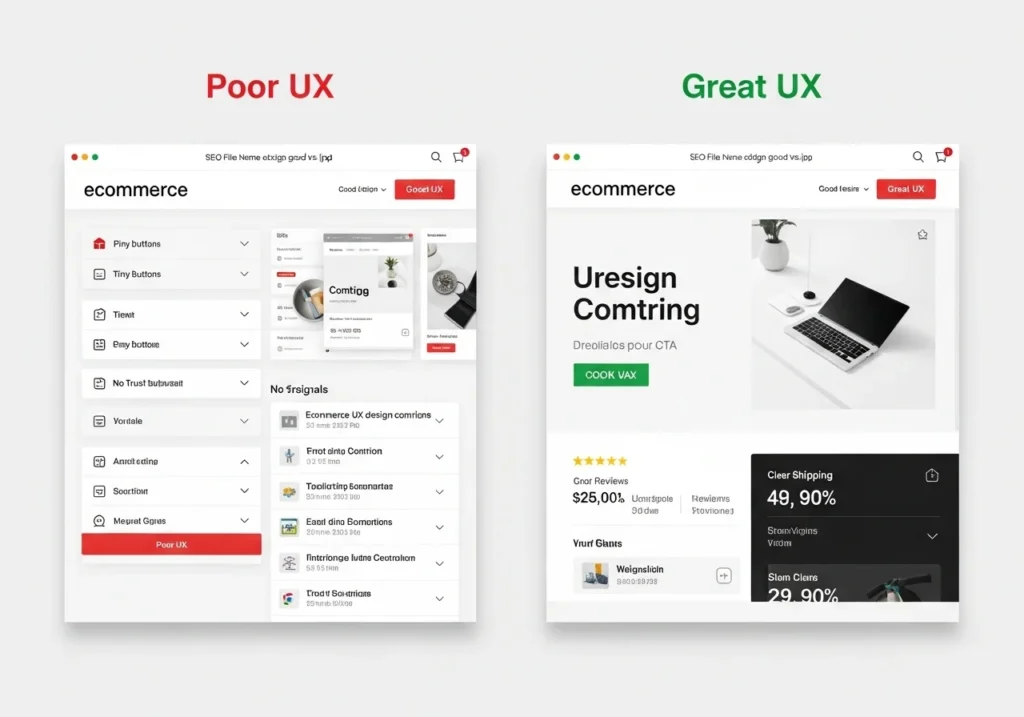
Good eCommerce UX design means your shoppers never feel lost, confused, or frustrated. Every click feels natural. Every page answers the question, “What do I do next?”
UX best practices that actually work:
- Use a sticky header so the cart icon is always visible
- Show a prominent search bar with autocomplete
- Add breadcrumbs on category and product pages
- Display “Recently Viewed” and “You May Also Like” sections
- Show real-time stock alerts like “Only 4 left in stock!”
- Write helpful, human error messages not cold system errors
The goal is zero friction from landing page to checkout confirmation.
Build Intuitive Website Navigation for Online Stores
Poor navigation is one of the top reasons shoppers abandon online stores. Your website navigation for online stores should feel like a helpful guide, not a maze.
Navigation design tips that convert:
- Use mega menus for stores with many product categories
- Limit top-level navigation to 5 to 7 items maximum
- Add category filters (by price, size, color, rating) on collection pages
- Include a visible search bar with smart suggestions
- Use footer navigation for policy and support pages
- Add a “Back to Top” button on long pages
Simple navigation builds confidence. Confidence builds conversions.
Create Product Pages That Close the Sale
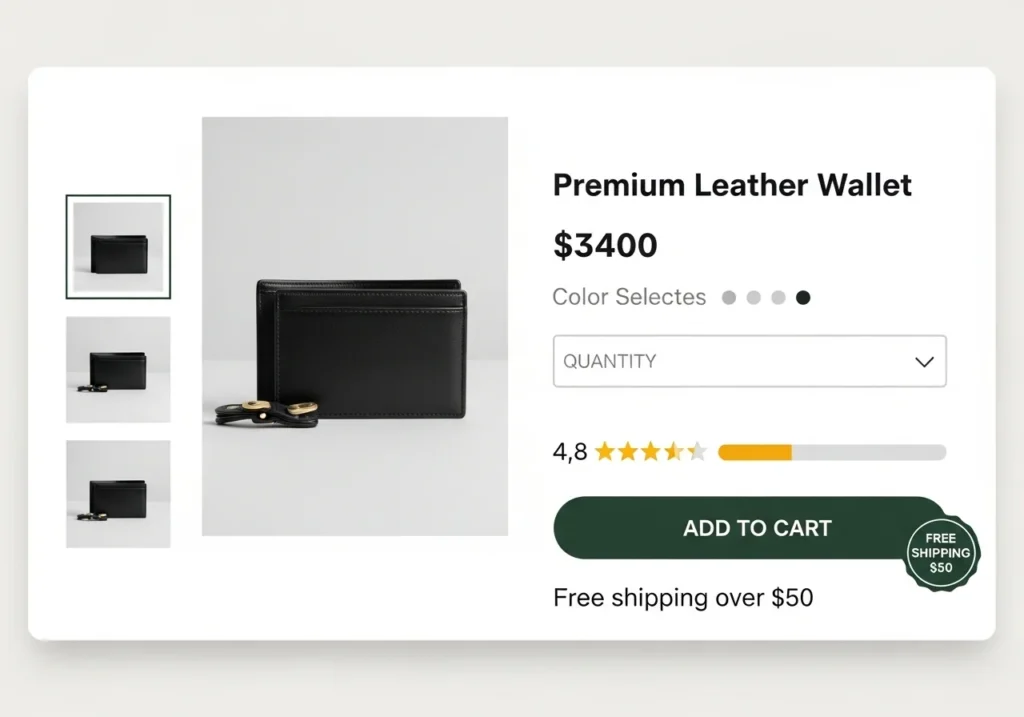
Your product page design for eCommerce is where the actual buying decision happens. Every element should build confidence and push the visitor toward “Add to Cart.”
Non-negotiable elements for every product page:
- Multiple high-resolution images (show all angles)
- A zoom feature or 360-degree view
- Clear product title with main keyword
- Price displayed boldly and prominently
- Size chart, color options, or variant selectors
- Real customer reviews with star ratings
- A large, contrasting “Add to Cart” button above the fold
- Shipping time estimate and easy returns info
- A “Frequently Bought Together” or related products section
Go Mobile-First With Responsive E-commerce Website Design
Over 60% of online shopping now happens on smartphones. If your store isn’t built for mobile, you’re losing more than half your potential revenue every single day.
Responsive eCommerce website design checklist:
- Use a single-column layout on mobile screens
- Make all buttons at least 44px tall for easy tapping
- Avoid full-screen pop-ups on mobile (Google penalizes these)
- Use a hamburger menu for mobile navigation
- Keep checkout forms short with auto-fill enabled
- Test on iOS and Android across multiple screen sizes
Both Shopify and WooCommerce offer mobile-responsive themes by default but always test manually before you go live. Automated tools miss real-world usability issues.
Optimize Product Images for Speed and Sales
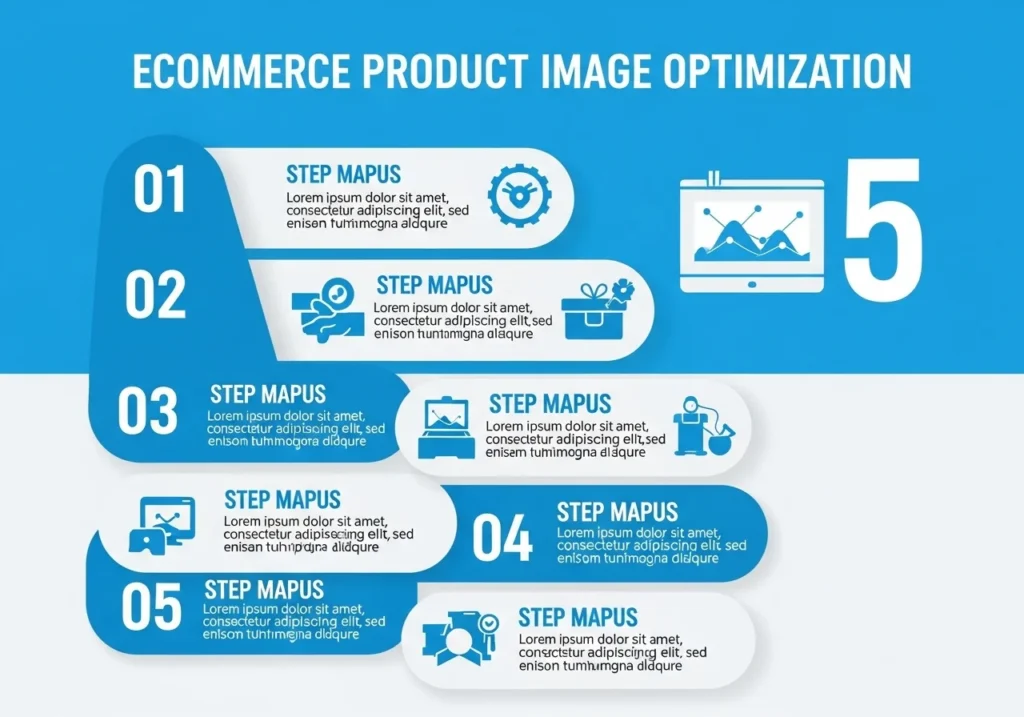
Product image optimization serves two purposes: making your products look irresistible and keeping your store lightning fast.
Great images sell products. Slow images kill your SEO and your conversions at the same time.
Image optimization checklist:
- Use images at least 1000px wide for zoom functionality
- Compress every image with TinyPNG, Squoosh, or ShortPixel
- Convert images to WebP format for 25 to 35% faster load times
- Write descriptive, keyword-rich alt text for every image
- Name files descriptively; use
red-leather-crossbody-bag-women.jpgnotIMG_4591.jpg - Lazy-load images below the fold so the page renders faster
Speed Up Your Store for SEO and Conversions
Website loading speed for eCommerce is directly tied to both your Google rankings and your conversion rate. This is not optional; it is essential.
A 1-second delay in page load time can reduce conversions by up to 7%. On a store doing $10,000/month, that’s $700 in lost revenue every single month from just one extra second of load time.
Speed optimization tactics that work:
- Choose a fast hosting provider with NVMe SSD storage
- Use a Content Delivery Network (CDN) like Cloudflare
- Enable browser caching on all static assets
- Minify CSS, HTML, and JavaScript files
- Remove unused plugins and third-party scripts
- Use Google PageSpeed Insights or GTmetrix to audit your site
Aim for a Largest Contentful Paint (LCP) under 2.5 seconds. That’s Google’s benchmark for a “good” experience.
Optimize Your Shopping Cart and Checkout Page
This is where the money is made or lost. Shopping cart optimization and checkout page optimization are the last mile of your customer’s journey.
Cart optimization tips:
- Show a persistent mini-cart in the header at all times
- Display product thumbnails inside the cart
- Show the total cost including estimated shipping; early no surprise fees
- Add a “Save for Later” option for hesitant shoppers
- Place trust badges close to the checkout button
Checkout page optimization tips:
- Always offer guest checkout; never force account creation
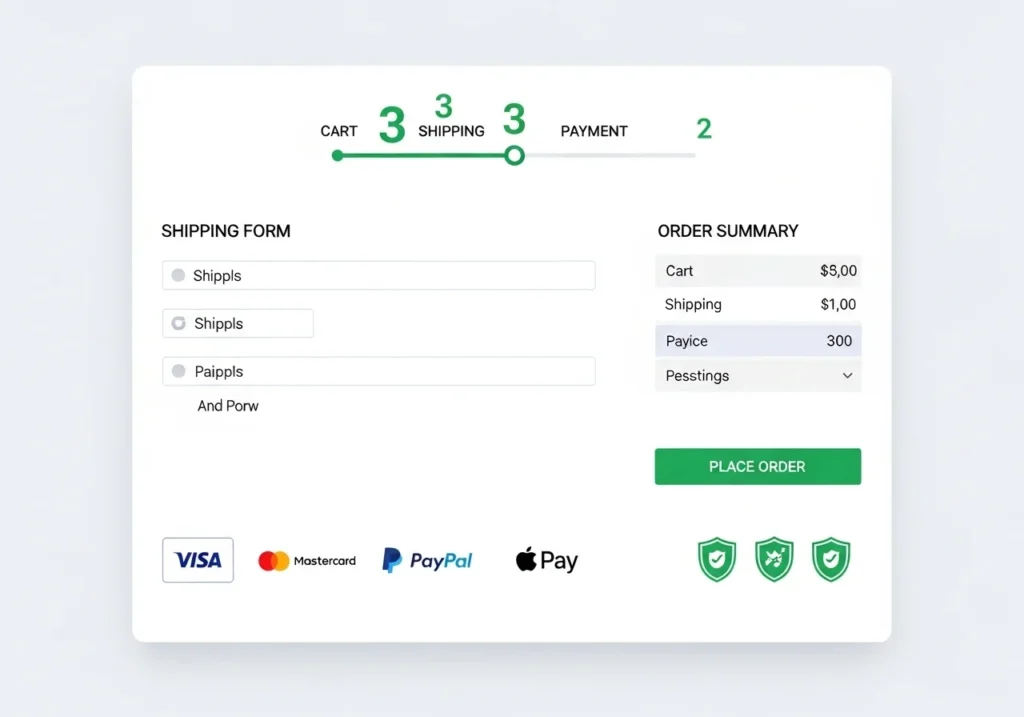
- Use a visual progress bar (“Step 2 of 3”)
- Accept multiple payment methods: cards, PayPal, Apple Pay, Buy Now Pay Later
- Enable address auto-fill to speed up the process
- Remove site navigation on the checkout page to eliminate distractions
- Display SSL certificate and security seals prominently
Add Trust Badges and Secure Payment Icons
Shoppers are naturally cautious about entering card details online. Trust badges and secure payment icons immediately reduce that anxiety and make your store feel safe and credible.
Trust signals that lift conversion rates:
- SSL certificate seal “Secure Checkout” with a padlock icon
- Money-back guarantee badge
- Free returns and easy refund policy display
- Accepted payment icons (Visa, Mastercard, PayPal, Amex)
- Third-party security seals from Norton, McAfee, or the BBB
- Average star rating and total review count
- Press logos or media mentions (“As Seen In…”)
Place trust badges near your primary CTA buttons and throughout your checkout flow. These small icons can have an outsized impact on whether someone clicks “Buy” or bounces.
Write CTAs That Actually Get Clicked
Your call-to-action (CTA) buttons are the most action-driving elements in your entire store. They literally tell people what to do and where to go.
CTA design best practices:
- Use action words: “Add to Cart,” “Shop the Sale,” “Get My 20% Off”
- Make buttons stand out with a bold contrasting color
- Keep button text short; 2 to 4 words is ideal
- Use one primary CTA per section to avoid decision fatigue
- A/B test button color, size, text, and placement regularly
Avoid vague CTAs like “Click Here” or “Submit.” Be specific, be bold, and be benefit-driven.
SEO for E-commerce Websites: Design It In From Day One
The best time to think about SEO for eCommerce websites is before you launch, not after.
SEO-friendly design decisions to make upfront:
- Use clean, readable URL structures:
/collections/womens-sneakers/not/cat?id=59 - Add exactly one H1 tag per page with your target keyword
- Write unique meta titles and descriptions for every page
- Use product schema markup to unlock star ratings in Google search results
- Create and submit an XML sitemap via Google Search Console
- Interlink related products and category pages naturally
- Build for Core Web Vitals: LCP, CLS, and FID all matter for rankings
A fast, well-structured, mobile-optimized store is the foundation that all your other SEO work builds on.
Shopify Store Design Tips vs WooCommerce Website Design Guide
Your platform choice shapes your design options from the very beginning.
Shopify Store Design Tips
Shopify is the easiest way to launch a professional online store without coding skills.
- Browse premium and free themes on the Shopify Theme Store
- Use Shopify’s native image optimizer; no plugins needed
- Be selective with apps; each one adds page load time
- Use the Dawn or Sense theme for clean, conversion-focused layouts
- Customize easily with Shopify’s drag-and-drop Online Store Editor
WooCommerce Website Design Guide
WooCommerce gives you total design control but requires a bit more technical setup.
- Start with a lightweight theme like Astra, OceanWP, or GeneratePress
- Use Elementor or Kadence Blocks for visual drag-and-drop design
- Install WP Rocket or LiteSpeed Cache for speed optimization
- Use Yoast SEO or Rank Math for on-page SEO automation
- Always test your Stripe and PayPal checkout integration before launch
Both platforms are powerful; the right one depends on your budget, technical comfort, and long-term goals.
Conversion Rate Optimization (CRO): Turn More Visitors Into Buyers
Conversion rate optimization (CRO) means getting more sales from your existing traffic without spending more on ads.
Top CRO strategies for e-commerce stores:
- Add urgency triggers: “Only 3 left!” or “Offer ends in 2 hours.”
- Show a “Free Shipping Over $X” banner persistently in the header
- Use exit-intent popups with a discount to recover bouncing visitors
- Add real-time social proof: “12 people are viewing this right now.”
- Run A/B tests on headlines, hero images, button colors, and CTA copy
- Use heatmaps (Hotjar or Microsoft Clarity) to see exactly where users drop off
- Follow up abandoned carts with automated email sequences
Even a 1% improvement in your conversion rate can dramatically increase your monthly revenue without any extra ad spend.
Conclusion
Designing a website for e-commerce success is not about having the most expensive theme or the flashiest animations.
It’s about creating a fast, trustworthy, and frictionless shopping experience that makes buying feel easy and natural for every single visitor.
Here’s your quick action checklist:
- Map a clear, logical site structure before you start designing
- Build a conversion-focused homepage with a strong hero and CTA
- Design product pages that answer every buyer question upfront
- Always test on real devices Go mobile-first
- Optimize every image for quality and speed
- Simplify your cart and checkout to reduce abandonment
- Add trust badges, secure payment icons, and social proof everywhere
- Bake SEO into your design from day one
Your store is never truly “finished”; it grows and improves with every customer interaction.
Start with the fundamentals, test everything, and optimize continuously.
Frequently Asked Questions (FAQs)
What is the most important thing when you design a website for e-commerce?
The most important factor is user experience (UX). Your store needs to be easy to navigate, fast to load, and simple to buy from on any device. Beautiful design means nothing if shoppers can’t find what they need or don’t feel safe checking out.
How do I make my e-commerce website mobile-friendly?
Use a responsive theme that automatically adapts to different screen sizes. Both Shopify and WooCommerce offer these by default. Always test manually on real iOS and Android devices, use large, tappable buttons, and keep mobile forms as short as possible.
What are the best eCommerce UX design tips for beginners?
Start with these five basics: clear navigation, descriptive product titles, prominently displayed prices, upfront shipping costs, and a simple one-page checkout. Every extra step or piece of confusion between your shopper and the buy button costs you a sale.
How can I improve my e-commerce website loading speed?
Compress and convert all images to WebP format, choose fast hosting with SSD storage, use a CDN like Cloudflare, enable caching, and reduce unnecessary plugins. Run your store through Google PageSpeed Insights for a free, specific action plan.
Do trust badges really help increase eCommerce sales?
Yes, significantly. Trust badges like SSL seals, money-back guarantee icons, and recognized payment logos can increase conversion rates by up to 42% because they remove the anxiety shoppers feel about online security. Place them near your CTA buttons and throughout the checkout page.