
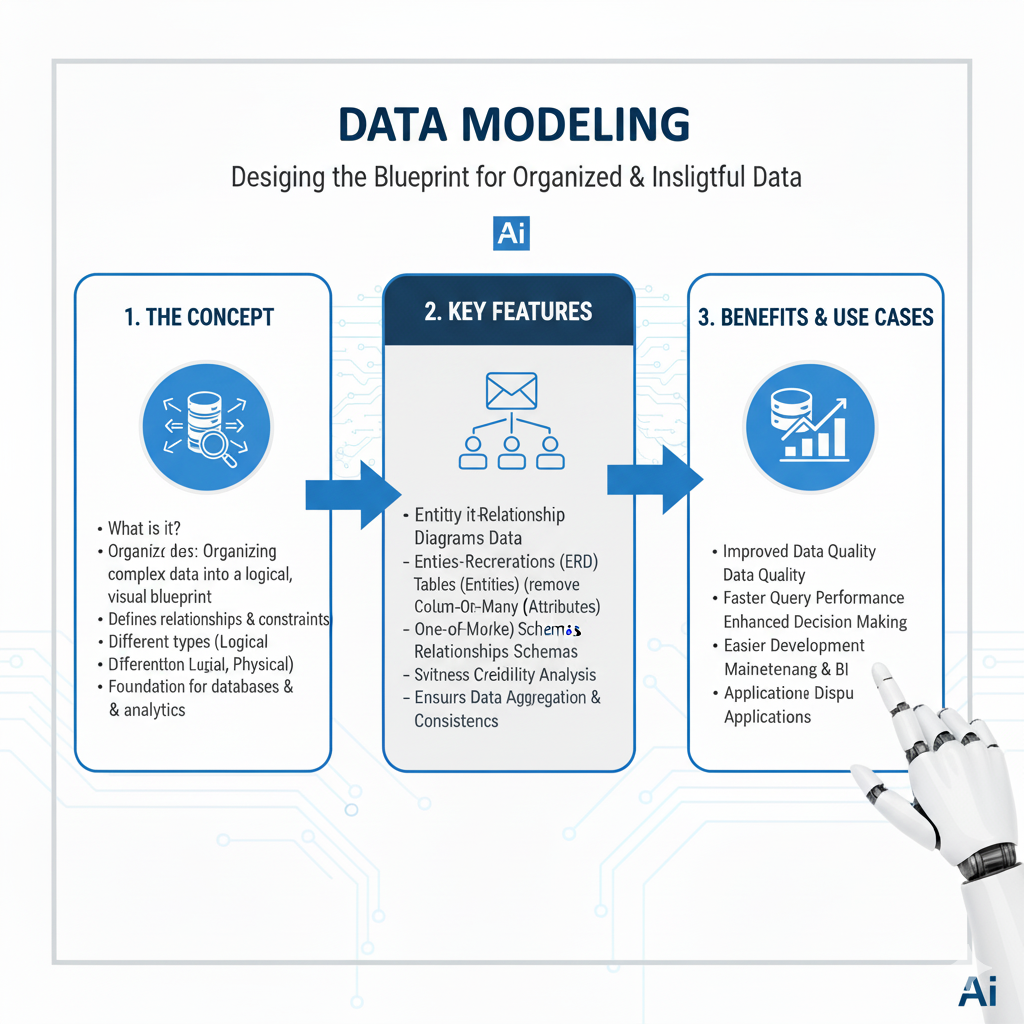
Explore powerful Data Modeling techniques for 2025. Learn to design efficient, scalable models that drive data analysis, AI, and business insights
Have you ever tried to build a piece of furniture from IKEA without looking at the instructions? You have all the parts—the wooden boards, the screws, the little dowels—but without a plan, you’re just guessing. You might end up with a wobbly bookshelf, or something that doesn’t look anything like the picture on the box.
Now, imagine your data is all those IKEA parts. You have customer information, sales transactions, website clicks, and product details. Data modeling is the process of creating the instruction manual that shows how all these pieces fit together.
A good data model is the blueprint for your data. It determines how information is stored, organized, and, most importantly, how it can be used to answer business questions. A poor data model leads to slow reports, confused colleagues, and incorrect insights. A great one makes analysis fast, intuitive, and reliable.
In this guide, we’ll explore the 7 most essential data modeling techniques that every analyst needs to know in 2025. We’ll move from the foundational concepts you use every day to the advanced patterns that power modern analytics. Let’s build that blueprint together.
What is Data Modeling? (And Why Should You Care?)
In simple terms, data modeling is the process of designing a structure for your data. It’s about deciding:
- What tables do you need?
- What information goes in each table?
- How are these tables related to each other?
Think of it like planning a library. You wouldn’t just throw all the books into a giant pile. You’d organize them into sections (Fiction, Non-Fiction), then into shelves (Science, History), and then alphabetically. A data model does the same for your data, making it easy to find what you need.
Why is this a core skill for analysts?
Because you are the primary user of these models. If you understand how they are built, you can:
- Write better queries: You’ll know exactly how to join tables and where to find the data you need.
- Spot errors faster: You’ll understand why a number looks wrong if the underlying model is flawed.
- Communicate with engineers: You can help design models that actually serve your analytical needs, rather than just accepting what’s given to you.
- Build better dashboards: A clean, well-designed model is the foundation of any clear and accurate report.
1. The Star Schema: The Classic Analytics Powerhouse
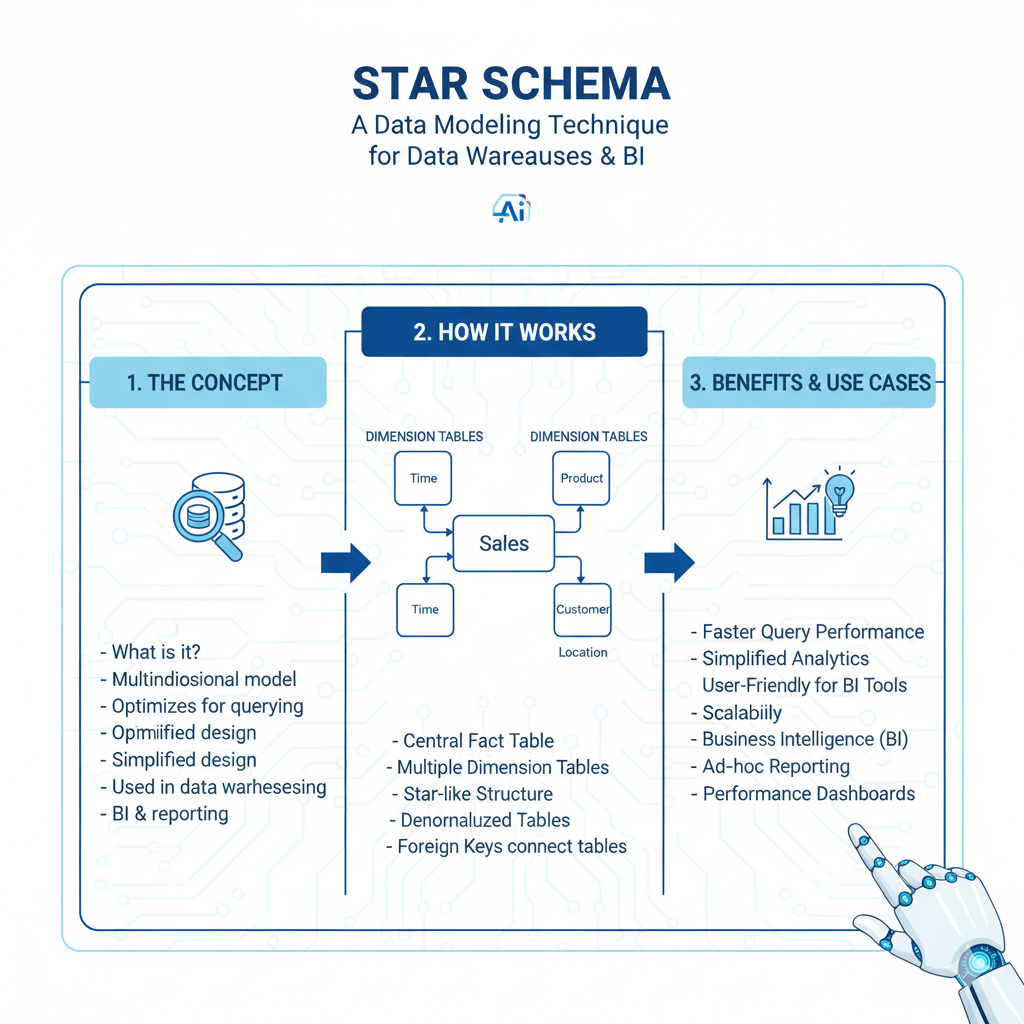
The Star Schema is the most common and user-friendly data modeling technique for data warehouses and analytical databases. It’s designed for one thing: making queries fast and simple.
What it looks like:
It’s called a “star” because the diagram looks like one. You have one central table, surrounded by multiple other tables that point toward it.
- Fact Table (The Center): This table sits in the middle of the star. It contains the measurable, quantitative data about business processes—the “what happened.” Examples: sales dollars, number of units sold, page view counts.
- Dimension Tables (The Points): These tables describe the “who, what, where, when, and why” of the facts. They contain descriptive attributes. Examples: Customer details, Product information, Date calendar, Store locations.
Real-Life Example:
Let’s model a retail business.
- Fact Table:
fact_sales- Columns:
sale_id,date_key,customer_key,product_key,store_key,sales_amount,quantity
- Columns:
- Dimension Tables:
dim_customer:customer_key,customer_name,city,age_groupdim_product:product_key,product_name,category,branddim_date:date_key,full_date,day_of_week,month,quarter,yeardim_store:store_key,store_name,region,manager
Why it’s a Game-Changer:
- Simplicity: Analysts love it. To answer a question like “What were the total sales of soda in the Northeast region last quarter?”, you just join the fact table to three dimension tables. The query is straightforward.
- Performance: This structure is optimized for large analytical queries. Databases can quickly filter the small dimension tables and then rapidly scan the fact table.
- Intuitive Business Logic: It mirrors how business people think. They want to slice and dice measures (facts) by different categories (dimensions).
2. The Snowflake Schema: The Organized Cousin
The Snowflake Schema is a variation of the Star Schema. It’s called “snowflake” because the dimension tables are normalized, which makes the diagram look like a snowflake.
What does “normalized” mean?
It means you eliminate duplicate data by breaking it down into even more tables.
Let’s take our dim_product table from the star schema. It might have had a category and a brand column. In a snowflake schema, you would create separate tables for these.
Real-Life Example (Expanding on the Star Schema):
- The
dim_producttable now only has:product_key,product_name,category_key,brand_key - You add two new dimension tables:
dim_category:category_key,category_name,department_namedim_brand:brand_key,brand_name,parent_company
When to Use It:
- Pros: It saves storage space and ensures data consistency (there’s only one place to update “Brand Name”).
- Cons: It makes queries more complex. To get the product category, you now have to join through two tables (
fact_sales->dim_product->dim_category), which can be slower.
The Verdict: In the modern world of cheap cloud storage, the Star Schema is almost always preferred for performance and simplicity. But you need to know the Snowflake schema because you will encounter it.
3. The Data Vault: The Agile, Historical Record
What if your business changes all the time? You’re constantly adding new data sources, and you need a model that can handle that change without needing a complete redesign. That’s where the Data Vault model comes in.
The Data Vault is designed for the modern, agile data warehouse IN data modeling. Its main goal is to capture and preserve all historical data from any source, without judgment.
It has three core components:
- Hubs: These represent core business concepts. A Hub contains only a unique list of keys.
- Example:
hub_customerwould have:customer_id(the business key) and a load timestamp.
- Example:
- Satellites (Sats): These contain all the descriptive information about a Hub. They store the history of changes.
- Example:
sat_customer_detailswould have:customer_id,load_timestamp,customer_name,address,email. Every time a customer’s address changes, a new record is added to this satellite.
- Example:
- Links: These represent transactions or relationships between Hubs. They are the “facts” that connect business entities.
- Example:
link_salewould have:sale_id,customer_id,product_id,date_id, and a load timestamp.
- Example:
Real-Life Example:
A sale occurs. The Data Vault would record:
- In
hub_customer: The customer’s ID (if it’s a new customer). - In
hub_product: The product’s ID. - In
link_sale: A record linking that customer, product, and date. - In various satellites: The details of the customer data modeling at that time, the product description at that time, and the sale amount.
Why it’s a Game-Changer:
- Auditability: You have a complete, unchangeable history of every piece of data.
- Flexibility: Adding a new data source? Just create a new Hub or Satellite. You don’t have to rebuild existing tables.
- Parallel Loading: Different teams can load data into different parts of the vault at the same time without causing conflicts.
For Analysts: You don’t typically query the raw Data Vault. It’s used as a robust, central raw data layer. Data is then transformed from the Vault into a Star Schema (called “information marts”) that you use for your daily analysis.
4. One Big Table (OBT): The Denormalized Workhorse
This technique is as straightforward as it sounds. Instead of breaking data into many tables (normalization), you combine almost everything into one massive, wide table.
What it looks like:
You take all the descriptive attributes from your dimensions and include them as columns right in your fact table.
Real-Life Example:
Our fact_sales table would no longer have foreign keys. Instead, it would have: sale_id, sales_amount, quantity, customer_name, customer_city, product_name, product_category, store_region, full_date, month, quarter… you get the idea.
When to Use It:
- For Specific Tools: This model is extremely common with tools like Apache Cassandra or when building features for machine learning models, where a wide, flat table is required.
- For Simplicity on Fast Engines: With modern data modeling columnar databases like BigQuery, sometimes the performance hit of joining is worse than just scanning a few extra columns in a giant table.
The Big Warning:
This model can be incredibly inefficient. It leads to massive data duplication. If a product’s name is in every single sales record, you’re storing that name millions of times. It also makes updates a nightmare—if a product category changes, you have to update millions of rows.
5. Dimensional Modeling: The Foundational Mindset
This is less a specific technique and more of a philosophy that underpins both the Star and Snowflake schemas. data modeling is a set of concepts and techniques designed to present data in an intuitive, standard framework that delivers fast query performance.
The core idea is to separate the “what happened” (facts) from the “context” (dimensions).
Key Principles:
- Business Process Focus: Each model should be built around a single, important business process, like “Orders,” “Shipments,” or “Website Visits.”
- Grain Declaration: You must be crystal clear about what one row in your fact table represents. Is it one line item on an order? One entire order? This is the “grain.” Stating the grain is the most important step.
- Conformed Dimensions: These are dimensions (like
dim_dateordim_customer) that mean the same thing and can be used across different data modeling fact tables. This is what allows you to create a cohesive data warehouse instead of isolated data silos.
Why it’s a Game-Changer:
Mastering this mindset is more important than memorizing any single schema. It teaches you to think from the business user’s perspective and design models that directly answer their questions.
6. Graph Data Modeling: For Mastering Relationships
What if your data is all about connections? Think of social networks (who is friends with whom), recommendation engines (people who bought this also bought that), or fraud detection (unusual networks of transactions).
For this, relational tables can be clunky. Graph data modeling is designed to put relationships front and center.
The Core Components:
- Nodes (or Vertices): These are the entities or objects (e.g., a Person, a Product, a Bank Account).
- Edges (or Relationships): These are the lines data modeling that connect nodes (e.g., FRIENDS_WITH, PURCHASED, SENT_MONEY_TO). Edges can also have properties.
Real-Life Example (Fraud Detection):
- Nodes:
Account_1,Account_2,Account_3,Person_A,Person_B. - Edges:
(Person_A)-[OWNS]->(Account_1)(Person_A)-[OWNS]->(Account_2)(Account_1)-[SENT_MONEY_TO {amount: $5000}]->(Account_3)(Account_2)-[SENT_MONEY_TO {amount: $5000}]->(Account_3)
A graph query can easily find patterns that are hard to see in SQL, like “find all accounts that have received money from multiple accounts owned by the same person,” which is a classic fraud signal.
Why it’s a Game-Changer:
For specific problems involving complex relationships and pathfinding, a graph model is vastly superior. It’s a specialized tool for a specialized job.
7. The Wide Table: The ML & Feature Store Favorite
This is a more applied version of the “One Big Table” concept, specifically tailored for machine learning. A wide table in the ML context is a single data modeling table where each row represents a prediction point (e.g., one customer), and the columns are all the potential features for the model.
What it looks like:
A table for a customer churn model might have one row per customer, with hundreds of columns like: customer_id, total_spend_last_90_days, num_support_tickets, days_since_last_login, preferred_category, avg_session_length, etc.
Why it’s a Game-Changer:
- Model Readiness: It creates a direct feed for ML algorithms, which require data in this flat, row-column format.
- Feature Management: It encourages thinking about data as “features,” which is the currency of machine learning.
- Performance: Training a model from a single, data modeling pre-joined table is much faster than having the model training process run complex SQL joins on the fly.
How to Choose the Right Technique: A Simple Guide
Feeling overwhelmed? Use this simple decision framework:
- What is my primary goal?
- Business Reporting & Dashboards: Start with Dimensional Modeling (Star Schema). It’s the safe, powerful, and standard choice.
- Building a flexible, auditable data warehouse: Look into Data Vault.
- Powering a Machine Learning model: Build a Wide Table of features.
- Analyzing complex relationships (networks, recommendations): Explore Graph Data Modeling.
- What is my team’s skill level?
- The Star Schema is the easiest for analysts to understand and use. The Data Vault has a steeper learning curve.
- What technology am I using?
- Traditional Data Warehouse (like Redshift, Snowflake): Star Schema.
- NoSQL Database (like Cassandra): One Big Table.
- Graph Database (like Neo4j): Graph Model.
Frequently Asked Questions (FAQs)
Q1: As an analyst, do I need to be able to build these models from scratch?
Not necessarily. Your primary role is to understand and use them effectively. However, being able to design a simple Star Schema for a new business data modeling problem or contribute to a model design discussion with data engineers will make you an invaluable, “full-stack” analyst.
Q2: Is normalization good or bad?
It’s a trade-off, not a question of good or evil. Normalization (like the Snowflake Schema) reduces data redundancy and ensures consistency. Denormalization (like the Star Schema or OBT) improves query performance and simplicity for the analyst. In modern analytics, we tend to denormalize for the end-user layers (the part you query) after normalizing in the raw storage layers.
Q3: What tools can I use to practice data modeling?
You don’t need fancy software to start. Draw them on a whiteboard or use a simple drawing tool like Lucidchart or Draw.io. For hands-on practice, you can design and create these tables in any SQL database, like PostgreSQL running on your computer. Tools like dbt (data build tool) are also fantastic for building and documenting data models as code.
Q4: How does this relate to the “Data Lakehouse”?
The Data Lakehouse architecture combines the low-cost storage of a data lake with the management and structure of a data warehouse. In a Lakehouse, you typically store raw data in the lake. Then, you use these data modeling techniques (especially Star Schema and Data Vault) to transform that raw data into structured, query-ready tables within the lakehouse platform, like Delta Lake on Databricks.
Q6: How often should we revisit and update our data modeling strategy?
Your data modeling strategy is not a “set it and forget it” project. You should formally review your core data modeling approach at least once a year. However, any major business change—like launching a new product line or entering a new market—should trigger an immediate review of the relevant data modeling layers. Continuous, incremental improvement to your data modeling practices is key to maintaining a healthy and scalable data environment.
Conclusion: Your Blueprint for Clarity
Data modeling might seem like a technical, backend task, but it’s the foundation of everything you do as an analyst. A well-designed model is a thing of beauty. It makes your work easier, your insights accurate, and your business smarter.
Think of yourself as an architect. You’re not just laying bricks (writing queries); you’re designing the blueprint (the data modeling) that determines how strong and useful the final building (the data platform) will be.
Start with the Star Schema. Master the dimensional modeling mindset. Then, explore the other techniques as you encounter new and complex challenges. The effort you put into understanding this craft will pay off in faster queries, clearer insights, and a more impactful career.
So, the next time you’re faced with a jumble of data, don’t just start writing SQL. Take a step back. Grab a pen and paper. Ask, “What’s the best blueprint for data modeling?” Your future self will thank you.
