Have you ever had one of those data science days? Your laptop is overheating trying to train a model. You can’t share your Jupyter notebook with your teammate. The dataset is too big to open in Excel, and you just found out the data you need is locked in a different department’s database.
It feels like you’re trying to build a modern skyscraper with just a hammer and a saw.
What if you had access to a full, digital construction site? One with cranes for heavy lifting, architects for planning, and teams that could work together seamlessly?
That’s what Microsoft Azure can be for you.
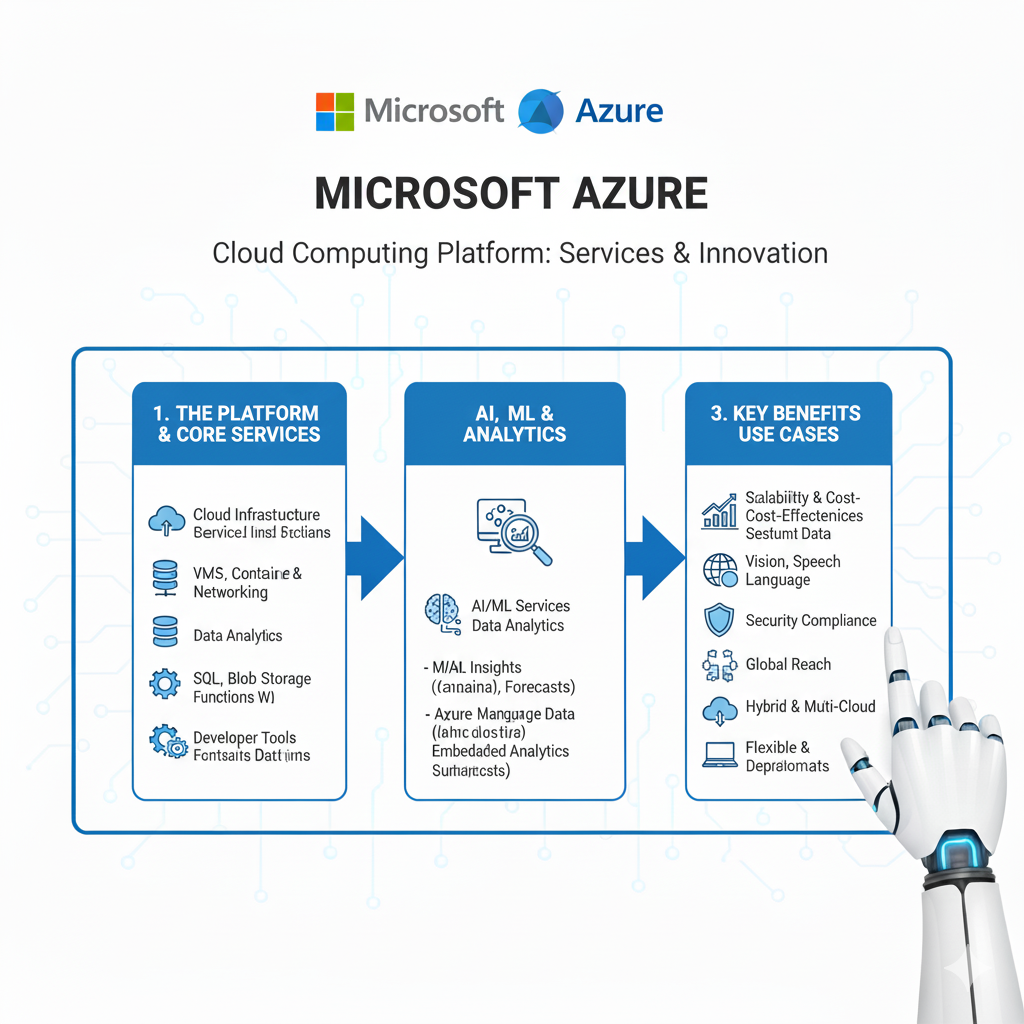
Azure is Microsoft’s cloud computing platform, a vast collection of over 200 services. For a data scientist, it’s a playground of powerful tools designed to take the grunt work out of your job and let you focus on what you do best: finding insights.
In this guide, we’ll explore the 10 most powerful Azure tools that will transform how you work in 2025. We’ll skip the confusing jargon and focus on what each tool does, why it matters to you, and how it can make your life easier. Let’s get you equipped.
1. Azure Machine Learning: Your End-to-End ML Command Center
If you only have time to master one tool on Azure, make it this one. Azure Machine Learning (Azure ML) is a fully-fledged platform for building, training, and deploying machine learning models. Think of it as your mission control for all things ML.
What it is: A collaborative, drag-and-drop-and-code environment that manages the entire machine learning lifecycle.
Why it’s a Game-Changer:
- No Infrastructure Headaches: Say goodbye to “it works on my machine.” Spin up powerful computing clusters for training with a few clicks, without ever talking to an IT admin.
- The Best of Both Worlds: You can write code in Python using SDKs in a familiar Jupyter Notebook environment, or you can use a visual, no-code designer to drag and drop components to build models.
- Automated Machine Learning (AutoML): This is like having a junior data scientist working for you. Tell AutoML your dataset and what you want to predict, and it will automatically try dozens of algorithms and data transformations to find the best model for you.
- Model Management Made Easy: It keeps track of all your experiments, so you can see which model version performed best. Deploying a model as a REST API is straightforward, making it easy to integrate your work into apps and services.
Real-Life Example:
You need to predict which customers are likely to cancel their subscription. You connect Azure ML to your data in Azure Data Lake. You use AutoML to quickly test multiple approaches and find a high-performing model. You then deploy it with one click. Now, your customer service app can send a customer’s data to your model’s API and get a real-time “churn risk” score.
2. Azure Synapse Analytics: Your All-in-One Analytics Powerhouse
Data is often scattered everywhere. You have some in a data warehouse, some in a data lake, and you’re never quite sure how to bring it all together. Azure Synapse Analytics solves this.
What it is: A limitless analytics service that brings together data integration, enterprise data warehousing, and big data analytics into a single, unified platform.
Why it’s a Game-Changer:
- One Service, Multiple Superpowers: It lets you query data using both serverless (pay-per-query) and dedicated (always-on) resources. You can run T-SQL queries on your data warehouse or use Spark pools to process massive datasets.
- Deep Data Lake Integration: It’s natively integrated with Azure Data Lake Storage. This means you can query your raw data files (like Parquet, JSON, CSV) directly without moving them.
- Collaboration is Built-In: Data engineers, data scientists, and analysts can all work in the same workspace, using the tools they prefer (Spark, SQL, etc.), on the same data.
Real-Life Example:
You need to analyze customer behavior by combining structured sales data from your data warehouse with semi-structured clickstream logs from your data lake. With Synapse, you can write a single SQL query that joins the sales table with the raw JSON log files in Data Lake, giving you a complete 360-degree view without complex data movement.
3. Azure Data Lake Storage (Gen2): Your Infinite Data Reservoir
Every great data project starts with a place to put your data. Azure Data Lake Storage (ADLS Gen2) is that place. It’s the foundational storage for your modern data estate in Azure.
What it is: A massively scalable and secure data lake for your high-performance analytics workloads. It’s the next generation of Azure Blob Storage, supercharged with a hierarchical file system.
Why it’s a Game-Changer:
- Designed for Analytics: It’s built from the ground up to be the best storage for services like Azure Databricks and Synapse Analytics, offering tremendous speed and efficiency.
- Cost-Effective at Scale: It combines the low cost of object storage (like Azure Blobs) with the directory and file semantics of a hierarchical file system, making it both cheap and easy to organize.
- Fine-Grained Security: You can set security permissions at the file and folder level, which is crucial for complying with data governance policies.
Real-Life Example:
Your company ingests terabytes of IoT sensor data every day. You create a folder structure in your Data Lake like: /Raw/SensorData/2025/07/26/. All the raw data gets dumped here. This becomes the single source of truth for all your analytics and machine learning projects.
4. Azure Databricks: The Collaborative Spark Powerhouse
When your data is too big for a single machine, you need to distribute the processing. Apache Spark is the leading framework for this, and Azure Databricks provides the best environment to run it.
What it is: A fast, easy, and collaborative Apache Spark-based analytics platform. It’s co-founded by the original creators of Spark.
Why it’s a Game-Changer:
- Optimized Performance: Azure Databricks is optimized for the cloud, making it significantly faster than open-source Spark. It handles all the complex cluster management for you.
- Built for Teams: Its notebook environment is designed for real-time collaboration. Multiple data scientists can work on the same notebook, and see each other’s changes live, like a Google Doc for code.
- MLflow Integration: It has built-in support for MLflow, an open-source platform for managing the ML lifecycle. This makes tracking experiments, packaging code, and deploying models incredibly smooth.
Real-Life Example:
You’re building a complex recommendation engine. The feature engineering requires processing a huge graph of user-product interactions. You use Azure Databricks with its GraphFrames library to run this computation at scale on a large cluster. Your entire team can collaborate on the same notebook, and MLflow tracks all your model experiments automatically.
5. Azure Cognitive Services: Your AI “Out-of-the-Box” Toolkit
What if you could add powerful AI capabilities to your applications without building and training a model from scratch? Azure Cognitive Services lets you do just that.
What it is: A collection of pre-built, ready-to-use AI models available as APIs. It’s like having a team of AI specialists on call 24/7.
Why it’s a Game-Changer:
- No ML Expertise Required: You don’t need to be a deep learning expert to use computer vision or natural language processing. Just call a REST API.
- Incredibly Fast to Implement: You can integrate state-of-the-art AI into your apps in hours or days, not months.
- Constantly Improving: Microsoft continuously updates and improves these models in the background. Your application gets smarter over time without you doing any work.
Real-Life Example:
You’re building a customer feedback system. Instead of manually reading thousands of support tickets, you use the Azure Text Analytics service to automatically detect sentiment (positive/negative/neutral) and extract key phrases from each ticket. This lets you quickly spot emerging issues and trends.
6. Azure Data Factory: Your Data Pipeline Conductor
Data doesn’t move itself. You often need to build pipelines to collect data from various sources, transform it, and land it in a destination like a data lake. Azure Data Factory is Azure’s cloud-based ETL/ELT service.
What it is: A serverless data integration service that allows you to create, schedule, and orchestrate data workflows.
Why it’s a Game-Changer:
- Visual ETL/ELT: You can build complex data pipelines using a simple drag-and-drop interface. It’s like building a flowchart for your data.
- Massive Connector Library: It has built-in connectors to hundreds of sources, from on-premises SQL Server to SaaS applications like Salesforce.
- Serverless and Scalable: You don’t manage any servers. You just define the “what” and “when,” and Data Factory handles the “how,” scaling up and down as needed.
Real-Life Example:
You need a daily report on sales performance. You build a pipeline in Data Factory that runs every night at 2 AM. It copies new sales data from your on-premises database, joins it with customer data from Salesforce, transforms the data (e.g., calculates profit margins), and loads the final result into a dedicated SQL pool in Azure Synapse for reporting.
7. Azure Key Vault: Your Digital Safety Deposit Box
Security might not be the most exciting topic, but it’s the most important. Azure Key Vault is where you securely store and manage all the secrets your data science projects need, like API keys, database connection strings, and storage account keys.
What it is: A centralized cloud service for storing application secrets.
Why it’s a Game-Changer:
- Never Hardcode Secrets Again: You can remove passwords and keys from your code and securely retrieve them from Key Vault at runtime. This is a fundamental security best practice.
- Fine-Grained Access Control: You can control which users and applications have access to which secrets.
- Audit Trail: It logs every access to a secret, so you know who accessed what and when.
Real-Life Example:
Your notebook needs to connect to a database. Instead of writing the password in your code (a huge security risk), you store the password in Azure Key Vault. Your code simply asks Key Vault for the password. This way, you can share your notebook without exposing sensitive credentials.
8. Azure App Service: Your Model Deployment Engine
You’ve built a brilliant model. Now, how do you get it into the hands of users? Azure App Service is a fully managed platform for building, deploying, and scaling web apps and APIs—the perfect home for your model.
What it is: An HTTP-based service for hosting web applications, REST APIs, and mobile back ends.
Why it’s a Game-Changer:
- Deploy in Minutes: You can deploy a Python Flask or FastAPI app containing your model in just a few minutes.
- Automatic Scaling: If your model API becomes popular, App Service can automatically scale out to handle the traffic.
- DevOps Made Easy: It has built-in continuous integration and deployment (CI/CD) from GitHub, Azure DevOps, or any Git repo.
Real-Life Example:
You wrap your churn prediction model in a simple Flask API. You then deploy this Flask app to Azure App Service. Now, you have a secure URL that your front-end developers can call to get predictions. The platform handles all the patching, security, and scaling for you.
9. Azure DevOps: Your Project Management & CI/CD Champion
Data science is a team sport. Azure DevOps provides a set of development tools to help you plan your work, collaborate on code, and build and deploy your solutions automatically.
What it is: A suite of services that includes Repos (Git repositories), Pipelines (CI/CD), Boards (work tracking), and more.
Why it’s a Game-Changer:
- Reproducible Workflows: You can create a CI/CD pipeline that automatically trains a new model whenever you push new code to your repository. This ensures your models are always up-to-date.
- Better Collaboration: Your team can use Azure Boards to track tasks, bugs, and features, making project management transparent.
- Git-Based Version Control: Azure Repos provides unlimited private Git repositories to version control your code, notebooks, and data.
Real-Life Example:
You have a Git repository for your forecasting project. You set up an Azure Pipeline that is triggered every time you merge code into the main branch. The pipeline automatically runs your data preprocessing scripts, retrains the model, and if it passes all tests, deploys it to a staging environment.
10. Power BI: Your Data Storytelling Masterpiece
All your hard work is pointless if you can’t communicate the results. Power BI is Azure’s flagship tool for turning your data and models into compelling, interactive visual stories.
What it is: A collection of software services, apps, and connectors that work together to turn your unrelated data into coherent, visually immersive, and interactive insights.
Why it’s a Game-Changer:
- Seamless Integration: It connects directly to almost every Azure data service, like Synapse Analytics and Data Lake.
- AI-Powered Visuals: It has built-in AI capabilities that can automatically find patterns in your data or even run Python or R scripts to create custom visuals.
- Empowers Everyone: You can build a dashboard once, and business users across the company can interact with it, slice and dice the data, and get their own answers without writing a single query.
Real-Life Example:
You create a Power BI dashboard that shows the output of your deployed machine learning model. Marketing managers can open the dashboard, see a live view of customer churn risk, and filter it by region or product line to make informed, data-driven decisions about retention campaigns.
How to Get Started: Your First Project on Azure
The best way to learn is by doing. Here’s a simple 4-step plan for your first project on Azure:
- Get an Azure Account: Sign up for a free account at
azure.microsoft.com. You get $200 in credit for the first 30 days and access to many free services for 12 months. - Pick a Simple Goal: Don’t try to boil the ocean. Start with: “I will predict house prices using a public dataset.”
- Follow the Data Flow:
- Store: Upload your dataset to Azure Data Lake Storage (Gen2).
- Analyze & Model: Use Azure Machine Learning to create a notebook, explore the data, and train a model using AutoML.
- Visualize: Connect Power BI to your results and build one simple chart.
- Celebrate: You’ve just built an end-to-end cloud data science pipeline!
Frequently Asked Questions (FAQs)
Q1: I’m already using AWS. Is it worth learning Azure?
Absolutely. Many enterprises use a multi-cloud strategy. Knowing both Azure and AWS makes you incredibly versatile and valuable. The core concepts are similar, but Azure’s deep integration with the Microsoft ecosystem (like Office 365 and Dynamics) is a unique advantage.
Q2: Is Azure more expensive than running things on my own laptop?
For learning and small projects, the Azure free tier is very generous and will cost you nothing. For larger projects, the pay-as-you-go model can be more cost-effective than maintaining your own powerful hardware. You only pay for what you use.
Q3: I’m not a strong coder. Can I still use Azure?
Yes! Tools like the Azure Machine Learning visual designer and Power BI are built for citizen data scientists and business analysts. They provide powerful, drag-and-drop interfaces that require little to no coding.
Q4: What’s the biggest difference between Azure ML and Azure Databricks?
Think of it like this: Azure Machine Learning is a comprehensive platform for the entire ML lifecycle, with a strong focus on model management and deployment. Azure Databricks is a collaborative data engineering and analytics platform optimized for large-scale data processing with Spark, which is often a prerequisite for ML. They work brilliantly together.
Conclusion: Your Cloud-Powered Future Awaits
The era of the isolated data scientist working alone on a laptop is over. The future is collaborative, scalable, and in the cloud. Mastering the Azure platform is no longer a “nice-to-have” skill; it’s a fundamental part of being a modern, effective data scientist.
These 10 tools give you a complete toolkit. You have the power to manage data at any scale, build and deploy sophisticated models, collaborate seamlessly with your team, and tell compelling stories with your results.
You don’t need to learn everything at once. Start with one tool. Build one small project. Each step you take will build your confidence and your skills.
So, open a new browser tab, sign up for that free account, and start building. Your future as a cloud-native data scientist is waiting on Azure.