
Discover the top SEO best practices for e-commerce websites to rank higher, drive organic traffic, and increase sales. Start optimizing your store today!
Your e-commerce store looks great but if Google can’t find it, neither can your customers.
Most online stores leave thousands of dollars on the table simply because they skip the basics of SEO. The good news? SEO best practices for e-commerce websites aren’t as complicated as they seem and the results are very real.
In this guide, you’ll get a clear, actionable roadmap. From product page optimization to technical fixes, we cover everything that actually moves the needle. No guesswork. No jargon overload. Just strategies that work.
Why E-commerce SEO Is Different From Regular SEO
SEO for e-commerce isn’t the same as blogging SEO. You’re dealing with hundreds (sometimes thousands) of product pages, dynamic URLs, duplicate content, and complex site structures.
The stakes are also higher. Every missed ranking is a missed sale.
Unique challenges e-commerce sites face:
- Thin product descriptions that don’t rank
- Duplicate content from filters and sorting parameters
- Slow page speeds from heavy product images
- Canonicalization issues across category pages
- Seasonal inventory creating dead pages
Understanding these challenges is step one. Solving them that’s what this guide is for.
SEO Best Practices for E-commerce Websites: The Complete Checklist
Let’s get into the real work. These are the strategies that separate stores ranking on page one from those buried on page five.
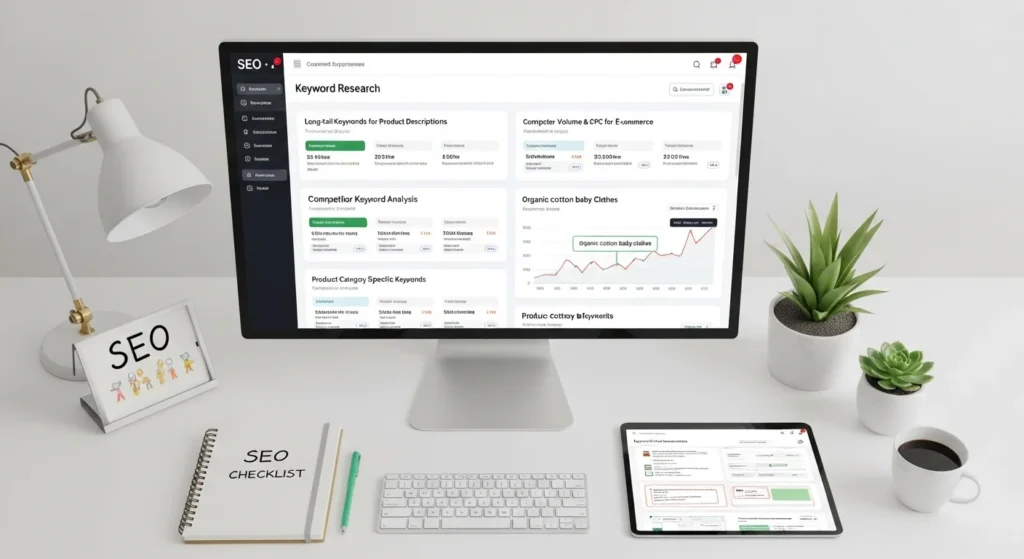
Step 1: Do Deep Keyword Research for Product and Category Pages
Keyword research for e-commerce is hyper-specific. You’re not just targeting broad terms you’re targeting buying intent keywords.
Types of Keywords to Target
- Informational: “best running shoes for flat feet” blog content
- Navigational: “Nike Air Max store” brand/product pages
- Transactional: “buy red leather wallet online” product/category pages
- Commercial investigation: “iPhone 15 vs iPhone 14” comparison pages
How to Find the Right Keywords
- Use Google Keyword Planner, Ahrefs, or Ubersuggest
- Check Amazon’s autocomplete for product-level terms
- Look at competitors’ product titles and meta descriptions
- Focus on long-tail keywords with lower competition but high purchase intent
Example: Instead of “women’s shoes,” target “waterproof women’s hiking boots under $100.” Lower volume, but buyers are ready to purchase.
Step 2: Optimize Your Product Pages for Rankings and Conversions
Your product page is both a sales page and an SEO asset. It has to do two jobs at once.
Write Unique Product Descriptions
Never copy manufacturer descriptions. Google treats this as duplicate content and tanks your rankings.
Write descriptions that:
- Include the primary keyword naturally in the first sentence
- Highlight benefits, not just features
- Answer common buyer questions
- Use natural language variations of your keyword
Weak description: “Blue cotton t-shirt. Available in sizes S, M, L, XL.”
Strong description: “Stay cool all summer in this lightweight blue cotton t-shirt breathable, shrink-resistant, and perfect for everyday wear. Available in sizes S to XL.”
Optimize These On-Page Elements
| Element | Best Practice |
|---|---|
| Title Tag | Keyword + Brand + Size/Color if relevant |
| Meta Description | Benefit-driven, 140–160 chars, keyword included |
| H1 Tag | Match the product name + main keyword |
| Image Alt Text | Describe the product + include keyword naturally |
| URL Slug | Short, clean, keyword-rich (e.g., /blue-cotton-t-shirt) |
| Schema Markup | Product schema with price, availability, reviews |
Step 3: Build a Clean, Crawlable Site Structure
Google needs to be able to crawl and understand your store’s structure. A messy architecture means pages don’t get indexed and don’t rank.
The Ideal E-commerce Site Structure
Homepage
├── Category Page (e.g., Men's Shoes)
│   ├── Subcategory Page (e.g., Running Shoes)
│   │   ├── Product Page
│   │   ├── Product Page
│   └── Subcategory Page (e.g., Casual Shoes)
└── Category Page (e.g., Women's Shoes)
Key rules for site structure:
- Keep every page within 3 clicks from the homepage
- Use breadcrumb navigation (helps users AND search engines)
- Avoid orphan pages (pages with no internal links pointing to them)
- Use a clear, logical URL hierarchy
Breadcrumb example: Home > Men’s Shoes > Running Shoes > Nike Air Zoom
Step 4: Fix Technical SEO Issues That Kill Rankings
Technical SEO is the foundation everything else sits on. If your technical setup is broken, content and links won’t save you.
Critical Technical SEO Fixes for E-commerce
1. Handle Duplicate Content
E-commerce sites are duplicate content magnets. Filters like /products?color=red&size=M create thousands of near-identical URLs.
Fix it by:
- Adding canonical tags to point to the main product URL
- Using
noindexon filtered/sorted pages that add no SEO value - Setting up proper URL parameters in Google Search Console
2. Optimize Page Speed
Slow stores lose customers and rankings.
- Compress images (use WebP format)
- Enable lazy loading for product images
- Use a CDN (Content Delivery Network)
- Minify CSS, JS, and HTML files
- Aim for a Core Web Vitals score of “Good”
3. Fix Broken Links and 404 Errors
When products go out of stock or are discontinued:
- Redirect discontinued products to the most relevant category or similar product (301 redirect)
- Never leave dead product pages returning 404 errors
4. Implement HTTPS
If your store still runs on HTTP, Google is actively penalizing you. HTTPS is a ranking signal and a trust signal. Non-negotiable.
Step 5: Optimize Category Pages Your Most Valuable SEO Assets
Most store owners obsess over product pages and ignore category pages. That’s a huge mistake.
Category pages rank for high-volume, high-intent keywords. Think “men’s running shoes” vs. a specific product name.
How to Optimize Category Pages
- Write 200–300 words of unique introductory content at the top of the page
- Include the primary keyword in the H1 and first paragraph
- Add keyword-rich meta title and description
- Use internal links to top-selling products within the category
- Implement breadcrumb schema markup
- Display customer review counts and ratings to boost CTR
Real example: A category page for “Women’s Yoga Pants” should have a short intro about the collection, filtering options, and links to bestsellers not just a grid of products with no text.
Step 6: Build an E-commerce Content Strategy
Content marketing + e-commerce SEO = a powerful combo that most stores ignore.
A blog or resource section helps you:
- Rank for informational keywords that lead buyers into your funnel
- Build topical authority in your niche
- Earn backlinks from other websites naturally
Content Ideas for E-commerce Stores
- Buying guides: “How to Choose the Right Running Shoes for Your Foot Type”
- Comparison posts: “Air Fryer vs. Convection Oven: Which One Should You Buy?”
- How-to content: “How to Care for Leather Boots to Make Them Last Longer”
- Seasonal roundups: “Best Gifts for Gym Lovers Under $50”
- FAQ pages: Answer the exact questions your customers ask before buying
Each piece of content should link back to relevant product or category pages. That’s how you turn readers into buyers.
Step 7: Build Backlinks to Your Store
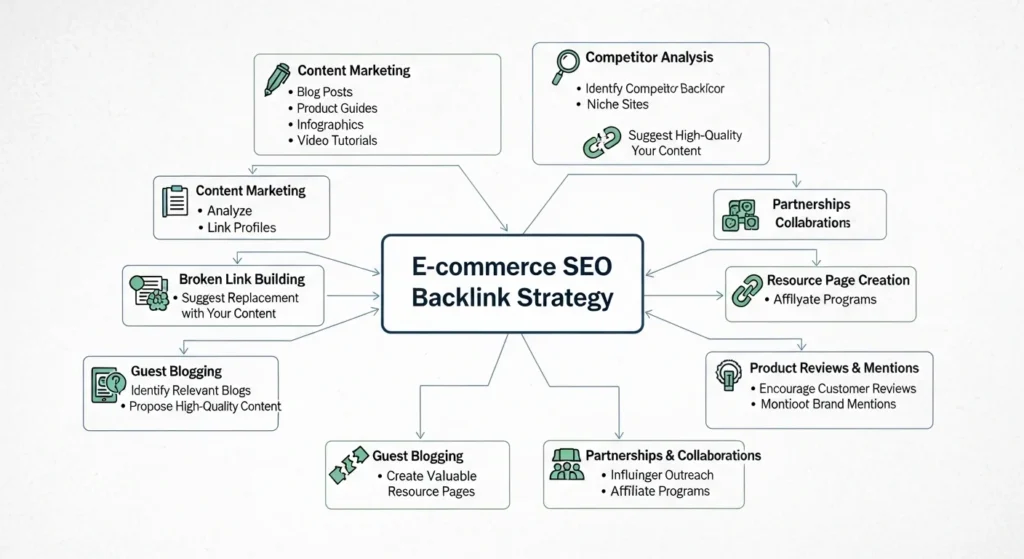
Backlinks links from other websites to yours are still one of Google’s top ranking factors. And e-commerce sites are notoriously bad at building them.
Proven Link Building Strategies for E-commerce
- Product PR: Send free samples to bloggers and reviewers in your niche
- Broken link building: Find broken links on industry sites and offer your page as a replacement
- Resource pages: Get your buying guides listed on “best resources” pages
- Supplier/manufacturer links: Ask brands you carry to link to your store
- HARO (Help a Reporter Out): Get quoted in news articles that link back to you
- Affiliate partnerships: Create an affiliate program that drives both traffic and links
Avoid: Buying links, link farms, or any “100 links for $10” offers. These can get your store penalized by Google sometimes permanently.
Bonus: Schema Markup for E-commerce Pages
Schema markup is structured data that tells Google exactly what your page is about. For e-commerce, Product Schema is essential.
It enables rich results in Google showing star ratings, price, and availability directly in search results. This dramatically increases click-through rates.
Key schema types for e-commerce:
Productname, price, availability, imageReview/AggregateRatingstar ratingsBreadcrumbListnavigation pathFAQPageFAQ sections on product/category pagesOrganizationbrand trust signals
Use Google’s Rich Results Test to validate your schema after implementation.
Conclusion
E-commerce SEO isn’t a one-time task it’s an ongoing process. But you don’t have to do everything at once.
Here’s a quick recap of the SEO best practices for e-commerce websites covered in this guide:
- Research buying-intent keywords for every product and category
- Write unique, benefit-driven product descriptions
- Build a clean, crawlable site structure within 3 clicks
- Fix technical issues duplicates, speed, broken links, HTTPS
- Optimize category pages with unique content and schema
- Create a content strategy to capture the full buyer journey
- Build real backlinks through PR, guides, and partnerships
- Implement Product Schema for rich results
Start with your top 10 product pages. Optimize them fully using this checklist. Measure results in 60 days. Then scale.
The brands winning in organic search aren’t doing anything magical they’re just doing the basics better than everyone else.
Frequently Asked Questions (FAQs)
1. How long does e-commerce SEO take to show results?
Typically 3 to 6 months for noticeable organic traffic growth. Technical fixes and on-page improvements can show results faster, while link building takes longer to impact rankings. Consistency is key.
2. What are the most important SEO best practices for e-commerce websites?
The highest-impact practices are: unique product descriptions, clean site architecture, fast page speed, proper canonical tags to handle duplicate content, and building topical authority through content marketing.
3. Should I use Shopify, WooCommerce, or another platform for SEO?
All major platforms (Shopify, WooCommerce, BigCommerce) can be optimized for SEO. WooCommerce offers the most flexibility. Shopify is easiest for beginners. The platform matters less than how well you implement SEO fundamentals on top of it.
4. How do I handle out-of-stock product pages for SEO?
Don’t delete them. If the product is temporarily out of stock, keep the page live and add an “Notify me when available” option. If a product is permanently discontinued, set up a 301 redirect to the most relevant category or similar product.
5. Is content marketing really necessary for an e-commerce store?
Yes especially in competitive niches. Product and category pages alone can only target so many keywords. A blog or buying guide section lets you capture top-of-funnel traffic, build authority, and earn natural backlinks that boost your entire site’s rankings.