Meta Tags Optimization | Boost Your SEO Rankings Fast | ultimate Guide 2026
Master meta tags optimization with this complete guide. Learn the best meta tag practices for higher rankings, more clicks, and better SEO performance in 2026.
Your website could be brilliant but if your meta tags are broken, Google might never show it to anyone.
Meta tags optimization is one of the most overlooked yet powerful levers in SEO. It takes less than an hour to fix, but the impact on your click-through rates and rankings can last for years. In this guide, you’ll learn exactly what meta tags are, why they matter, and the best practices to optimize every single one for maximum SEO impact.
Let’s get into it.
What Are Meta Tags? (And Why They Matter for SEO)
Meta tags are small snippets of HTML code that live in the <head> section of your webpage. Visitors don’t see them but search engines absolutely do.
Think of meta tags as your website’s résumé. They tell Google what your page is about, how to index it, and what to show users in search results.
Why meta tags optimization matters:
- Helps Google understand and categorize your content
- Directly impacts your click-through rate (CTR) in search results
- Influences how your page appears when shared on social media
- Controls which pages search engines crawl and index
A well-optimized title tag alone can increase your organic CTR by 20–30%. That’s free traffic you’re leaving on the table.
The Most Important Meta Tags for SEO
Not all meta tags carry equal weight. Here are the ones that actually move the needle.
1. Title Tag The Most Powerful Meta Tag
The title tag is the clickable blue headline you see in Google search results. It’s the single most important on-page SEO element you control.
Best practices for title tag optimization:
- Keep it between 50–60 characters (Google truncates longer ones)
- Place your primary keyword near the beginning
- Make it compelling and click-worthy not just a keyword dump
- Include your brand name at the end (optional but recommended)
- Every page should have a unique title tag
Bad example: Home | Meta Tags | SEO | Website | Optimization Tips
Good example: Meta Tags Optimization: The Complete SEO Guide (2026)
Pro Tip: Write your title tag for humans first, search engines second. If it doesn’t make someone want to click, rewrite it.
2. Meta Description Your Search Result Sales Pitch
The meta description is the 2–3 line snippet that appears below your title in search results. Google doesn’t use it as a direct ranking factor but it massively affects whether people click.
Best practices for meta description optimization:
- Keep it between 140–160 characters
- Include your main keyword naturally (Google bolds it in results)
- Add a clear benefit or value proposition
- End with a soft call to action (“Learn more,” “Get started,” “See how”)
- Make it unique for every page duplicates hurt UX and signal laziness
Bad example: This page is about meta tags and SEO optimization tips for websites.
Good example: Learn how meta tags optimization can skyrocket your rankings and CTR. Discover the best practices used by top SEO experts in 2025.

3. Meta Robots Tag Control What Google Crawls
The robots meta tag tells search engines what to do with your page. Most pages don’t need to change this but knowing it exists is critical.
Common values:
| Value | What It Does |
|---|---|
index, follow | Default crawl and index this page (no tag needed) |
noindex | Don’t show this page in search results |
nofollow | Don’t follow links on this page |
noindex, nofollow | Completely hide from search engines |
When to use noindex:
- Thank you pages after form submissions
- Admin or login pages
- Duplicate content pages
- Staging or test environments
Warning: Never accidentally put
noindexon your homepage or key landing pages. This is a surprisingly common SEO disaster.
4. Canonical Tag Prevent Duplicate Content Issues
The canonical tag (rel="canonical") is technically a link tag, but it functions like a meta directive. It tells Google which version of a page is the “official” one.
When you need it:
- Your site has both
http://andhttps://versions - Same content appears at multiple URLs
- Product pages with filter variations (e.g.,
/shoes?color=redvs/shoes?color=blue) - Syndicated content published on other sites
Example:
<link rel="canonical" href="https://yoursite.com/meta-tags-optimization/" />
5. Open Graph Tags Control Social Media Previews
Open Graph (OG) tags control how your content looks when shared on Facebook, LinkedIn, Pinterest, and WhatsApp. They’re not traditional SEO tags, but they drive social traffic which drives signals back to Google.
Essential OG tags:
<meta property="og:title" content="Meta Tags Optimization: The Complete SEO Guide" />
<meta property="og:description" content="Master meta tags and skyrocket your rankings." />
<meta property="og:image" content="https://yoursite.com/images/meta-tags-seo.jpg" />
<meta property="og:url" content="https://yoursite.com/meta-tags-optimization/" />
<meta property="og:type" content="article" />
Pinterest Tip: The og:image tag determines your Pinterest pin image. Use a vertical image (2:3 ratio) sized at 1000×1500px for maximum Pinterest visibility and saves.
6. Twitter Card Tags Optimize for X (Twitter) Shares
Twitter/X uses its own set of meta tags called Twitter Cards. Without them, shared links look plain and get far fewer clicks.
Basic Twitter Card setup:
<meta name="twitter:card" content="summary_large_image" />
<meta name="twitter:title" content="Meta Tags Optimization Guide 2025" />
<meta name="twitter:description" content="Everything you need to know about optimizing meta tags for SEO." />
<meta name="twitter:image" content="https://yoursite.com/images/meta-tags.jpg" />
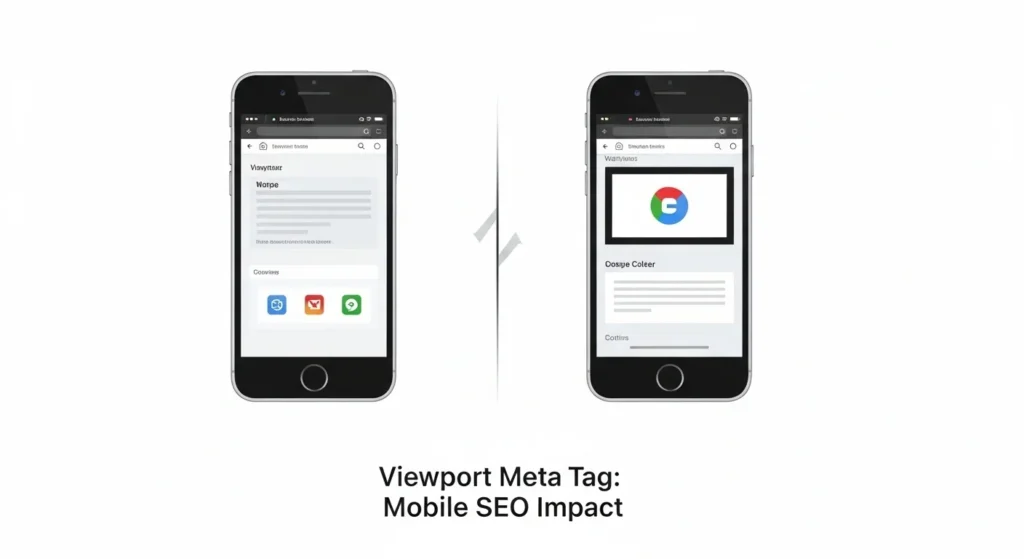
7. Viewport Meta Tag Essential for Mobile SEO
This tag isn’t an SEO ranking factor on its own but without it, your site breaks on mobile. And since Google uses mobile-first indexing, a broken mobile experience tanks your rankings.
<meta name="viewport" content="width=device-width, initial-scale=1.0" />
Every website should have this. No exceptions.
Meta Tags Optimization: Best Practices for Higher Rankings
Now that you know the tags, here’s how to optimize them like a pro.
Do’s
- Use unique meta tags on every page duplicates confuse Google and waste crawl budget
- Front-load your keyword in the title tag for maximum SEO impact
- Write meta descriptions that solve a problem answer the searcher’s intent
- Update meta tags when you refresh content stale tags hurt CTR
- Test different title tags using Google Search Console impressions vs. clicks data
- Use schema markup alongside meta tags for richer search results
Don’ts
- Never keyword-stuff your title tag (“SEO Meta Tags Best SEO Meta Optimization”)
- Don’t duplicate meta descriptions across pages write each one fresh
- Never leave meta tags blank Google will auto-generate them, often badly
- Don’t make your title tag too long 60 characters max, or it gets cut off
- Never use misleading titles they hurt CTR when users bounce back to search
How to Audit and Fix Your Meta Tags Right Now
You don’t need to be a developer to audit your meta tags. Here’s a quick process anyone can follow.
Free Tools for Meta Tag Auditing:
- Google Search Console Shows pages with missing or duplicate title/description tags
- Screaming Frog SEO Spider (free up to 500 URLs) Full site meta tag crawl
- Ahrefs Webmaster Tools (free) Flags meta tag issues site-wide
- SEOptimer Quick single-page meta tag checker
- MozBar (Chrome extension) See meta tags on any live page instantly
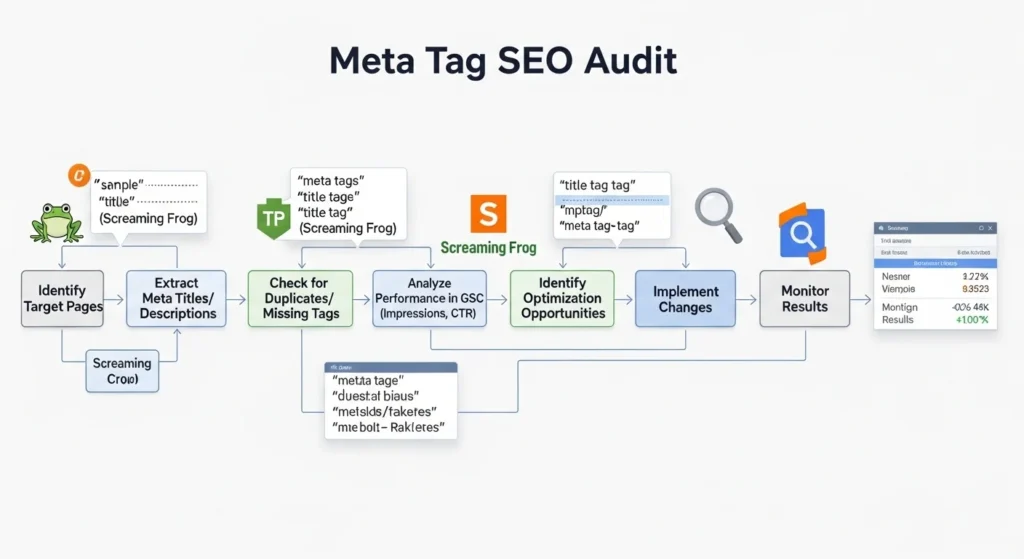
Step-by-Step Audit Process:
- Crawl your site with Screaming Frog or Ahrefs
- Export the list of pages with missing, duplicate, or truncated meta tags
- Prioritize by traffic fix your highest-traffic pages first
- Rewrite title tags that are too long, too short, or missing keywords
- Write fresh meta descriptions for every page that has a duplicate or none
- Re-crawl in 2 weeks and verify improvements in Google Search Console
Quick Win: Go to Google Search Console Coverage Pages. Filter by “Excluded” many excluded pages have meta tag issues causing them to be ignored by Google.
Full Meta Tags HTML Template (Copy-Paste Ready)
Here’s a complete, optimized meta tag template you can add to any webpage:
<!-- Primary SEO Meta Tags -->
<title>Your Page Title Brand Name (50–60 chars)</title>
<meta name="description" content="Your compelling meta description goes here. Include your keyword naturally and add a CTA. Keep it 140–160 characters." />
<meta name="robots" content="index, follow" />
<link rel="canonical" href="https://yoursite.com/your-page-url/" />

<!-- Open Graph (Social Sharing) -->
<meta property="og:type" content="article" />
<meta property="og:title" content="Your Page Title" />
<meta property="og:description" content="Your meta description here." />
<meta property="og:image" content="https://yoursite.com/images/your-image.jpg" />
<meta property="og:url" content="https://yoursite.com/your-page-url/" />
<meta property="og:site_name" content="Your Brand Name" />

<!-- Twitter Card -->
<meta name="twitter:card" content="summary_large_image" />
<meta name="twitter:title" content="Your Page Title" />
<meta name="twitter:description" content="Your meta description here." />
<meta name="twitter:image" content="https://yoursite.com/images/your-image.jpg" />

<!-- Mobile -->
<meta name="viewport" content="width=device-width, initial-scale=1.0" />
Save this. Bookmark it. Use it on every new page you create.
Conclusion
Meta tags optimization isn’t glamorous but it’s one of the highest-ROI activities in all of SEO. A few hours of focused work can permanently improve your rankings, CTR, and social sharing performance.
Here’s your action plan:
- Audit your current meta tags with Screaming Frog or Ahrefs
- Fix missing, duplicate, and truncated title tags first
- Write compelling meta descriptions with keywords and CTAs
- Add Open Graph tags for better social media previews
- Set up canonical tags to prevent duplicate content issues
- Add the viewport meta tag if you haven’t already
- Track CTR changes in Google Search Console over 30 days
Meta tags are your website’s first impression in search results. Make it count.
Found a meta tag mistake on your site? Share it in the comments and tell us what you fixed. We love a good SEO win story.
Frequently Asked Questions (FAQs)
Do meta tags still matter for SEO in 2025?
Yes especially the title tag and meta description. While Google has become smarter about understanding content, optimized meta tags still directly impact your click-through rate, crawl behavior, and how your content appears in search results and social feeds.
Does the meta description affect Google rankings?
Not directly. Google officially confirmed meta descriptions are not a ranking signal. However, a well-written meta description increases your CTR, and higher CTR sends positive engagement signals to Google which can indirectly improve rankings over time.
How often should I update my meta tags?
Review meta tags whenever you update your content or notice a drop in CTR in Google Search Console. For high-traffic pages, do a quarterly review. For the rest of your site, an annual audit is usually sufficient.
What happens if I don’t add a meta description?
Google will auto-generate one by pulling text from your page usually a random sentence that may not be compelling or keyword-relevant. This typically results in lower CTR compared to a manually written, optimized description.
Are there meta tags that hurt my SEO?
Yes. Using noindex on important pages, duplicate title tags across multiple pages, and keyword-stuffed titles can all actively harm your SEO performance. Also, the old meta keywords tag is completely ignored by Google and should not be prioritized.