

Whether you’re a writer, photographer, web developer, designer, or marketer, your portfolio is your digital handshake. It’s the first thing clients see. It tells them who you are, what you do, and whether they can trust you.
But here’s the problem:
None of that is true.
I’ve helped three friends build their portfolio sites in the last year. One is a freelance writer. One is a UI designer. One is a wedding photographer. None of them knew how to code. All of them had their sites live within a week.
Today, I’m going to show you exactly how to do it.
Grab a cup of chai. Open a new tab. Let’s build your portfolio.
H1: How to Build Your Portfolio Website That Actually Gets You Hired
Let me ask you something.
When someone Googles your name, what do they find?
If the answer is “nothing” or “my old Facebook profile from 2014,” we need to fix that.
A portfolio website is not just a nice-to-have. In 2024, it’s your resume, your business card, and your sales pitch all rolled into one.
And the best part?
You don’t need to be a tech wizard. You just need to follow a system.
Let’s break it down step by step.
H2: Step 1 – Define Your Goal Before You Touch a Computer
Before you buy a domain or install a theme, stop.
Ask yourself one question:
What do I want this website to do?
Let me give you three real examples:
Priya the Designer wanted a full-time job. Her goal was to show her design process, not just final screens.
Anjali the Photographer wanted wedding bookings. Her goal was to display large, beautiful images and get phone calls.
See how different those are?
Your goal shapes everything.
Write it down. Stick it on a sticky note. This is your North Star.
H2: Step 2 – Choose the Right Platform
Here’s where most beginners freeze.
“Should I use WordPress? Wix? Squarespace? Webflow? Framer? HTML and CSS?”
Stop overthinking.
Let me simplify it for you.
H3: If You Want the Easiest Path: Use a Website Builder
If you want something up in 2 hours and don’t want to touch code, use:
- Squarespace – Beautiful templates, great for creatives
- Wix – Very flexible, good drag-and-drop
- Carrd – Perfect for one-page sites, costs very little
- Adobe Portfolio – Free with Creative Cloud, good for photographers
I built my writer friend’s portfolio on Squarespace in one evening. Cost? About $16 a month. Result? She landed two clients in the first week.
H3: If You Want More Control: Use WordPress
WordPress powers 40% of the web. It’s free, flexible, and you own everything.
You’ll need:
- Hosting (I recommend Bluehost or Hostinger – starts around ₹199/month)
- A domain name (around ₹800/year)
- A theme (Astra, Kadence, or GeneratePress are great free options)
H3: If You’re a Developer or Designer: Use a Code-Based Approach
If you already know HTML, CSS, and JavaScript, go wild.
- Visual Studio Code to write your code
- GitHub Pages to host for free
- Netlify to deploy easily
- Framer or Webflow if you want designer-friendly tools
But here’s my honest advice:
If you just want clients, don’t code. Use a builder.
Your clients don’t care what platform you used. They care if your site loads fast and looks professional.
H2: Step 3 – Pick a Domain Name That Sounds Professional
Your domain is your address on the internet.
Make it simple. Make it you.
Good examples:
- yourname.com
- yournamestudio.com
- hello-yourname.com
Bad examples:
- johnportfolio2024.wordpress.com (looks amateur)
- johniscool123.wixsite.com (hard to remember)
- bestdesignerindelhi.net (sounds spammy)
Spend the ₹800. Buy yourname.com.
If yourname.com is taken, try:
- yourname.design
- yourname.studio
- heyyourname.com
Don’t use hyphens if you can avoid it. “john-smith.com” feels clunky. “johnsmith.com” feels clean.
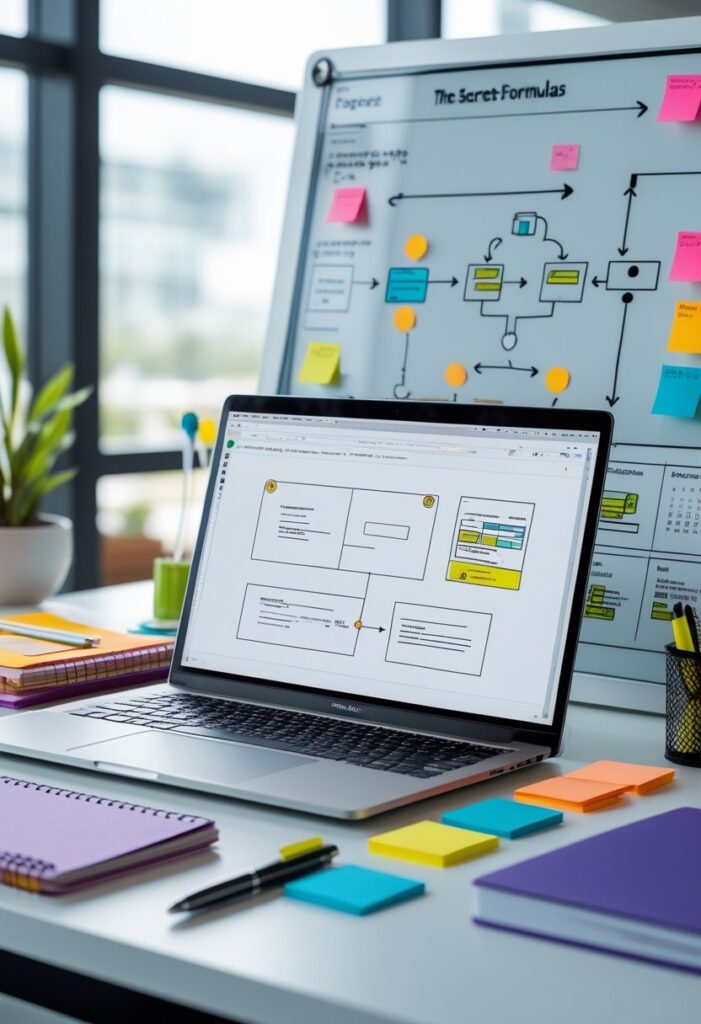
H2: Step 4 – Structure Your Pages (The Secret Formula)
Here’s the structure I recommend for almost every portfolio.
It works. It’s simple. It’s what clients expect.
H3: 1. Homepage
This is your elevator pitch.
Within 3 seconds, visitors should know:
- Who you are
- What you do
- Who you help
Don’t get fancy. Write something clear.
“Hi, I’m Priya. I design mobile apps for healthcare startups.”
That’s it. Simple. Direct.
Add a clear button: “See My Work” or “View Portfolio.”
H3: 2. Portfolio / Work Page
This is the proof.
Don’t show everything. Show your best.
For each project, include:
- A cover image
- The problem you solved
- Your role
- The result (numbers are magic here)
My designer friend wrote:
“Redesigned the booking flow. Bounce rate dropped by 34%. Bookings increased by 22%.”
That’s powerful.
H3: 3. About Page
People hire people.
This is where you connect. Share a photo of yourself. Write like you talk.
Tell them:
- What you’re good at
- Why you do this work
- A fun fact (I once hiked 50 miles in a weekend)
Don’t write a life story. Keep it warm and professional.
H3: 4. Contact Page
Don’t make people hunt for your email.
Put a contact form. Put your email. Link your LinkedIn.
One rule: make it easy.
If someone has to click more than twice to contact you, they’ll leave.
H2: Step 5 – Write Content That Hires You

Here’s the truth:
Most portfolios are boring.
Everyone says “passionate,” “creative,” “detail-oriented.” These words mean nothing.
Show me. Don’t tell me.
Instead of:
“I’m a passionate photographer who loves capturing moments.”
Write:
“I photographed 22 weddings last year. My couples tell me they cried when they saw their galleries.”
See the difference?
H3: The 80/20 Rule for Portfolio Writing
80% of your words should describe the value you provide.
20% should describe your process.
Talk about outcomes. Talk about results. Talk about how you made someone’s life better.
If you helped a client double their sales, say that.
Numbers grab attention. Stories build trust.
H2: Step 6 – Design for Trust, Not Trends
I know you want your site to look cool.
But here’s what clients actually want:
Clarity over creativity.
If your site is hard to read or hard to navigate, they leave.
Follow these simple rules:
H3: Use Lots of White Space
Don’t crowd your content. Give things room to breathe.
H3: Pick 2 Fonts Maximum
One for headings, one for body text. That’s it.
System fonts like Inter, Roboto, or Open Sans work perfectly.
H3: Choose 2–3 Brand Colors
One primary color, one accent, one neutral.
Don’t use neon green on hot pink. My eyes hurt just typing that.
H3: Make It Mobile-Friendly
60% of people will view your site on their phone.
Check your site on mobile. Is the text readable? Are buttons easy to tap?
If not, fix it.
H2: Step 7 – Add These 5 Pages (Even the Small Ones)

A complete portfolio has more than just work samples.
Make sure you have:
1. Privacy Policy
Even if you don’t collect emails, have one. It’s required by law in many countries.
2. Terms of Use
Protects you if someone copies your work.
3. Services Page
What exactly do you offer? Packages? Pricing? Be clear.
4. Testimonials
Social proof is gold. Ask past clients for a short quote.
5. Blog (Optional but Powerful)
Writing articles about your field brings free traffic from Google. More on this later.
H2: Step 8 – SEO Basics That Actually Work
SEO sounds scary. It’s not.
It just means helping Google understand your site so people can find you.
Do these 5 things and you’ll be ahead of 90% of portfolios.
H3: 1. Use One H1 Per Page
Your H1 is the main headline. Make it clear.
Good: “UX Portfolio | Priya Sharma”
Bad: “Home”
H3: 2. Write Descriptive Page Titles
This is what shows up in Google search results.
Don’t write: “Portfolio”
Write: “Graphic Design Portfolio – John D’Souza | Branding & Print”
H3: 3. Add Alt Text to Images
Describe your images for visually impaired users and for Google.
Instead of: “IMG_4578.jpg”
Write: “Brand identity design for Mumbai coffee shop including logo and packaging”
H3: 4. Make Your URLs Clean
Good: yoursite.com/work/app-design
Bad: yoursite.com/page?id=3872&ref=home
H3: 5. Speed Matters
Compress images before uploading. Use TinyPNG or Squoosh.
Slow sites lose visitors. Fast sites rank higher.
H2: Step 9 – Add a Blog to Bring in Clients (Without Selling)
Here’s a secret weapon most portfolios ignore:
A blog.
You don’t need to post every week. Even 2–3 articles a month can bring steady traffic.
Write about problems your clients have.
If you’re a web designer, write:
- “How to Know If Your Website Needs a Redesign”
- “5 Mistakes That Make Small Business Websites Look Unprofessional”
If you’re a photographer, write:
- “What to Wear for Family Photos”
- “How to Prepare for an Engagement Shoot”
These articles show you know your stuff. And when someone searches for those topics, they find you.
My writer friend wrote one article about “how to pitch articles to Indian magazines.” It ranks on page one of Google. Editors found her. She’s been getting inbound leads for two years from that one post.
H2: Step 10 – Go Live and Test Everything

You’ve built it. Now launch it.
But before you share it on Instagram, test these:
- Click every link. Do they work?
- Fill out your contact form. Does the email arrive?
- View on mobile. Is it readable?
- Check spelling. One typo can break trust.
Ask one friend to visit your site and tell you what they click first. You’ll learn a lot.
H2: Frequently Asked Questions
H3: How much does a portfolio website cost?
You can start for under ₹2,000 per year. That includes domain + basic hosting. Website builders are slightly more but include hosting in the monthly fee.
H3: Do I need to know coding?
H3: How many projects should I show?
Quality over quantity. Show 4–6 of your absolute best projects. Don’t dilute your portfolio with weak work.
H3: Should I include pricing on my site?
It depends. If you have fixed packages, yes. If every project is custom, it’s okay to say “contact for a quote.” Just be responsive when they do.
H3: Can I build a portfolio website for free?
H3: How long does it take?
H3: What if I don’t have any work to show?
Start now. Do a passion project. Redesign a famous app. Write sample articles. Volunteer for a non-profit. Your first projects don’t need to be paid work. They just need to show your skill.
H2: Common Mistakes to Avoid
Let me save you some pain.
1. Using too many fonts. Pick two. Stick to them.
2. Hiding your contact info. Put it in the header and footer.
3. Not updating your site. A portfolio from 2019 with broken links? Not a good look.
4. Using generic stock photos. Use your own photo or high-quality, relevant images.
5. Overdesigning. Fancy animations can slow your site. Simple and fast wins.
H2: Real Talk: What Happens After You Launch
You build your site. You share it on LinkedIn. Your mom likes it.
Then… crickets.
That’s normal.
A portfolio doesn’t bring clients by magic. You have to send people there.
Email potential clients with a link. Update your LinkedIn URL. Add it to your email signature. Mention it when you network.
Your portfolio is your salesperson. But it works only when you send it to work.
H2: Tools I Recommend (No Sponsorships, Just Honest Picks)

Domain + Hosting:
- Hostinger (budget-friendly)
- Bluehost (great for WordPress beginners)
- Google Domains (clean, no upsells)
Website Builders:
- Squarespace (best templates)
- Carrd (perfect for simple sites, ₹800/year)
- WordPress.org (most flexibility)
Free Design Resources:
- Unsplash (free stock photos)
- Coolors (color palette generator)
- Google Fonts (free web fonts)
Image Compression:
- TinyPNG
- Squoosh
H2: Final Checklist Before You Share Your Portfolio
Use this before hitting publish:
- [ ] Domain is live and working
- [ ] All images are compressed
- [ ] Contact form sends email to correct address
- [ ] Links open in same window (or new tab, but be consistent)
- [ ] Mobile view is clean
- [ ] No placeholder text like “lorem ipsum”
- [ ] Social media links go to your profiles
- [ ] Your name is clearly visible
- [ ] One clear call-to-action on homepage
- [ ] Page loads in under 3 seconds
H1: Conclusion – Your Portfolio Is Never Finished
Here’s the mindset shift I want you to make.
Your portfolio is not a one-time project.
It’s a living thing.
As you grow, your site should grow. Add new work. Remove old work. Update your bio. Refresh your design every couple of years.
The best portfolios are never “finished.” They just keep getting better.
Today, you took the first step. You learned the blueprint. You know what to do.
Now the only thing left is to actually do it.
So close this tab. Open a new one.
Buy that domain. Pick that template. Write that headline.
Your future clients are searching for someone exactly like you.
Make sure they find you.
