Master cloud storage in 2025 with our ultimate guide. Learn secure data management, compare top providers, and protect your files with expert tips and best practices
Remember the days of the “USB shuffle”? Frantically searching for that little plastic stick with the important presentation on it. Or the panic of hearing your laptop’s hard drive make a clicking sound, knowing your family photos and important work documents might be gone forever.
We’ve all been there.
Our digital lives are more important than ever. From priceless personal memories to critical business data, we’re creating more information than we can possibly store on our own devices. This is where cloud storage comes in—not just as a convenience, but as a necessity.
But what exactly is cloud storage in 2025? Is it safe? How do you choose the right one? If you’ve ever felt confused by the tech jargon or worried about security, you’re in the right place.
This guide is your friendly map to the world of cloud storage. We’ll break down everything you need to know, from the basic “what is it?” to the advanced “how do I keep it secure?” in simple, easy-to-understand language. Let’s demystify the cloud together.
What is Cloud Storage? (The Digital Filing Cabinet Analogy)
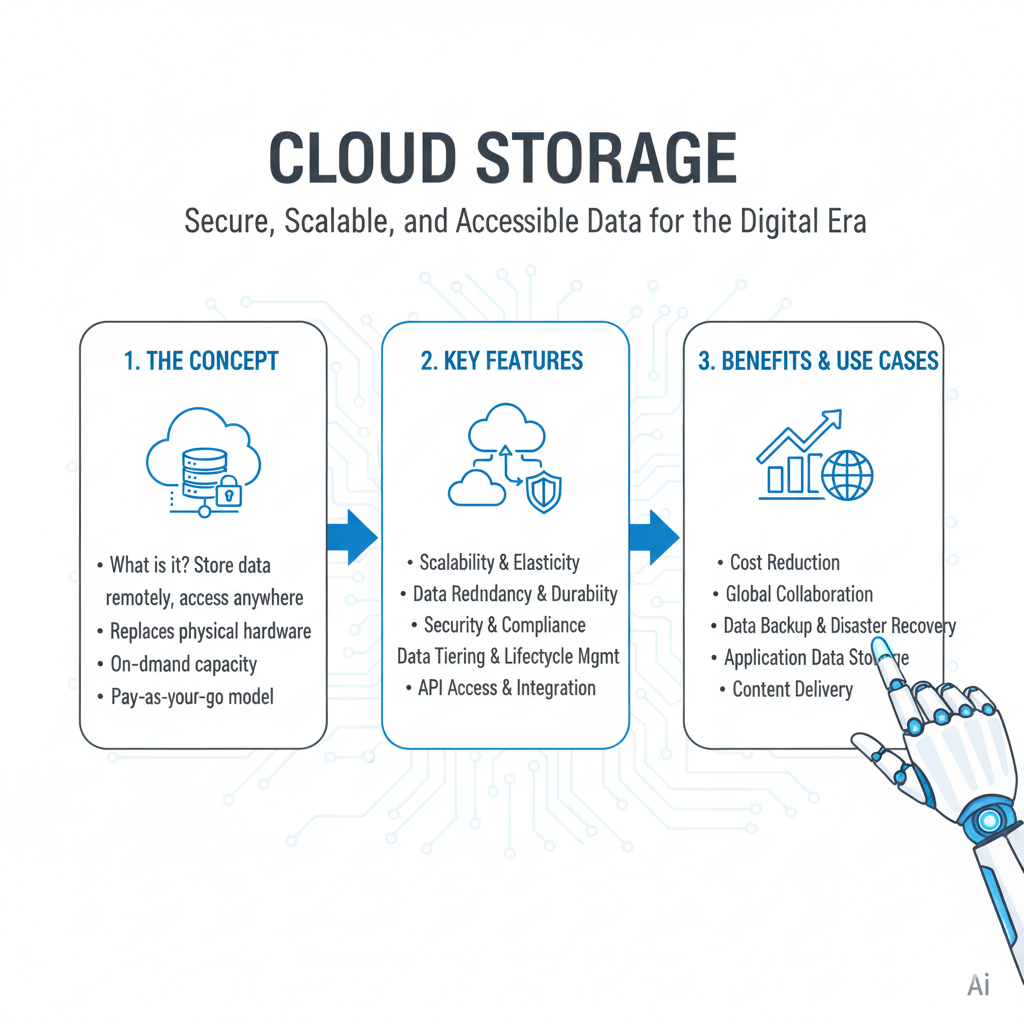
Let’s start with a simple idea. Cloud storage is like renting a digital filing cabinet that exists on the internet, managed by a big company like Google, Microsoft, or Amazon.
Instead of keeping your files on your computer’s hard drive or a USB stick, you upload them to this secure, online space. You can then access these files from any device—your phone, your work laptop, a library computer—as long as you have an internet connection.
Think of it this way:
- Your Computer’s Hard Drive: Your personal desk drawer. It’s convenient, but it has limited space, and if something happens to your desk (a spill, a theft, a breakdown), your stuff is gone.
- Cloud Storage: A massive, professional, off-site storage facility. It’s secure, has near-infinite space, and is professionally maintained. You can access your stuff anytime, from anywhere, with a key (your password).
The Magic Behind the Scenes
When you upload a file to the cloud, it isn’t just saved on one single server in a mysterious room. It’s broken into tiny pieces, encrypted (scrambled into a secret code), and copied across multiple servers in different data centers, often in different parts of the world. This is why it’s so reliable. If one server catches fire or fails, your data is safe and sound on several others.
Why You Absolutely Need Cloud Storage in 2025
You might think, “My 1TB hard drive is plenty.” But cloud storage offers benefits that a physical drive simply can’t match.
1. It’s Your Ultimate Backup Plan (Disaster Recovery)
This is the number one reason to use cloud storage. Life is unpredictable.
- Your laptop could be stolen.
- A cup of coffee could spill on your desktop.
- Your hard drive could simply fail (all hard drives eventually do).
If your files are only in one physical location, you’re playing a risky game. Cloud storage automatically protects you from these disasters. Your data exists independently of your devices.
2. Access Your Files from Anywhere (Universal Access)
Imagine you’re on a trip and you suddenly need a document you saved on your home computer. With cloud storage, it’s not a problem. You just log into your account from your phone or a hotel computer, and there it is. This flexibility is essential for modern work and life.
3. Easy Collaboration and Sharing
Remember emailing a document back and forth with a colleague, creating a mess of “Final_v1,” “Final_v2,” and “Really_Final_v3” files? Cloud storage fixes this.
Services like Google Drive and Dropbox let you share a link to a file or folder. Multiple people can view or edit the same file simultaneously. You can see each other’s changes in real time, and the service keeps a version history so you can always go back to an earlier draft.
4. It’s Surprisingly Cost-Effective
Buying a new 2TB external hard drive can cost a significant amount of money upfront. For the same price, you could get years of cloud storage subscription. You’re also paying for the convenience, security, and accessibility, which is often a much better value.
The Different Types of Cloud Storage: Picking the Right Tool for the Job
Not all cloud storage is the same. Think of it like different types of containers in your kitchen. You wouldn’t store soup in a cereal box. Similarly, you should use the right type of cloud storage for your needs.
1. Object Storage: The Giant, Flexible Warehouse
This is the most common type of cloud storage you’ll interact with directly.
- What it is: Perfect for storing massive amounts of unstructured data—like photos, videos, music, documents, and website backups. It organizes files as “objects” in a flat structure (using “buckets” or “containers”).
- Use it for: Personal photo libraries, entire computer backups, hosting files for a website, storing large archives.
- Examples: Google Drive, Dropbox, iCloud, Amazon S3, Microsoft OneDrive.
2. File Storage: The Networked Shared Drive
This acts like a traditional shared drive you might have used at an office, but in the cloud.
- What it is: Organizes data in a hierarchical structure of files and folders, just like your computer’s file explorer. It’s great when multiple virtual machines or users need to access the same set of files simultaneously.
- Use it for: Shared project folders for a team, central repositories for application data, home directories.
- Examples: Amazon EFS, Azure Files, Google Cloud Filestore.
3. Block Storage: The High-Performance Engine
This is a more technical type, but it’s important to know.
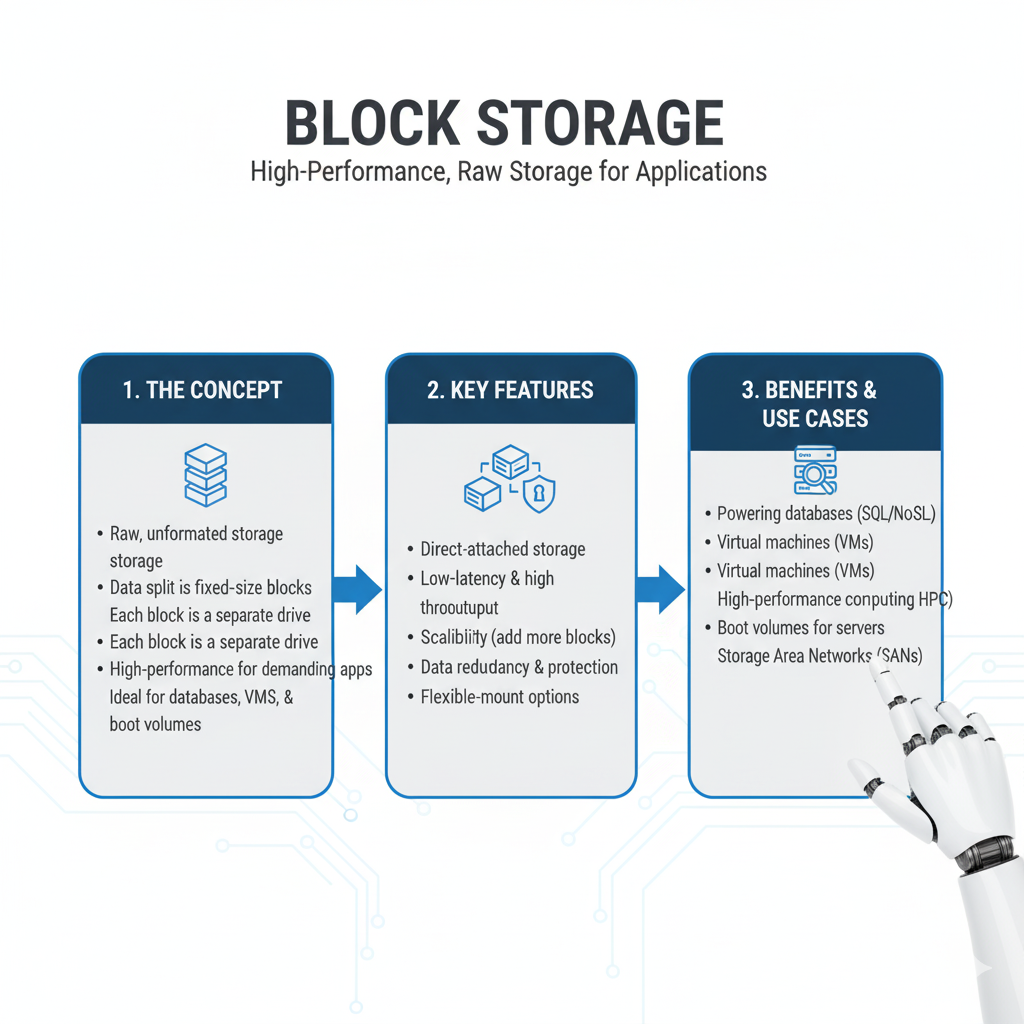
- What it is: It takes a file, chops it into fixed-sized “blocks,” and stores each block separately with a unique address. It’s very fast and is typically used as the direct storage for an operating system or a database.
- Use it for: You generally don’t interact with this directly. It’s the “hard drive” for cloud servers (like an AWS EC2 instance or a Google Cloud VM).
- Examples: Amazon EBS, Google Persistent Disk, Azure Disk Storage.
Top Cloud Storage Providers in 2025: A Quick Comparison
With so many options, how do you choose? Here’s a look at the top contenders.
| Provider | Best For | Free Tier | Standout Feature |
|---|---|---|---|
| Google Drive | Gmail users, collaboration, integration with Google Workspace | 15 GB | Seamless integration with Google Docs, Sheets, and Slides. |
| Dropbox | Simplicity, file syncing, personal use | 2 GB | The original, known for its reliable and fast file synchronization. |
| Microsoft OneDrive | Windows & Microsoft 365 users, deep OS integration | 5 GB | Built directly into Windows, perfect for Office 365 subscribers. |
| Apple iCloud | Apple ecosystem (iPhone, Mac, iPad) users | 5 GB | Automatic backup of photos, messages, and device settings. |
| pCloud | Privacy, media playback, one-time payment option | 10 GB | Strong focus on security and a unique lifetime plan. |
| Amazon Photos | Prime members, photo storage | 5 GB (unlimited full-res photo storage for Prime members) | A hidden gem for anyone with an Amazon Prime subscription. |
The #1 Concern: Is Cloud Storage Secure?
This is the big question. “If my data is on the internet, can’t hackers get it?”
The answer is nuanced: Yes, it can be incredibly secure—often more secure than your own laptop—but only if you use it correctly.
Here’s how the top providers keep your data safe and what you can do to help.
How Providers Protect Your Data
- Encryption (The Secret Code): This is the most important security feature. Your files are scrambled into an unreadable code.
- Encryption in Transit: This happens while your files are being uploaded or downloaded. It’s like putting your data in an armored truck. All major providers do this.
- Encryption at Rest: This is when your files are sitting on the server. It’s like storing the armored truck in a high-security vault. Most providers do this, but the level varies.
- Physical Security: Cloud storage data centers are fortresses. They have biometric scanners, 24/7 guards, man traps, and are built to withstand natural disasters. Your laptop on your desk is far more vulnerable to physical theft.
- Redundancy: As we mentioned, your data is copied to multiple locations. This protects against hardware failure.
Your Role in Security: 5 Non-Negotiable Habits
The provider can do everything right, but you are the first line of defense.
- Use a Strong, Unique Password: “Password123” is not a password. It’s an invitation. Use a long, complex password or a passphrase. Even better, use a password manager to create and store them for you.
- Enable Two-Factor Authentication (2FA): This is the single most important thing you can do for your online security. It means that even if someone steals your password, they can’t log in without also having your phone (to get a code) or a security key. Turn this on for every cloud service you use, right now.
- Be Smart About Sharing Links: When you share a file via a link, anyone with that link can access it. Be cautious.
- Set links to expire after a certain date.
- Use password-protected links if the service offers it.
- Instead of a shareable link, directly invite people via their email address when possible.
- Beware of Phishing Scams: Hackers will send fake emails that look like they’re from Google or Microsoft, asking you to log in to your account. They steal your password this way. Always check the sender’s email address and never click “login” links in suspicious emails. Go directly to the website yourself.
- Manage Your Connected Apps: Over time, you might grant many third-party apps access to your cloud storage. Periodically review this list (in your account settings) and remove access for apps you no longer use.
A Simple Guide to Choosing the Right Cloud Storage
Feeling overwhelmed by choice? Ask yourself these questions:
- What ecosystem am I in?
- Heavy Gmail/Google user? → Google Drive
- Live in Windows and Microsoft Office? → OneDrive
- All Apple, all the time? → iCloud
- What’s my primary need?
- Simple file sync and sharing? → Dropbox
- Mostly backing up photos from my phone? → Google Photos or iCloud
- Collaborating on documents with a team? → Google Drive or OneDrive
- How much space do I really need?
- Start with the free tier of a service that fits your ecosystem. You’ll be surprised how far it goes.
- When you need more, the paid plans are usually very affordable. 100GB-200GB is plenty for most individuals.
- How important is privacy?
- For most people, the big providers (Google, Microsoft) are secure enough.
- If you have highly sensitive data, look at providers like pCloud or Tresorit that emphasize zero-knowledge encryption (meaning even they can’t see your files).
Future Trends: What’s Next for Cloud Storage in 2025 and Beyond?
The technology isn’t standing still. Here’s what’s on the horizon.
- AI-Powered Organization: Your cloud storage will get smarter. Imagine it automatically tagging all your photos, finding documents based on their content (not just their filename), and surfacing the files you need before you even search for them.
- Tighter Integration: Cloud storage won’t be a separate app; it will be the invisible, seamless foundation of everything you do on your devices. We’re already seeing this with OneDrive in Windows and iCloud on Mac.
- Enhanced Security with Behavioral AI: Security systems will learn your normal behavior—like where you usually log in from and at what times. If someone tries to access your account from a different country at 3 a.m., the system could automatically lock them out and alert you.
- The “Multi-Cloud” Strategy: Many businesses (and savvy individuals) are starting to use more than one provider. They might use Google Drive for collaboration and Amazon S3 for archiving old projects. This avoids being locked into one company and can optimize costs.
Frequently Asked Questions (FAQs)

Q1: What happens to my data if I stop paying for my cloud storage subscription?
Most providers will give you a grace period. After that, they may prevent you from uploading new files until you free up space or renew. Eventually, they may delete your data to free up the storage you’re using. Always read the terms of service and make sure to download your data if you plan to cancel!
Q2: Is it okay to store sensitive documents, like my passport scan or tax returns, in the cloud?
Yes, if you take precautions. Use a service with strong encryption and, crucially, enable two-factor authentication (2FA). For an extra layer of security, you can encrypt the file yourself before uploading it using a tool like 7-Zip or Veracrypt.
Q3: Can the cloud storage company look at my files?
In most cases, the answer is technically yes, but they generally don’t have a reason to. Their business depends on your trust. Their automated systems might scan files for things like illegal content or malware. For maximum privacy, look for a “zero-knowledge” provider.
Q4: I have a slow internet connection. Is cloud storage still practical?
It can be challenging. The initial upload of a large amount of data will take a very long time. However, once your files are in the cloud, accessing them one by one is usually manageable. You might want to be selective about what you sync and rely more on streaming files than downloading them entirely.
Q5: I’ve heard about “zero-knowledge” encryption. What is it, and do I need it for my personal files?
This is a fantastic question that gets to the heart of privacy in the cloud.
The Simple Analogy:
Imagine you store a locked safe (your encrypted files) in a warehouse (the cloud provider).
- Standard Cloud Storage: The warehouse manager (the provider) holds a copy of the key. They can open your safe if they need to, perhaps if the police show up with a warrant, or if their automated systems are scanning for illegal content.
- Zero-Knowledge Encryption: Only you hold the key. The warehouse manager stores your safe but has no way to open it. They don’t know the combination, and it’s mathematically impossible for them to figure it out. They have “zero knowledge” of what’s inside.
What It Means For You:
- Maximum Privacy: With a zero-knowledge provider, your files are completely private. Not even the company’s employees can access them. If you lose your password, they cannot reset it for you, because they don’t have the key to give back. Your data would be permanently lost.
- Do You Need It? For most people’s everyday files—vacation photos, personal documents, music collections—the security of a major provider like Google or Microsoft (with a strong password and 2FA enabled) is sufficient. However, you should strongly consider zero-knowledge encryption for:
- Sensitive legal or financial documents (wills, tax returns, business contracts).
- Private journals or personal health information.
- Any data that would cause significant harm if it were ever exposed.
Examples of zero-knowledge providers: pCloud, Tresorit, Sync.com.
Q6: How does cloud storage handle file versioning, and why is it a lifesaver?
File versioning is one of those hidden features you don’t appreciate until you desperately need it. It’s like a “time machine” for your documents.
What It Is:
Most cloud services don’t just save the latest version of your file. They automatically keep a history of the changes you’ve made, saving snapshots of the file from different points in time. These are called “versions.”
Real-Life “It Saved Me!” Scenarios:
- The Accidental Overwrite: You’re working on a crucial report for three hours. You accidentally select all, press delete, and then save and close the document. Panic sets in. With versioning, you can simply right-click the file, select “Version history,” and restore the version from before you made the catastrophic mistake.
- The Regrettable Change: You edit a photo, save it, and close it. A week later, you realize your edits ruined the original image. Version history lets you revert to the pristine, original file.
- The Collaborative Chaos: You’re collaborating on a proposal with a colleague. They make a series of changes you disagree with and save over the shared file. Instead of arguing, you can roll the file back to the version from yesterday before their edits and have a more productive conversation.
How to Manage It:
- Check Your Settings: Services like Dropbox and Google Drive typically keep version history for 30 days on their standard plans (and longer for business tiers). It’s a good idea to check your provider’s policy.
- It’s Not a Full Backup: Remember, versioning protects you from mistakes made to a file. It does not protect you from the file being deleted entirely. If you delete a file, it usually goes to a “trash” or “recycle bin” for a limited time before being permanently erased. For true disaster recovery, you still need a separate, structured backup routine.
Conclusion: Your Data, Secure and Free
We’ve come a long way from the anxiety of the “USB shuffle.” Cloud storage in 2025 is more than a digital closet; it’s a dynamic, intelligent, and secure partner for managing your digital life.
It frees you from the physical limits of your devices and the fear of losing what matters most. It empowers you to work and collaborate from anywhere in the world.
The key takeaway is this: Cloud storage is a tool. A powerful one. Its security and effectiveness depend largely on how you use it. By choosing a reputable provider, turning on two-factor authentication, and being mindful about sharing, you can enjoy all the benefits with peace of mind.
So, take a deep breath. Pick a service that fits your life. Start by backing up your most important folder—maybe your “Documents” or “Pictures.” You’ll be amazed at the sense of relief and freedom it brings. Your data is meant to be used and enjoyed, not just stored and worried about. Welcome to the cloud.