Explore this complete HTML5 tutorial and learn key features like semantic tags, forms,
canvas, audio, video, and more. Start building better websites today!
(158 characters)
If you want to build modern websites, HTML5 is the place to start, and it’s more
powerful than most developers realize.
This HTML5 tutorial breaks down every key feature you need to know, from semantic
elements to multimedia support, local storage, and beyond. Whether you’re a beginner
Whether you’re writing your first webpage or a developer upgrading your skills, this guide is built
for you.
No jargon. No overwhelm. Just clear, practical HTML5 knowledge step by step.
What Is HTML5 and Why Does It Matter?
HTML5 is the fifth and current version of HyperText Markup. Language the standard
language used to structure content on the web.
But HTML5 isn’t just an update. It’s a complete rethinking of how websites are
built. It introduced:
- Native video and audio playback (no Flash needed)
- Semantic tags that actually describe your content
- Powerful form controls built into the browser
- Offline storage for web apps
- The
<canvas>element for drawing graphics with JavaScript
Every modern website you visit today is built on HTML5. Learning it isn’t optional
It’s essential.
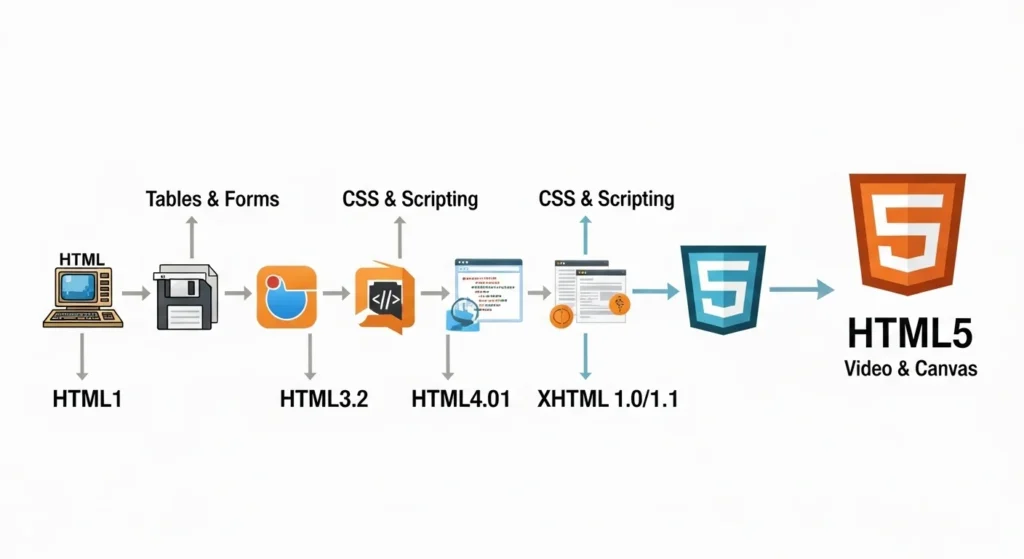
A Quick Look at HTML5 History
HTML4 was released in 1997. By the mid-2000s, the web had evolved far beyond what it
could handle.
HTML5 was officially finalized in 2014 by the W3C, but browsers started supporting
its features much earlier. Today, it’s universally supported across all major browsers.
HTML5 Tutorial: The Basic Structure You Need to Know
Every HTML5 document starts with the same clean foundation:
<!DOCTYPE html>
<html lang="en">
<head>
  <meta charset="UTF-8">
  <meta name="viewport" content="width=device-width, initial-scale=1.0">
  <title>My HTML5 Page</title>
</head>
<body>
  <h1>Hello, HTML5!</h1>
  <p>This is my first HTML5 page.</p>
</body>
</html>
Let’s break this down:
<!DOCTYPE html>Tells the browser this is HTML5 (much simpler than HTML4!)<meta charset="UTF-8">Supports all characters and languages<meta name="viewport">Makes your page mobile-friendly instantly<lang="en">Helps screen readers and SEO
This simple boilerplate is your starting point for every HTML5 project.
Why the New Doctype Is a Big Deal
In HTML 4, the doctype declaration was a long, confusing string. HTML5 simplified it to
Just clean, memorable, and easy to type.
That’s the HTML5 philosophy: do more with less.
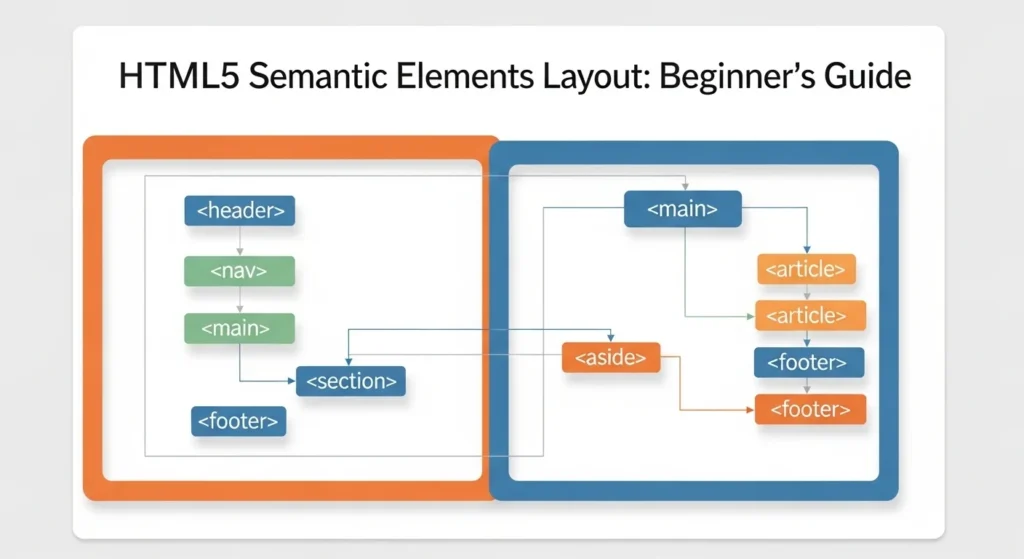
Semantic HTML5 Elements: Code That Actually Makes Sense
One of the biggest upgrades in HTML5 is semantic elements tags that describe
their own meaning.
Before HTML5, developers used endless <div> tags for everything. Navigation, headers,
footers all just <div>. Browsers and screen readers had no idea what was what.
HTML5 fixed this with purpose-built elements:
| HTML5 Tag | What It Represents |
|---|---|
<header> | Top section of a page or section |
<nav> | Navigation links |
<main> | Primary page content |
<article> | Self-contained content (like a blog post) |
<section> | A thematic grouping of content |
<aside> | Sidebar or supplementary content |
<footer> | Bottom of page or section |
<figure> | Images, diagrams, or charts with captions |
Why Semantic Tags Matter for SEO
Search engines like Google read your HTML to understand your content. Semantic tags
Act like a clear outline for crawlers.
Using <article> it <section> properly can improve how your content is indexed, giving your pages a real SEO advantage over sites still using generic <div> soup.
<body>
  <header>
    <nav>...</nav>
  </header>

  <main>
    <article>
      <h1>Blog Post Title</h1>
      <section>
        <p>First section of content...</p>
      </section>
    </article>

    <aside>
      <p>Related links...</p>
    </aside>
  </main>

  <footer>
    <p>© 2025 My Website</p>
  </footer>
</body>
Clean. Readable. SEO-friendly. This is how modern HTML5 pages are structured.
HTML5 Forms: Smarter Inputs, Less JavaScript
HTML5 supercharged web forms. Many validations that previously required JavaScript now
Work natively in the browser.
New Input Types in HTML5
<input type="email"    placeholder="you@example.com">
<input type="url"      placeholder="https://yoursite.com">
<input type="number"   min="1" max="100">
<input type="date">
<input type="range"    min="0" max="10">
<input type="color">
<input type="search"   placeholder="Search...">
<input type="tel"      placeholder="+1 234 567 8900">
Each of these provides built-in validation and specialized mobile keyboards
Automatically, no extra code is needed.
Useful Form Attributes
HTML5 also introduced powerful attributes for better UX:
requiredForces the user to fill in a fieldplaceholderShows hint text inside the inputautofocusAutomatically focuses a field on page loadpatternValidates input against a regexautocompleteEnables smart autofill suggestionsnovalidateDisables browser validation when needed
Example: A Complete HTML5 Contact Form
<form action="/submit" method="POST">
  <label for="name">Full Name</label>
  <input type="text" id="name" name="name" required autofocus>

  <label for="email">Email Address</label>
  <input type="email" id="email" name="email" required>

  <label for="message">Message</label>
  <textarea id="message" name="message" required></textarea>

  <button type="submit">Send Message</button>
</form>
Simple, accessible, and fully validated without a single line of JavaScript.
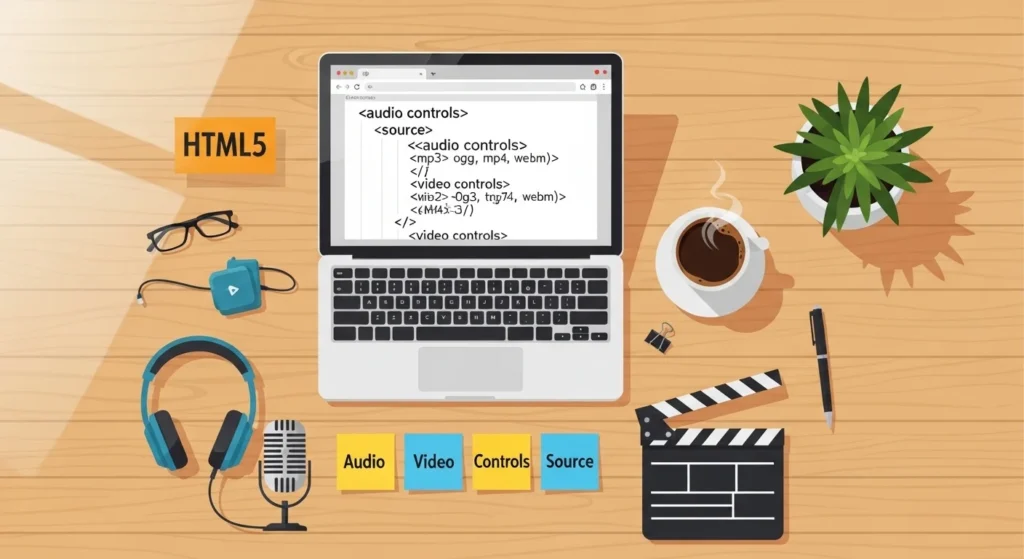
HTML5 Audio and Video: No Plugin Required
Before HTML5, embedding video meant installing Flash or QuickTime plugins. It was
slow, insecure, and a nightmare on mobile.
HTML5 solved all of that with native APIs <audio> and <video> elements.
Embedding Video with HTML5
<video width="720" height="405" controls poster="thumbnail.jpg">
  <source src="my-video.mp4"  type="video/mp4">
  <source src="my-video.webm" type="video/webm">
  <p>Your browser doesn't support HTML5 video.</p>
</video>
Key attributes:
controlsShows play, pause, and volume buttonsautoplayStarts playing automatically (use itmutedfor best results)loopRepeats the videoposterShows a thumbnail before the video loadsmutedStarts muted (required for autoplay in most browsers)
Embedding Audio with HTML5
<audio controls>
  <source src="podcast.mp3"  type="audio/mpeg">
  <source src="podcast.ogg" type="audio/ogg">
  <p>Your browser doesn't support HTML5 audio.</p>
</audio>
Always provide multiple source formats; different browsers prefer different files.
types. MP4 + WebM for video. MP3 + OGG for audio. This ensures maximum compatibility.
The HTML5 Canvas Element: Draw with Code
The <canvas> element is one of HTML5’s most exciting features. It gives you a
blank drawing surface that you can paint on using JavaScript.
<canvas id="myCanvas" width="500" height="300"></canvas>

<script>
  const canvas = document.getElementById('myCanvas');
  const ctx    = canvas.getContext('2d');

  // Draw a filled rectangle
  ctx.fillStyle = '#4A90D9';
  ctx.fillRect(50, 50, 200, 100);

  // Draw a circle
  ctx.beginPath();
  ctx.arc(350, 150, 60, 0, Math.PI * 2);
  ctx.fillStyle = '#E84A5F';
  ctx.fill();

  // Draw text
  ctx.font      = 'bold 24px Arial';
  ctx.fillStyle = '#fff';
  ctx.fillText('HTML5 Canvas!', 60, 110);
</script>
Canvas is used for:
- Data visualizations and charts
- Browser-based games
- Image editing tools
- Animations and visual effects
- Signature pads and drawing apps
It’s basically Photoshop but built right into the browser.
HTML5 Local Storage and Session Storage
HTML5 introduced the Web Storage API, giving websites a way to store data in the
Browser, no server required, no cookies needed.
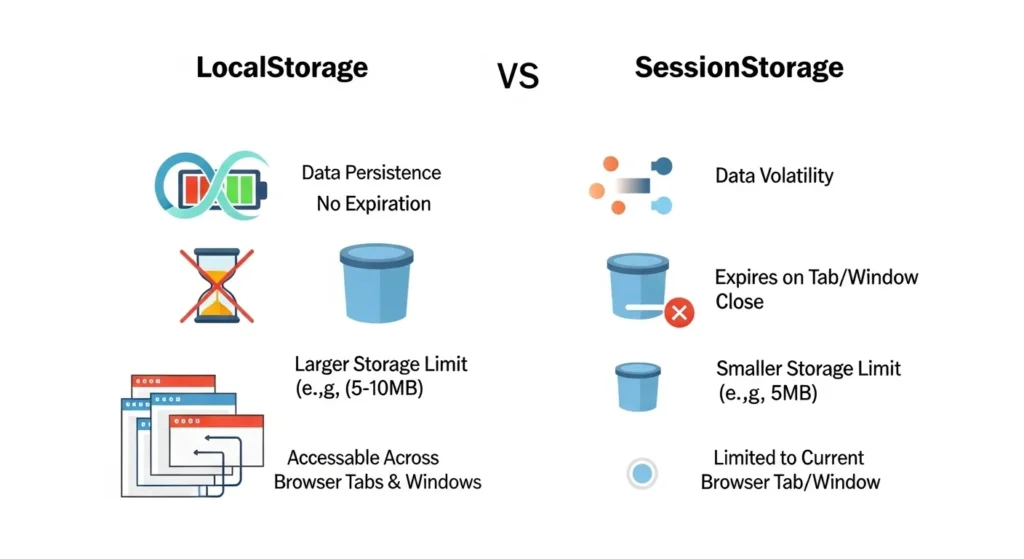
Local Storage vs Session Storage
| Feature | localStorage | sessionStorage |
|---|---|---|
| Data persists | Until manually cleared | Until tab is closed |
| Scope | All tabs, same origin | Current tab only |
| Storage limit | ~5–10 MB | ~5 MB |
| Use case | Preferences, saved data | Temporary form data |
How to Use Local Storage
// Save data
localStorage.setItem('username', 'Alex');

// Read data
const user = localStorage.getItem('username');
console.log(user); // "Alex"

// Delete one item
localStorage.removeItem('username');

// Clear everything
localStorage.clear();
This is perfect for saving user preferences, dark mode settings, shopping cart items,
And more, all without touching a database.
Other Powerful HTML5 Features Worth Knowing
HTML5 packed in even more features that are worth a quick mention.
Geolocation API
navigator.geolocation.getCurrentPosition(position => {
  console.log(position.coords.latitude);
  console.log(position.coords.longitude);
});
Used in maps, delivery apps, and location-based services.
Drag and Drop API
HTML5 makes elements draggable with just one attribute:
<div draggable="true">Drag me!</div>Combine with JavaScript event listeners for a full drag-and-drop UI.
Web Workers
Run heavy JavaScript tasks in the background without freezing the browser UI perfectly.
for complex calculations or data processing.
<datalist> Element
<input list="browsers" name="browser">
<datalist id="browsers">
  <option value="Chrome">
  <option value="Firefox">
  <option value="Safari">
  <option value="Edge">
</datalist>
Creates an autocomplete dropdown tied to any text input. Slick and totally native.
Pro Tips for Writing Better HTML5
Here are tips that most beginners overlook:
- Always use
langattributes that help accessibility and SEO - Never skip alt text on images; it’s required for accessibility and rankings
- Use
<figure>+<figcaption>for images with descriptions - Use
<time>for dates; it’s semantic and machine-readable - Test your HTML with W3C Validator at validator. w3.org catches hidden errors
- Use
<details>+<summary>for native accordion/FAQ sections (no JS needed!) - Always close your tags; missing closing tags cause unpredictable rendering
Conclusion
HTML5 is the backbone of the modern web and now you have a real understanding of
What makes it so powerful?
In this HTML5 tutorial, you’ve covered:
- The clean HTML5 document structure
- Semantic elements that improve readability and SEO
- Smarter forms with built-in validation
- Native audio and video support
- Canvas drawing with JavaScript
- Local storage and session storage
- Geolocation, drag-and-drop, and other hidden gems
The best next step? Open a text editor and start building. Even a simple personal
A webpage using proper semantic HTML5 will teach you more than hours of reading.
Save this guide for reference and share it with someone learning web
development it could be exactly what they need to get started.
Frequently Asked Questions (FAQs)
1. What is HTML5 used for?
HTML5 is used to structure and display content on websites and web apps. It supports
text, images, video, audio, forms, and interactive graphics all natively in the
browser without plugins.
2. Is HTML5 good for beginners?
Absolutely. HTML5 is one of the best starting points for anyone learning web
development. The syntax is clean and readable, and there are tons of free resources
to help you learn fast.
3. What is the difference between HTML and HTML5?
HTML5 is the latest version of HTML. It introduced semantic tags, native multimedia
support, the Canvas API, Web Storage, Geolocation, and much more. It’s far more
capable than older HTML versions.
4. Do I need to learn CSS and JavaScript with HTML5?
Yes, HTML5 handles structure, CSS handles styling, and JavaScript adds interactivity.
Together, these three form the foundation of all modern front-end web development.
5. Is HTML5 supported in all browsers?
Yes. HTML5 has full support across all major modern browsers, including Chrome, Firefox,
Safari, Edge, and Opera. It also works well on mobile browsers.