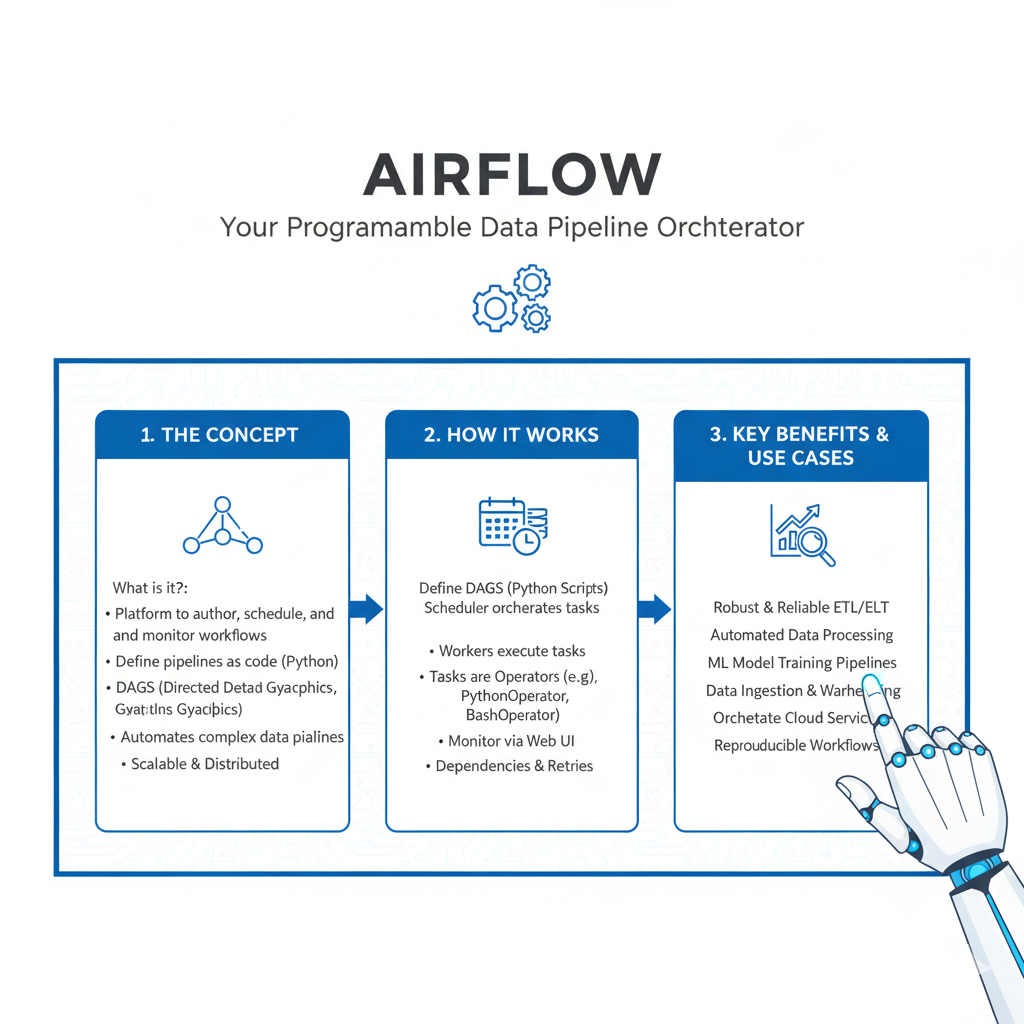
Automate and optimize data workflows with Airflow. Learn top 2025 best practices for building scalable, reliable data pipelines.
It’s 3 AM. Your phone buzzes. A critical data pipeline has failed. The morning sales report will be blank. The CEO’s dashboard is showing errors. You fumble for your laptop in the dark, trying to remember how you built that pipeline six months ago. Sound familiar?
For data engineers, this nightmare scenario is often the result of a pipeline that was built to work, but not built to last. It might run fine 99% of the time, but when it fails, it fails spectacularly and mysteriously.
This is where Airflow comes in. Apache Airflow is the leading open-source platform for orchestrating complex data workflows. But using Airflow is one thing; using it well is another. A poorly written DAG (Directed Acyclic Graph) can be just as fragile as any other script.
In this guide, we’ll walk through the seven most critical Airflow best practices that will transform your pipelines from a source of late-night alerts into a trusted, reliable system. These aren’t just theoretical ideas; they are battle-tested patterns used by the best data teams in the world. Let’s build something you can actually sleep through the night about.
1. Write Idempotent and Atomic Tasks (The Golden Rule)
This is the single most important concept for building reliable pipelines in Airflow. If you remember nothing else, remember this.
What is Idempotence?
An idempotent operation is one that you can run multiple times, and the end result will be the same as if you ran it only once.
Think of a light switch. Flipping the switch to “on” always turns the light on, regardless of its previous state. Flipping it “on” multiple times doesn’t change the outcome. That’s idempotent. Pushing a button that says “increase volume by 1” is not idempotent; the outcome changes every time you press it.
Why is this crucial in Airflow?
Pipelines fail. Networks time out. Airflow might retry a task. If your task is not idempotent, a retry could lead to duplicate data, incorrect totals, or a corrupted state.
How to Make Your Tasks Idempotent:
- Use
INSERT OVERWRITEinstead ofINSERT INTO: When writing to a table, overwrite the entire partition or table for the data you’re processing, rather than appending. This ensures that re-running the task will produce the same final dataset. - Implement Upserts: Use “merge” or “upsert” logic (e.g.,
ON CONFLICT UPDATEin PostgreSQL) to safely insert or update records. - Leverage Partitioning: Always write data to a specific partition (e.g.,
ds='{{ ds }}'for today’s date). If the task for that day fails and retries, it simply rewrites the same partition.
What is Atomicity?
An atomic task is one that either completes fully or fails completely, with no in-between state.
Real-Life Example:
Imagine a task that moves a file from a “staging” to a “processed” folder. A non-atomic way would be:
- Delete from staging.
- Copy to processed.
If the copy fails, the file is gone forever. An atomic way is:
- Copy to processed.
- Only if the copy is successful, delete from staging.
This ensures you never lose data, which is the core of reliability.
2. Master the Art of DAG Design and Task Organization
A messy DAG is a hard-to-maintain DAG. Good organization makes your data pipelines easy to understand, debug, and extend.
Keep Your DAGs Focused and Single-Purpose
A DAG should be built around a single business outcome. Don’t create a “monster DAG” that does everything from ingesting data to sending marketing emails.
Bad DAG Design: my_company_etl_dag (handles customer data, product data, and financial reporting).
Good DAG Design:
ingest_customer_events_dagtransform_customer_360_daggenerate_daily_financial_report_dag
This separation makes failures easier to isolate and understand.
Use Sensible Task Naming and Documentation
Your task IDs should be descriptive. transfer_s3_to_redshift is infinitely better than task_1.
Leverage Docstrings and Comments: Use them liberally! A new engineer (or you, in six months) should be able to open your DAG file and understand what it does and why.
python
def process_user_signups(**kwargs):
    """
    Tasks for processing new user signups.
    - Validates user email format.
    - Enriches data with geolocation based on IP.
    - Loads cleaned records into the data warehouse.
    """
    # Task logic goes here
Leverage TaskGroups for Complex Flows
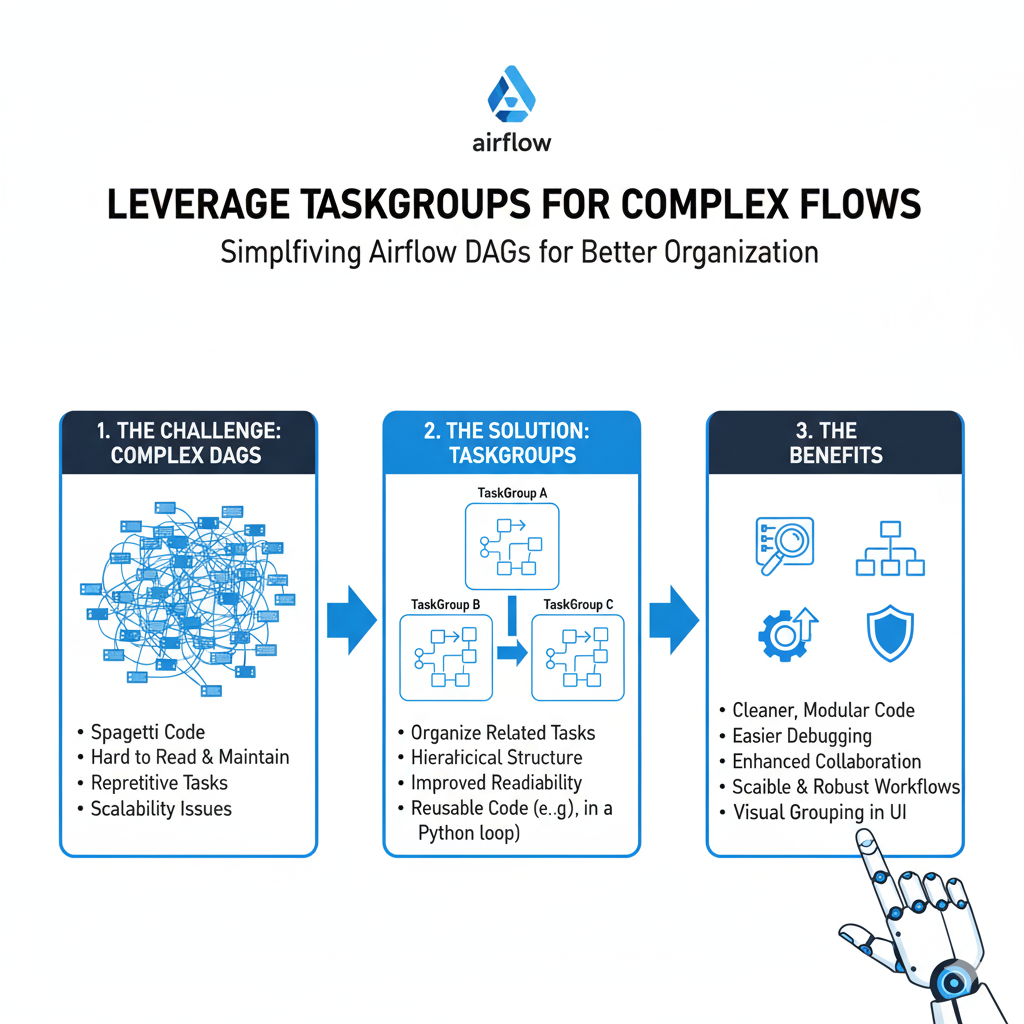
In Airflow 2.0 and above, TaskGroups are your best friend for organizing tasks. They create a visual grouping in the Airflow UI, making complex DAGs much easier to navigate.
Instead of 20 tasks in a flat list, you can group them logically:
extract_taskstransform_tasksload_tasks
This turns a sprawling DAG into a clean, modular workflow.
3. Manage Dependencies Like a Pro
One of Airflow’s core strengths is its ability to manage dependencies between tasks. Using them correctly is key to a robust pipeline.
Never Use all_done Trigger Rules Casually
The default trigger rule in Airflow is all_success—a task runs only when all its upstream tasks have succeeded. A common mistake is using all_done, which runs a task when all upstream tasks are finished, regardless of success or failure.
Why this is dangerous: A cleanup task set to all_done might run and delete temporary data even if the main processing task failed, making debugging impossible.
When to use it: Only in very specific cases, like sending a final notification email that a pipeline run has ended, regardless of outcome.
Use Sensors Wisely, But Don’t Over-Rely on Them
Sensors are a great Airflow feature that polls for a certain condition to be true (e.g., a file arriving in S3, a partition appearing in Hive).
Best Practices for Sensors:
- Set a Sensible
timeoutandmode: Don’t let a sensor wait forever. Always set a reasonable timeout. Usemode='reschedule'instead ofmode='poke'for long wait times. This frees up the worker slot while waiting, making your Airflow cluster more efficient. - Have a Backup Plan: What if the file never arrives? Design your DAG to handle sensor timeouts gracefully, perhaps by sending an alert and marking the run as failed.
4. Secure Your Credentials with Connections and Variables
Never, ever hard-code passwords, API keys, or database URLs in your DAG code. This is a massive security risk and makes configuration management a nightmare.
Use Airflow Connections
Airflow Connections are the secure way to store external system credentials.
- Store everything here: Database hosts and passwords, AWS keys, Slack webhook URLs, etc.
- Access them in your code: Use the Airflow Hook system, which is designed to work seamlessly with Connections.
python
# Good - Using a Hook
from airflow.providers.postgres.hooks.postgres import PostgresHook

def query_data():
    hook = PostgresHook(postgres_conn_id='my_warehouse')
    conn = hook.get_conn()
    # ... run queries

# Bad - Hardcoding
def query_data():
    conn = psycopg2.connect(host='my-host', password='secret123') # Don't do this!
Use Airflow Variables for Configuration
Use Variables for non-secret configuration that changes between environments, like file paths, bucket names, or feature flags.
python
from airflow.models import Variable

target_bucket = Variable.get("prod_raw_data_bucket")
# Now you can promote the same DAG from dev to prod by just changing the Variable.
5. Implement Effective Logging and Alerting
When a task fails at 3 AM, you need to know why, and you need to know immediately.
Make Your Logs Informative
Airflow automatically captures logs, but you need to put useful information in them.
- Log at the right levels: Use
logging.info()for general progress,logging.warning()for unexpected but handled situations, andlogging.error()for failures. - Log key context: When a task fails, the log should answer: “What was it trying to do?” and “On what data?”pythonlogging.info(f”Starting to process file: {file_path}”) # … some processing … logging.info(f”Successfully processed {record_count} records.”)
Set Up Smart Alerts
Don’t just alert on every failure. Use Airflow’s callback system to create smart notifications.
- Use
on_failure_callback: Trigger a function when a task fails. This function can send a detailed alert to Slack, PagerDuty, or MS Teams. - Make alerts actionable: Your alert should include:
- DAG ID and Task ID
- The log URL for quick debugging
- A brief description of what went wrong
This turns a generic “something is broken” alert into a “here’s what’s broken and how to look at it” alert.
6. Optimize for Performance and Resource Management
An inefficient DAG can slow down your entire Airflow cluster and waste money on cloud resources.
Control Your DAG Schedule and Concurrency
- Be realistic with schedules: Does your data really need to be processed every 5 minutes? Often, a 15-minute or hourly schedule is sufficient and puts less load on your systems.
- Set
concurrencyandmax_active_runs: These DAG-level parameters prevent a single DAG from overwhelming your cluster. If a DAG runs every hour and sometimes takes 70 minutes, setmax_active_runs=1to prevent overlapping runs that could corrupt data.
Use the Right Executor for Your Needs
The executor is the part of Airflow that runs your tasks.
- LocalExecutor: Good for small, single-machine setups.
- CeleryExecutor: The standard for production. It allows you to scale out by adding multiple workers.
- KubernetesExecutor: The most modern and flexible. It launches a new pod for each task, providing strong isolation and perfect resource utilization. This is the future for many cloud-native deployments.
Leverage XComs Sparingly
XComs let tasks exchange small pieces of data. They are useful but can be misused.
- Good for XComs: A short string like a file path, a single ID, or a small status message.
- Bad for XComs: A large DataFrame or a multi-megabyte file. This will slow down Airflow and fill up its metadata database. For large data, pass a reference (like a path) via XCom and have the downstream task pull the data from the source (like S3).
7. Adopt a Robust Testing and Development Strategy
You wouldn’t deploy application code without tests. Your data pipelines deserve the same rigor.
Write Unit Tests for Your Tasks
Test the logic inside your Python functions, not the Airflow execution itself.
python
# my_dag.py
def process_data(value):
    return value * 2

# test_my_dag.py
def test_process_data():
    assert process_data(2) == 4
    assert process_data(0) == 0
You can use a standard testing framework like pytest for this.
Use the TaskFlow API for Modern DAGs
Introduced in Airflow 2.0, the TaskFlow API simplifies passing data between tasks and makes DAGs much more Pythonic and easier to read and test.
python
from airflow.decorators import dag, task

@dag(schedule_interval=None, start_date=days_ago(1))
def my_modern_dag():

    @task
    def extract():
        return {"data": [1, 2, 3]}

    @task
    def transform(data):
        return [x * 2 for x in data["data"]]

    @task
    def load(transformed_data):
        print(f"Loading: {transformed_data}")

    data = extract()
    transformed_data = transform(data)
    load(transformed_data)

my_dag = my_modern_dag()
Frequently Asked Questions (FAQs)
Q1: What’s the biggest mistake beginners make with Airflow?
Trying to do too much inside a single PythonOperator. Airflow is an orchestrator, not a data processing framework. Your tasks should be calling out to other systems (like Spark, dbt, or a database) to do the heavy lifting. Keep the logic inside Airflow tasks light and focused on coordination.
Q2: How do we manage different environments (dev, staging, prod) in Airflow?
The best practice is to have separate Airflow deployments for each environment. You can then manage DAG code and Variables/Connections for each environment separately. This provides complete isolation and prevents a bug in a development DAG from taking down your production pipelines.
Q3: We have a pipeline that sometimes takes 23 hours. How can we prevent it from overlapping with the next day’s run?
This is a classic problem. Use the max_active_runs DAG parameter, setting it to 1. This ensures that Airflow will not start a new run of the DAG until the previous one has completed, successfully or otherwise. This prevents dangerous overlaps and data corruption.
Q4: Is it okay to run dbt models directly from an Airflow task?
Absolutely, and it’s a very common pattern! The key is to use the BashOperator to call the dbt CLI, or better yet, use the official DbtCloudOperator if you use dbt Cloud. This allows Airflow to manage the scheduling, dependencies, and logging, while dbt handles the complex transformation logic.
Q5: How should we handle data that arrives late or out-of-order in our scheduled Airflow DAGs?
This is one of the most common real-world challenges in data pipeline management. A DAG scheduled for 2 AM might find that 10% of the previous day’s data hasn’t arrived yet due to timezone issues or system delays.
The best practice is to implement “data interval awareness” and build in tolerance for lateness:
- Use Airflow’s Data Intervals: Instead of using “yesterday” or static dates in your logic, leverage Airflow’s built-in execution date (
{{ ds }}) and data interval concepts. This ensures your DAG processes the correct time window regardless of when it actually runs. - Implement Sensor-Based Waits: For critical data sources that are frequently late, place a
FileSensororExternalTaskSensorat the beginning of your DAG. Configure it with a reasonabletimeout(e.g., 6 hours) andpoke_interval(e.g., 15 minutes). This makes your DAG wait patiently for the data to arrive before proceeding. - Create Late Data Handling Logic: For less critical sources, you might choose to process whatever data is available and then have a separate “catch-up” mechanism. You can use Airflow’s backfill capability to rerun the DAG for the missing time period once the data finally arrives.
Example Strategy:
Your daily sales DAG runs at 2 AM but some international sales data doesn’t arrive until 4 AM. You could:
- Have the main DAG run at 2 AM and process 95% of the data.
- Create a separate “late data reconciliation” DAG that runs at 6 AM to pick up any missing records from the previous day.
- Use Airflow Variables to track which dates have been fully processed.
Q6: What’s the best way to manage and version control DAG dependencies (like Python packages) across our team?
As your Airflow environment grows, managing dependencies becomes crucial to avoid the “it works on my machine” problem and ensure consistent pipeline execution.
Adopt a containerized approach with clear dependency management:
- Use Custom Airflow Images: Instead of relying on the base Airflow image, build your own Docker image that includes all the required Python packages, system dependencies, and custom operators. This ensures every worker and scheduler runs the exact same environment.
- Pin Your Dependencies: Maintain a
requirements.txtfile in your version control that specifies exact versions of all packages (e.g.,pandas==1.5.3rather than justpandas). This prevents unexpected breaks when packages update. - Implement CI/CD for DAG Deployment: Set up a continuous integration pipeline that:
- Runs your DAG tests against the new dependency set
- Builds and tests the new Docker image
- Deploys the image to your Airflow environment only after all tests pass
- Use the PythonVirtualenvOperator for One-Off Cases: If you have a single DAG that needs a unique set of dependencies, the
PythonVirtualenvOperatorcan create an isolated environment just for that DAG, preventing conflicts with your main environment.
This approach gives you reproducible builds, easy rollbacks, and team-wide consistency.
Q7: How can we safely make changes to a DAG that’s currently running without causing failures or data corruption?
Making changes to a production DAG while it’s running is risky but sometimes necessary for urgent fixes. The key is to minimize disruption and avoid corrupting your data.
Follow these safety-first procedures:
- Never Modify Running Task Code: If a DAG run is in progress, never push code changes that affect the logic of tasks that are currently running or have already succeeded. This can create inconsistent states where different tasks in the same run use different code versions.
- Use Feature Flags for Safe Changes: Implement feature flags using Airflow Variables to toggle new behavior. You can add new logic to your DAG but keep it disabled until you’re ready to switch over. This allows you to deploy code safely without activating it immediately.
- Add New Tasks, Don’t Modify Existing Ones: If you need to add new processing steps, create new tasks at the end of your DAG or in a new DAG run rather than inserting them into the middle of an existing workflow. You can use the
TriggerRule.ALL_DONErule to ensure they run even if previous tasks failed. - For Emergency Fixes, Use the UI Carefully: Airflow’s UI allows you to clear specific task instances. If one task in a run has failed due to a transient error that you’ve now fixed, you can clear just that task instead of the entire DAG run. However, only do this if you’re certain the task is idempotent and won’t create duplicate data when rerun.
The golden rule: When in doubt, let the current run finish (or fail) and deploy your changes for the next execution. Data safety should always come first over pipeline speed.
Conclusion: From Firefighting to Strategic Engineering
Mastering these seven Airflow best practices is a journey from being a data plumber who fixes leaks to a data architect who builds resilient systems. It’s the difference between hoping your pipelines work and knowing they will.
The goal is to make your data infrastructure so reliable that it becomes boring. No surprises. No 3 AM pages. Just a steady, trustworthy flow of data that powers your business.
Start by picking one practice. Maybe it’s making your next task idempotent. Or perhaps it’s finally moving those hard-coded credentials to Airflow Connections. Each small step you take builds towards a more robust, professional, and peaceful data engineering practice.
Your future self, well-rested and confident, will thank you.