
Let’s be honest. The life of a data scientist in 2025 is a wild mix of excitement and frustration. One moment, you’re building a brilliant model that could predict customer behavior. The next, you’re stuck trying to get more computing power from your laptop, or your data is too big to fit in memory, or you can’t deploy your model for others to use.
It feels like you’re a brilliant chef trying to cook a five-course meal in a tiny kitchen with a single hotplate.
What if you had access to a professional, industrial-grade kitchen? One with endless ingredients, every appliance you could imagine, and a staff to help you with the cleaning and prep work?
That’s what Amazon Web Services, or AWS, is for a data scientist.
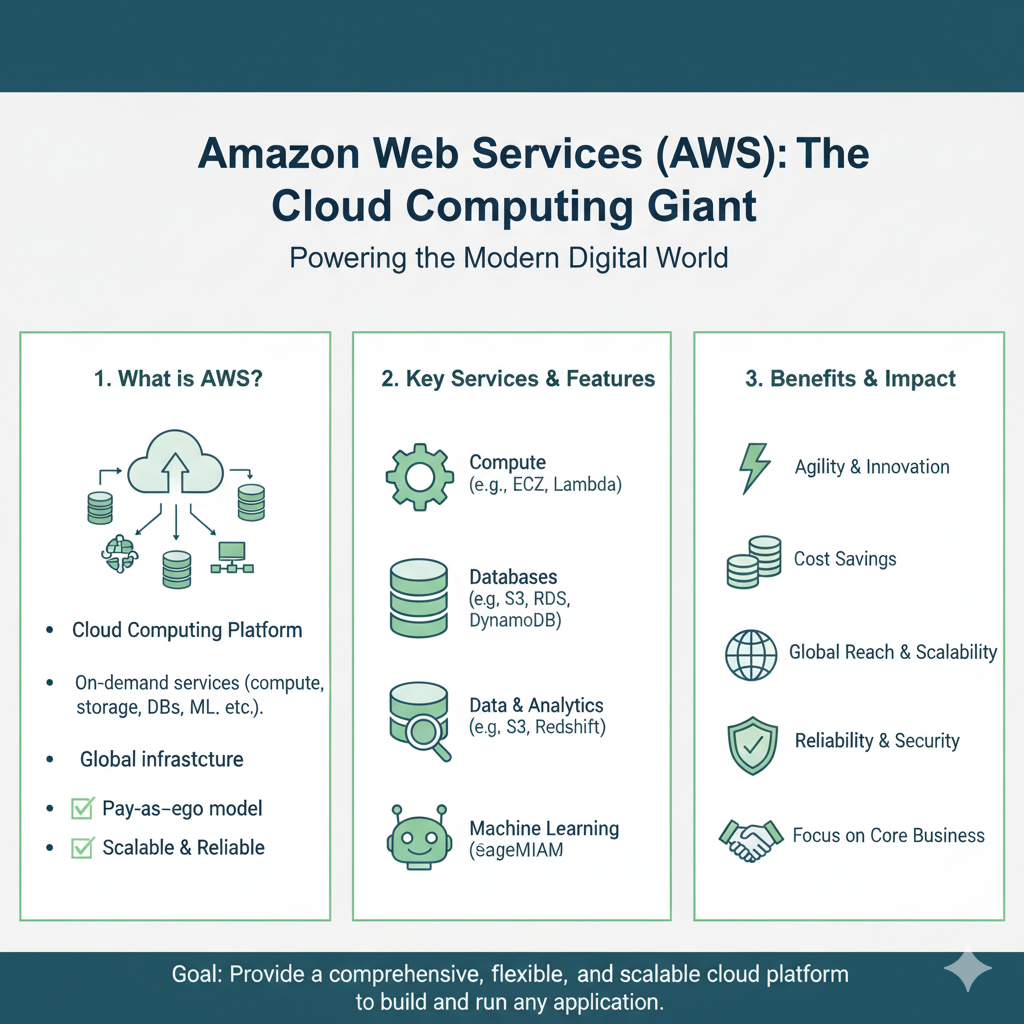
AWS is the world’s most comprehensive and widely adopted cloud platform. It provides over 200 services, but you don’t need to know them all. You just need to know the right ones that will supercharge your work.
In this guide, we’ll walk through the top 10 AWS tools that are absolute game-changers for data scientists. We’ll skip the jargon and focus on what each tool does, why it’s useful, and how you can start using it in your projects. Let’s get you out of that tiny kitchen and into your new command center.
1. Amazon SageMaker: Your Complete ML Workshop
If you only learn one tool on AWS, make it this one. Imagine a single, unified platform where you can build, train, and deploy machine learning models without worrying about the underlying servers. That’s Amazon SageMaker.
What it is: SageMaker is a fully managed service that covers the entire machine learning lifecycle. It’s like your personal workshop, with all the tools laid out and ready to go.
Why it’s a Game-Changer:
- No DevOps Headache: You don’t have to beg the IT team for servers or spend days setting up environments. With a few clicks, you get a powerful Jupyter notebook instance ready for coding.
- Built-in Algorithms: Don’t want to code an XGBoost model from scratch? SageMaker has highly optimized versions of common algorithms ready to use.
- One-Click Training: You can train multiple models in parallel with different settings (a process called hyperparameter tuning) to find the best one, automatically.
- Easy Deployment: Deploying a model to production is often the hardest part. SageMaker lets you turn your model into a secure, scalable API endpoint with just one line of code.
Real-Life Example:
You’re building a model to classify customer support tickets. You write your data cleaning and feature engineering code in a SageMaker notebook. Then, you use SageMaker’s built-in BlazingText algorithm to train a model on thousands of tickets. Once it’s trained, you deploy it. Now, your web app can send new ticket text to your SageMaker endpoint and instantly get a classification back.
2. Amazon S3 (Simple Storage Service): Your Infinite Data Lake
Every data project starts with data. And you need a place to put it that’s secure, durable, and can scale to any size. Amazon S3 is that place.
What it is: S3 is object storage. Think of it as a nearly infinite, super-secure digital filing cabinet in the cloud. You can store any kind of file—CSVs, images, videos, model files, you name it.
Why it’s a Game-Changer:
- Unlimited Scale: There’s no limit to how much data you can store. From a 1 MB CSV to petabytes of satellite imagery, S3 can handle it.
- Durability and Security: AWS claims 99.999999999% (11 nines!) durability. Your data is safe. You can also easily control who has access to what.
- The Foundation for Everything: S3 is the starting point for almost every data workflow on AWS. Data gets loaded into S3, and then other services (like SageMaker) pull from it.
Real-Life Example:
Your company’s mobile app generates gigs of clickstream data every day. Instead of trying to store this on a server that will run out of space, you set up a pipeline to dump it all into an S3 bucket. This becomes your “data lake.” Your data scientists can then access this raw data from SageMaker for analysis anytime.
3. AWS Glue: Your Automated Data Prep Assistant
Data scientists spend up to 80% of their time cleaning and preparing data. AWS Glue is designed to give you that time back.
What it is: A fully managed extract, transform, load (ETL) service. It automatically discovers your data (e.g., in S3) and helps you clean, enrich, and transform it into the right format for analysis.
Why it’s a Game-Changer:
- Serverless: You don’t manage any servers. You just define your transformation logic in a simple script (using PySpark or Python), and Glue runs it for you on a scalable cluster it manages itself.
- Data Catalog: It automatically builds a central catalog of your data. It’s like a search engine for your data lake, so you can easily find what you need.
- Visual ETL: You can even build data transformation jobs using a visual, drag-and-drop interface, no code required.
Real-Life Example:
You have sales data in one S3 bucket and customer demographic data in another. The date formats are different, and customer names are spelled inconsistently. You write a Glue ETL job to join these datasets, standardize the dates, and clean the customer names. Now, you have a clean, analysis-ready dataset in a new S3 bucket, ready for your SageMaker model.
4. Amazon QuickSight: Your Storytelling Canvas
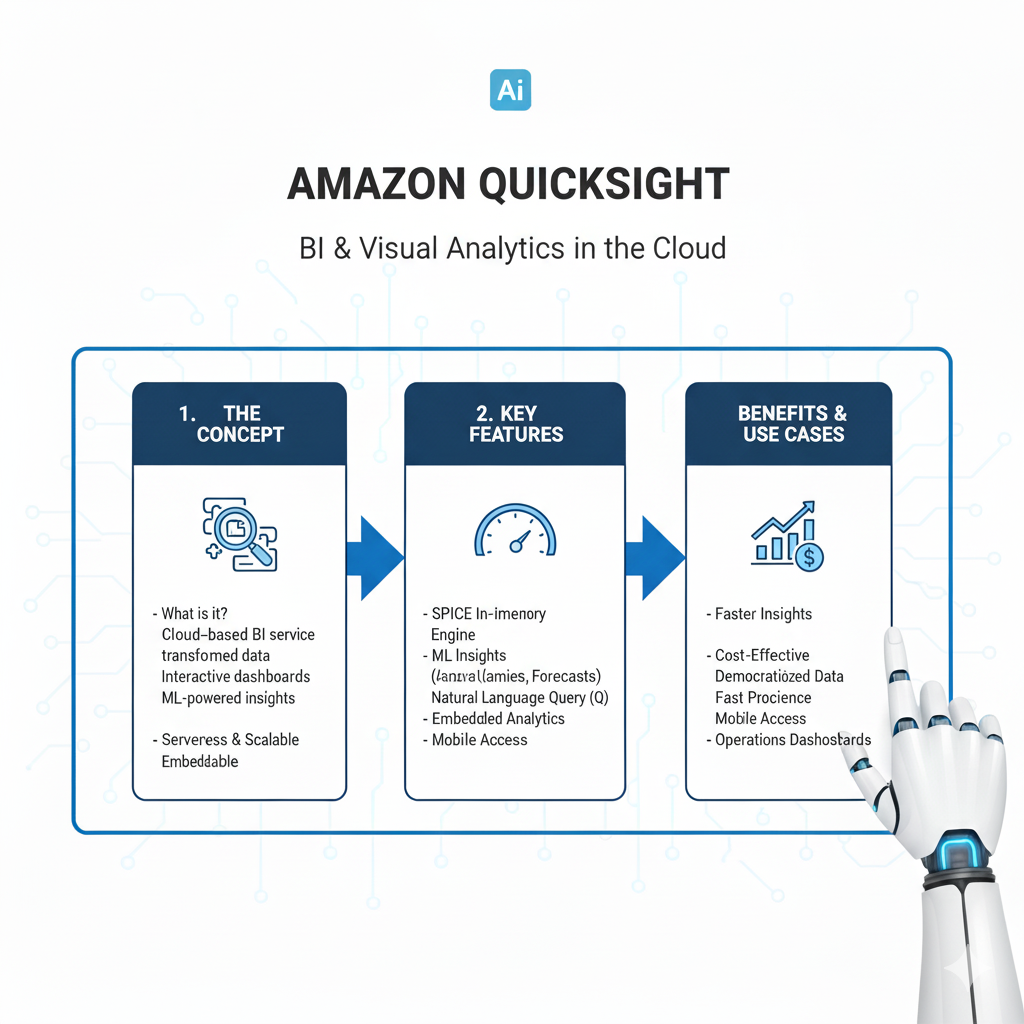
You’ve built a great model and found amazing insights. Now you need to share them with people who don’t speak Python. Amazon QuickSight is your tool for that.
What it is: A fast, cloud-powered business intelligence (BI) service. It lets you create and publish interactive dashboards that anyone in your company can access from a web browser or phone.
Why it’s a Game-Changer:
- Pay-Per-Session: You only pay when people view your dashboards. This is huge! It makes it incredibly cheap to share insights with hundreds of people.
- Machine Learning Integration: It has built-in ML insights. It can automatically spot anomalies in your data (like a sudden drop in sales) or forecast future trends right within your dashboard.
- Easy to Use: It’s much simpler and more intuitive than traditional BI tools like Tableau. You can connect to your data in S3 or a database and start building visualizations in minutes.
Real-Life Example:
You create a dashboard showing your model’s performance in predicting customer churn. Marketing managers can log in to QuickSight, see which customer segments are most at risk, and filter the data by region or product. They use this live data to make decisions, not a static PowerPoint slide.
5. Amazon Athena: Your SQL Superpower on S3
What if you could run SQL queries directly on the raw data sitting in your S3 data lake, without having to load it into a database first? That’s Amazon Athena.
What it is: An interactive query service. It’s serverless—so there’s no infrastructure to set up or manage—and you pay only for the queries you run.
Why it’s a Game-Changer:
- Instant Analysis: Point Athena at your CSV, JSON, or Parquet files in S3, define the schema, and start querying immediately using standard SQL.
- Cost-Effective Exploration: It’s perfect for data exploration. You can run a query on a terabyte of data for just a few dollars.
- Integrates Everywhere: You can use the results from Athena in QuickSight for dashboards or in SageMaker for your models.
Real-Life Example:
A product manager asks, “How many unique users did we have from Germany last week who used feature X?” Instead of waiting for a data engineer to prepare a dataset, you write a simple SQL query in Athena that scans the raw app logs in S3 and get the answer in seconds.
6. AWS Lambda: Your Code Automator
Sometimes you need to run a small piece of code in response to an event. AWS Lambda lets you run code without provisioning or managing servers. You just upload your code, and Lambda runs it, scaling automatically.
What it is: A serverless, event-driven compute service.
Why it’s a Game-Changer:
- True Serverless: You never think about servers. You are charged only for the compute time you consume.
- Event-Driven: You can trigger a Lambda function from almost anything: a new file arriving in S3, a scheduled time, an API call, etc.
Real-Life Example:
Every time a new customer review is uploaded to an S3 bucket, you want to run your SageMaker sentiment analysis model on it. You can set up a Lambda function that is automatically triggered by the new file. The function calls your SageMaker endpoint, gets the sentiment, and saves the result to a database. All of this happens automatically, without you lifting a finger.
7. Amazon EMR (Elastic MapReduce): Your Big Data Powerhouse
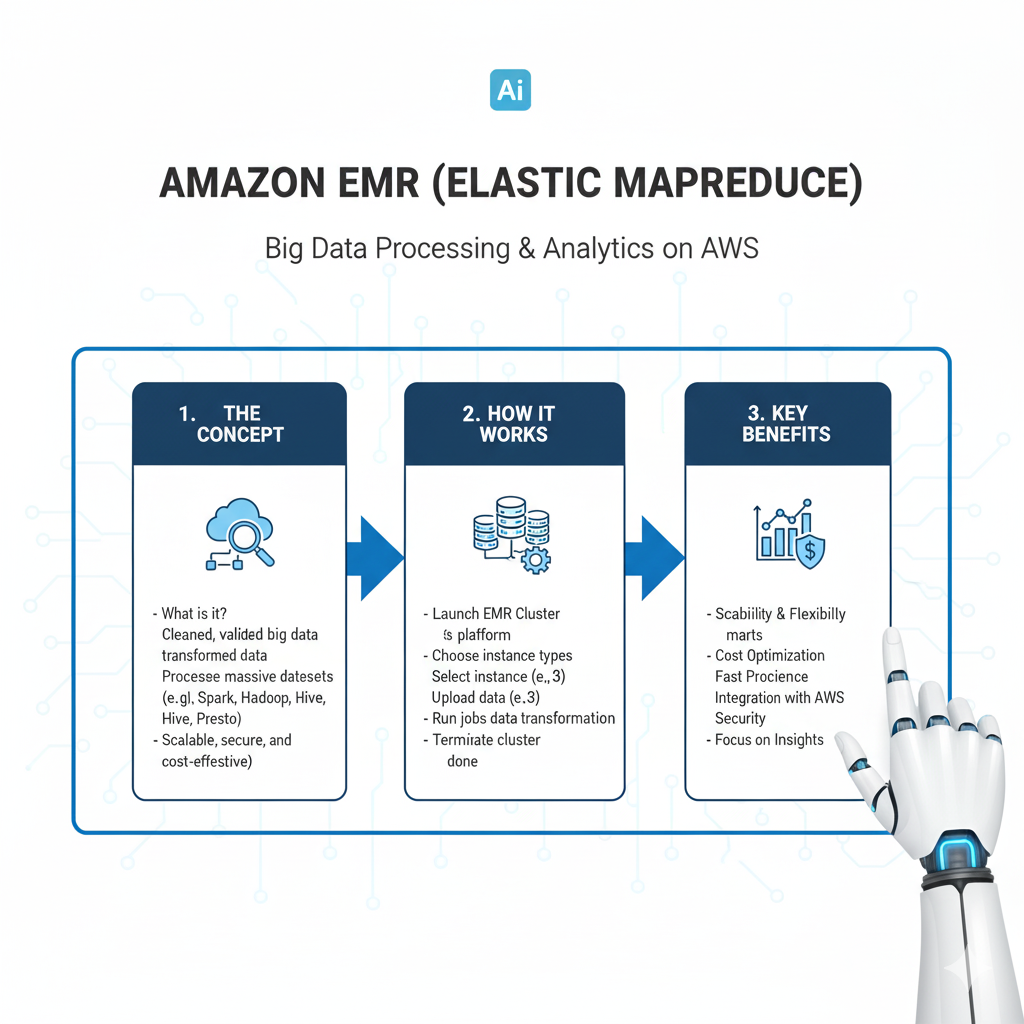
When your dataset is so massive that it can’t be processed on a single machine, you need to distribute the work across a cluster of computers. Amazon EMR provides a managed Hadoop framework to do just that.
What it is: A cloud big data platform for processing vast amounts of data using open-source tools like Apache Spark, Hive, and Presto.
Why it’s a Game-Changer:
- Managed Clusters: EMR sets up and manages the entire Hadoop cluster for you. You don’t need to be a distributed systems expert.
- Cost-Effective: You can use “spot instances” (spare AWS capacity) for up to a 90% discount on compute costs for fault-tolerant workloads like data processing.
- Perfect for Feature Engineering: It’s ideal for the heavy-lifting phase of ML where you need to process terabytes of log data to create training features.
Real-Life Example:
You need to create user behavior features from a year’s worth of raw clickstream data (several terabytes). You write a PySpark script and run it on an EMR cluster. The cluster spins up, processes the entire dataset in a couple of hours, and saves the results to S3, then shuts down automatically. You only pay for the few hours it ran.
8. Amazon Redshift: Your Data Warehouse Powerhouse
While S3 is your data lake for all data, a data warehouse is for structured data that needs to be queried for analytics and reporting at high speed. Amazon Redshift is AWS’s flagship data warehouse.
What it is: A fast, fully managed, petabyte-scale data warehouse.
Why it’s a Game-Changer:
- Blazing Fast Queries: Its columnar storage and mass-parallel processing (MPP) architecture make it incredibly fast for complex analytical queries on large datasets.
- Seamless Integration: It works beautifully with the rest of the AWS ecosystem. You can easily query data in your S3 data lake directly from Redshift.
- The BI Backbone: It’s the perfect backend for your QuickSight dashboards, providing the speed needed for interactive analytics.
Real-Life Example:
Your company’s cleaned and transformed data from Glue jobs is loaded into Redshift. The finance and sales teams run complex, daily reports on this data using QuickSight connected to Redshift, getting sub-second response times even on billions of rows of data.
9. Amazon Forecast: Your Ready-Made Prediction Engine
What if you need to build a time-series forecasting model but don’t have the time or expertise to build one from scratch? Amazon Forecast is your answer.
What it is: A fully managed service that uses machine learning to deliver highly accurate time-series forecasts.
Why it’s a Game-Changer:
- No ML Expertise Required: You just provide your historical data (e.g., past sales) and any related data (e.g., promotions, holidays). Forecast automatically trains, deploys, and hosts the model for you.
- Automatically Finds the Best Model: It runs multiple ML models in the background (including Deep AR+ from Amazon) and ensembles them to give you the most accurate prediction.
- Saves Weeks of Work: Building a robust forecasting model can take a data scientist weeks. Forecast can give you a production-ready model in hours.
Real-Life Example:
A retail chain needs to forecast demand for 10,000 products across 500 stores to optimize inventory. Using Forecast, they provide three years of historical sales data, along with a calendar of holidays and promotions. Forecast generates accurate demand forecasts for each product-store combination, which the inventory management system then uses to automate ordering.
10. AWS IAM (Identity and Access Management): Your Security Guard
This might seem boring, but it’s the most important tool on the list. IAM is how you control access to all your AWS resources and services.
What it is: A web service that helps you securely control access to AWS resources.
Why it’s a Game-Changer:
- Security First: You can grant fine-grained permissions. For example, you can give a data scientist permission to launch SageMaker notebooks but not delete S3 buckets.
- Principle of Least Privilege: You ensure that users and systems have only the permissions they absolutely need to do their job, nothing more. This is critical for security.
- It’s Free: Using IAM costs you nothing.
Real-Life Example:
You create an IAM role for your SageMaker notebook that allows it to read data from one specific S3 bucket and write model artifacts to another. This way, even if your notebook code is compromised, the damage is contained to only those two buckets.
How to Get Started: Your First 30 Minutes on AWS
Feeling overwhelmed? Don’t be. Here’s a simple plan for your first steps:
- Create an AWS Account: Go to
aws.amazon.comand sign up. You’ll get free access to many of these services for 12 months under the Free Tier. - Do the “One Project” Challenge: Pick one small project. For example, “Predict sales for the next month.”
- Follow the Flow:
- Upload your sales data (a CSV) to S3.
- Use Athena to run a few exploratory SQL queries on it.
- Open SageMaker and create a notebook instance.
- In the notebook, pull the data from S3 and build a simple forecasting model (you can start with a linear regression).
- Use QuickSight to connect to your S3 data and create a simple chart of the predictions.
This end-to-end project will teach you more than reading a dozen articles.
Frequently Asked Questions (FAQs)

Q1: Is AWS too expensive for an individual data scientist?
Not at all. The AWS Free Tier is very generous and allows you to learn and experiment with many services (like S3, Lambda, and SageMaker) at no cost for a full year. For production workloads, the pay-as-you-go model means you only pay for what you use, which can be very cost-effective.
Q2: I’m scared of the cloud. Is it hard to learn?
It can feel intimidating, but AWS has made huge strides in making their services user-friendly. Services like SageMaker are designed specifically for data scientists, not just engineers. Start with one service (like S3 or SageMaker) and gradually add more. There are tons of free tutorials and courses online.
Q3: How does this compare to other platforms like Azure or Google Cloud?
AWS has the largest market share and the most mature and comprehensive set of services. The concepts you learn on AWS (like serverless computing, managed ML platforms, and object storage) are directly transferable to other clouds. Starting with AWS gives you a solid foundation in cloud computing.
Q4: What’s the most important skill for a data scientist on AWS?
Beyond your core data science skills, the most important thing is understanding how to glue these services together into a working pipeline. Knowing how to get data from S3 into SageMaker, process it with Glue, and visualize it in QuickSight is the key to unlocking the platform’s power.
Conclusion: Your Future in the Cloud
The world of data science is moving to the cloud. It’s no longer a question of if you’ll use cloud platforms like AWS, but when and how well.
Mastering these 10 tools doesn’t mean you need to become a cloud architect. It means you’re becoming a more effective, powerful, and impactful data scientist. You’re moving from being limited by your local machine to having the resources of a global technology company at your fingertips.
You’ll spend less time fighting with your environment and more time doing what you do best: finding patterns, building models, and telling stories with data.
So, take a deep breath. Create that free account. Pick one tool from this list and try it today. Your future as a cloud-native data scientist starts now.
