Let’s be honest. We’ve all been there. Staring at a spreadsheet with dozens of rows and columns, trying to make sense of the numbers. Your eyes glaze over. You read the same line three times. The data is important, but actually understanding it feels like trying to drink from a firehose. You might remember one or two numbers for a few minutes, but the overall meaning? It’s gone.
Now, picture a different scene. You see a colorful, well-designed chart. Icons and images guide your eye. Key numbers pop out in a bold font. In seconds, you get the main point. You understand the story the data is trying to tell. You can even explain it to someone else an hour later.
That’s the power of an infographic.
In our fast-paced, information-saturated world of 2025, the ability to communicate complex ideas quickly and memorably is a superpower. Infographics are not just “nice-to-have” design flourishes; they are essential tools for learning, teaching, marketing, and persuading. This isn’t just a feeling—it’s backed by decades of cognitive science.
In this article, we’ll break down the seven proven ways infographics turn overwhelming data into clear, “sticky” knowledge that actually stays in your brain. We’ll go beyond the surface and explore the why and how behind their incredible effectiveness.
What Exactly Is an Infographic?
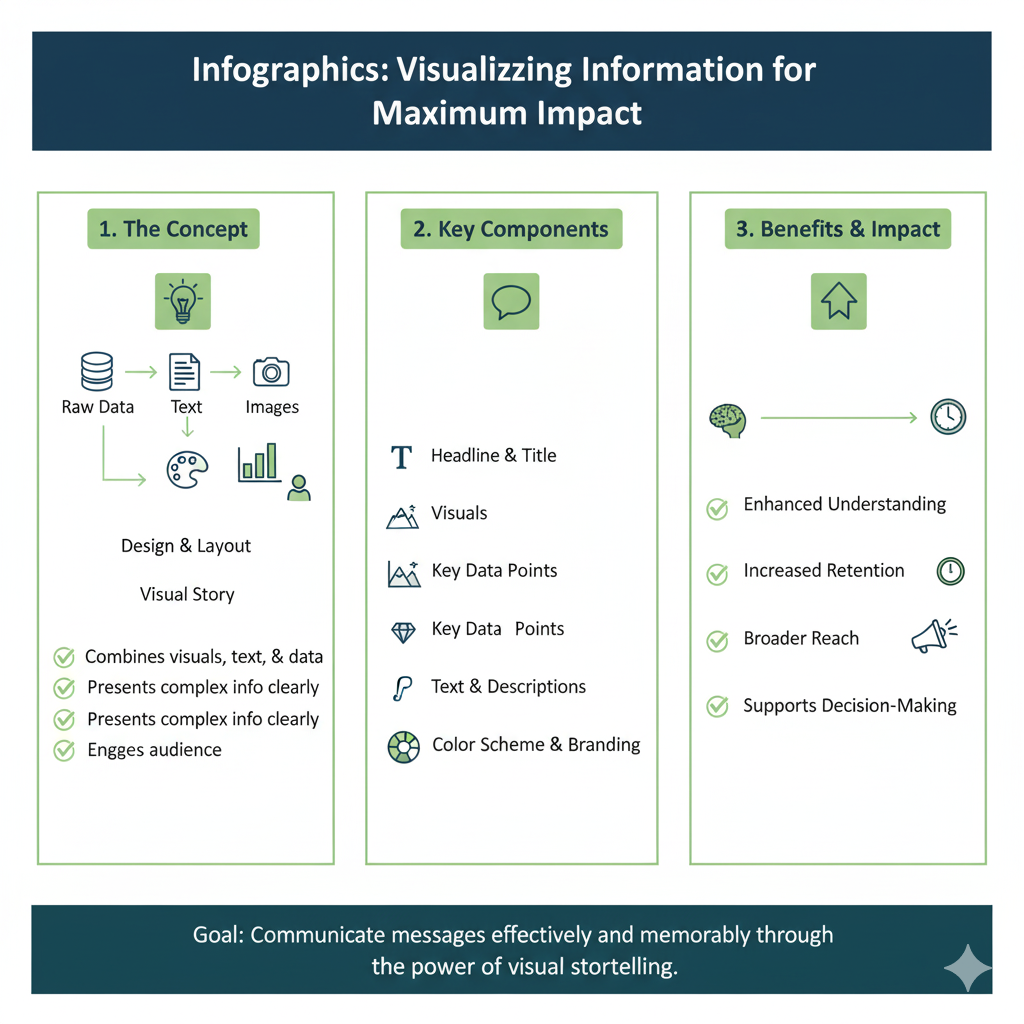
Before we dive into the “how,” let’s be clear on the “what.” An infographic is a visual representation of information, data, or knowledge. It’s a strategic blend of:
- Charts and Graphs: To give numbers a visual shape.
- Icons and Illustrations: To represent ideas instantly.
- Short Text Snippets and Headings: To provide context and explanation.
- Color, Layout, and Negative Space: To guide the viewer’s eye and create a logical flow.
Think of it as a map for your information. A good map doesn’t show every single blade of grass or every house; it highlights the important landmarks, roads, and destinations. A good infographic does the same for your data. It filters out the noise and illuminates the signal, creating a clear path to understanding.
1. They Tap Into Our Brain’s Visual Wiring
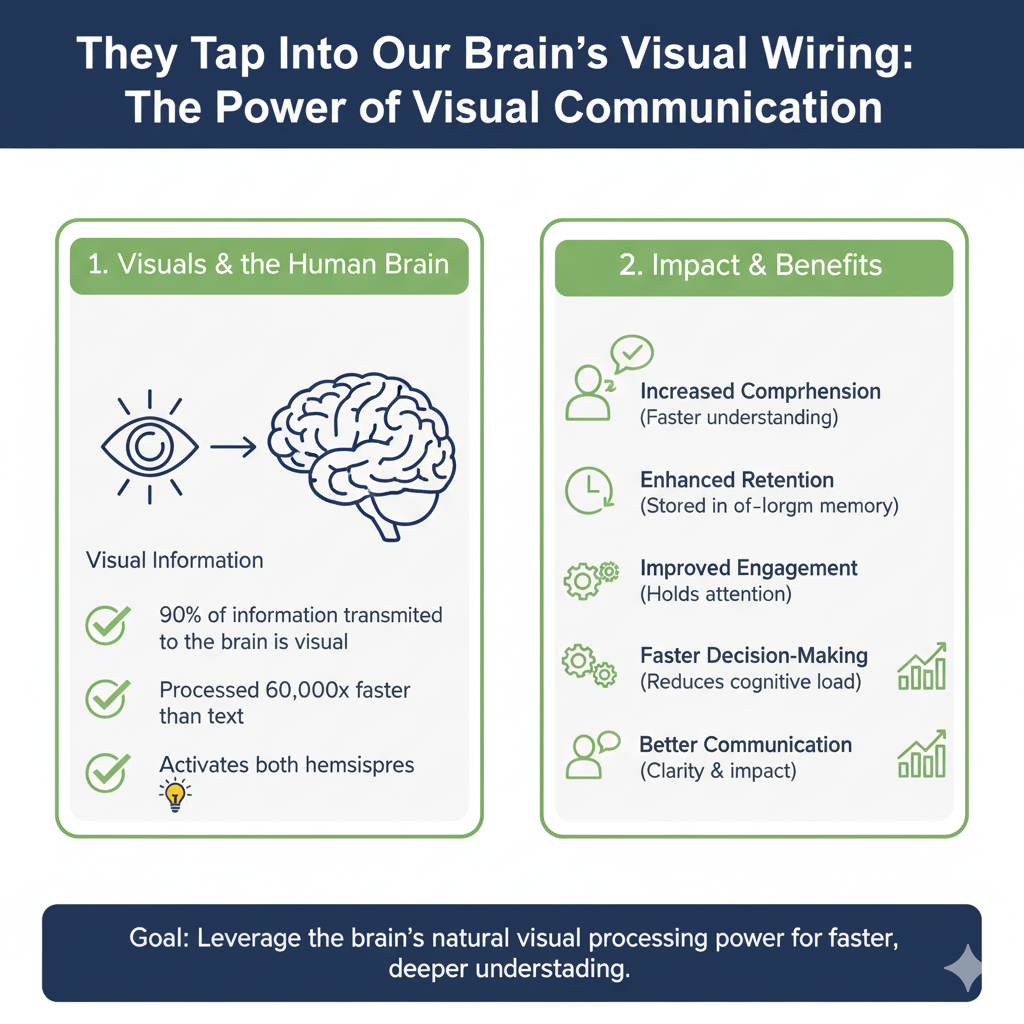
Our brains are not primarily designed to process walls of text. We are visual creatures, and this isn’t just an opinion—it’s a biological fact. A staggering 90% of the information transmitted to our brain is visual, and our brains process images an astonishing 60,000 times faster than text.
The Science Behind It: Pre-Attentive Processing
This is a key concept for understanding why infographics work so well. “Pre-attentive processing” refers to what your brain does automatically, before you even consciously think about what you’re seeing. It takes about 200 milliseconds for your brain to decode a visual cue like color, shape, or size.
An infographic is built to exploit this.
- A large, bolded number in a contrasting color immediately signals “This is important!” without you having to read a single sentence.
- An icon of a rocket next to a statistic about growth is understood instantly.
- The spatial arrangement of elements tells your brain about hierarchy and relationships before you’ve processed any words.
The Picture Superiority Effect
This is another well-researched psychological principle. It states that people are far more likely to remember information when it’s presented as a picture or image compared to text alone. Studies have shown that after three days, people will remember only about 10% of the information from a text-only source. However, if you add a relevant image to that same information, recall soars to 65%.
Real-Life Example in 2025:
Imagine a company’s HR department needs to explain the new, slightly complex “Work From Anywhere” policy. They have two options:
- Option A (The Old Way): Send a 10-page PDF document filled with legal jargon, bullet points, and dense paragraphs.
- Option B (The Infographic Way): Send a one-page, visually engaging infographic featuring:
- A large icon of a globe with key statistics about remote work’s benefits.
- A simple flowchart titled “How to Apply for Remote Work” with clear “Yes/No” paths.
- A world map with color-coded zones showing different policy rules by region.
- A timeline graphic illustrating the approval process from start to finish.
- Icon-based lists of “Approved Home Office Equipment” and “Required Communication Tools.”
Which one do you think employees will actually read, understand, and refer back to when they have a question? The infographic wins every single time because it speaks the brain’s native language: visuals.
2. They Simplify the Complex
The true genius of a well-made infographic is its ability to take something complicated, intimidating, or multi-faceted and make it feel simple and approachable. It acts as a masterful filter, stripping away the noise and clutter to leave only the clearest, most important signal.
The Power of “Chunking”
“Chunking” is a fundamental concept in cognitive psychology. It describes our brain’s method of breaking large pieces of information into smaller, organized, and manageable units (or “chunks”). Our working memory can only hold a limited number of items at once, so chunking is essential for comprehension.
An infographic is chunking in its purest visual form.
- It takes a massive topic like “The Impact of Plastic Waste on Ocean Ecosystems” and breaks it down.
- Chunk 1: A bar chart showing “Top 10 Sources of Ocean Plastic.”
- Chunk 2: A world map with flow lines illustrating “How Plastic Travels from Inland Rivers to the Sea.”
- Chunk 3: An illustrated timeline of “How Long It Takes Different Materials to Decompose.”
- Chunk 4: Icon-based “5 Things You Can Do to Help.”
By presenting information in these discrete, visual chunks, the infographic prevents cognitive overload and allows the viewer to process one key idea at a time.
Creating a Clear Data Hierarchy
A good infographic doesn’t just present chunks; it orders them logically. It uses visual hierarchy to guide the viewer’s eye. The most important finding—the “headline” of the data—is usually the largest element, positioned at the top. Supporting details and deeper context are presented in a smaller size and flow logically downward or sideways. You don’t have to figure out what matters most; the design does that work for you, creating an intuitive learning path.
Real-Life Example in 2025:
A city council wants to roll out a new, complex multi-stream recycling and composting program. The rules for what goes in which bin are detailed and specific. Instead of a text-heavy, 8-page booklet that ends up in the trash, they create a single-sheet infographic to be distributed to every household and displayed on city websites.
- It features large, color-coded sections: Green for Compost, Blue for Recycling, Black for Landfill.
- Each section uses universally understood icons: a banana peel and grass clippings in the green section, bottles and cans in the blue, and a large “X” over hazardous materials in the black.
- It answers common questions visually: “Does pizza grease on the box go in compost or recycling?” with a simple “If Greasy -> Compost / If Clean -> Recycling” diagram.
This simple, visual guide reduces public confusion, decreases contamination in recycling streams, and increases program compliance far more effectively than paragraphs of text ever could.
3. They Tell a Memorable Story
Data points in a table are just isolated facts. A story is a connected, emotional experience. Our brains are hardwired to seek out, understand, and remember stories. This is how knowledge has been passed down for millennia. Infographics are powerful, modern storytelling tools because they provide a clear narrative structure with a beginning, middle, and end.
The Anatomy of an Infographic Story
A compelling infographic follows a narrative arc:
- The Hook (The Headline & Introduction): This is your “Once upon a time…” A strong, provocative title like “The Shocking Journey of Your Morning Coffee” or “The Silent Rise of Solar Power” pulls the viewer in immediately. A subheading sets the scene.
- The Challenge (The Problem or Conflict): This establishes the “why.” Why should we care? This section presents the problem, the question, or the gap in knowledge. For the coffee infographic, this could be: “Coffee farming, a livelihood for millions, is under direct threat from a changing climate.”
- The Journey (The Data and Evidence): This is the heart of the story, the visual “middle.” This is where you present your charts, graphs, and illustrated facts. A flow chart shows the complex supply chain from Ethiopian farm to your local café. A bar chart illustrates the correlation between rising temperatures and decreasing crop yields. This section builds the case and provides the proof.
- The Resolution (The Conclusion & Call to Action): This is the “happily ever after” or the “what’s next.” It provides the solution, the key takeaway, or a clear next step for the viewer. “By choosing fair-trade, shade-grown coffee, you can support sustainable farming practices. Here are three certified brands to look for.” This gives the story a purpose and leaves the viewer feeling informed and empowered.
Real-Life Example in 2025:
A non-profit organization, “Water for All,” needs to raise awareness and funds. They have a report full of devastating statistics about water scarcity. Instead of publishing the raw data, they create an infographic titled “The Long Walk: Anya’s Day for Water.”
- Hook: A powerful image of a young girl, Anya, with the headline.
- Challenge: A map shows her village in Sub-Saharan Africa and the 6-kilometer distance to the nearest, often contaminated, water source.
- Journey: The infographic uses a visual timeline of her day: Icons show her waking at 4 AM, walking for 3 hours (with a distance counter), waiting in line, and carrying a heavy jug home. Parallel to this, simple health statistics show the prevalence of waterborne diseases in her community. A pie chart shows how women and girls bear the primary burden of water collection, impacting their education.
- Resolution: The story culminates in a solution: “How a Well Changes Everything.” A new timeline shows the well being built, followed by icons for “Girls in School,” “Improved Community Health,” and “Local Economic Growth.” It ends with a clear, direct call to action: “Sponsor a well project today. Here’s how.”
This infographic creates a powerful emotional connection and a sense of narrative purpose that a spreadsheet of mortality rates could never achieve.
4. They Boost Information Retention Drastically
This is the ultimate goal. You don’t just want people to see your data; you want them to remember it. The combination of visuals and text in an infographic creates a powerful, multi-sensory memory anchor that is incredibly difficult to forget.
Dual Coding Theory: The Secret to Sticky Memories
This is one of the most important concepts in educational psychology. Developed by Allan Paivio, the Dual Coding Theory suggests that our brains have two distinct but interconnected systems for processing and storing information: one for verbal/linguistic information (words) and one for non-verbal/imagery information (pictures).
When you read a text-heavy report, you are primarily using only one channel: the verbal system. It’s like trying to build a memory with one tool.
When you engage with an infographic, you are using both systems simultaneously.
- The verbal system processes the labels, titles, and statistics.
- The imagery system processes the charts, colors, icons, and layout.
This dual activation creates two separate memory traces in your brain. This gives you two potential pathways to retrieve that information later. If you forget the exact statistic (the verbal memory), you might recall the shape of the chart or the color associated with it (the visual memory), which can trigger the recall of the number. This redundancy makes the memory far more robust and “sticky.”
The Von Restorff Effect (The Isolation Effect)
This psychological principle predicts that when multiple similar objects are present, the one that differs from the rest is most likely to be remembered. Infographics are masters of leveraging this effect.
Think of a standard corporate slide deck with ten slides, all using the same template and bullet points. Nothing stands out. Now, think of an infographic. A designer can intentionally make a key data point “different”:
- A single, large, illustrated number in a contrasting color.
- A unique icon that doesn’t appear anywhere else.
- A chart that uses a bold color while the others are muted.
This isolated element immediately captures attention and is tagged by the brain as “important,” making it the most memorable part of the entire graphic.
5. They Drive Engagement and Shareability
In the social media landscape of 2025, attention is the most valuable currency. Infographics are inherently more engaging and shareable than blocks of text, making them a cornerstone of modern digital marketing and communication strategies.
The Economics of Scannability
People are busy and scroll quickly through their feeds. Data suggests you have less than three seconds to capture someone’s attention online. A block of text requires commitment and time to read. An infographic, however, can be scanned, understood, and its core message absorbed in 5-10 seconds. This makes it the perfect format for platforms like Instagram, LinkedIn, X (Twitter), and Pinterest.
The Liking and Sharing Psychology
Why do people share content? They share things that are:
- Valuable/Useful: It teaches them something quickly.
- Emotional: It makes them feel inspired, surprised, or motivated.
- Identity-Reinforcing: It makes them look smart, informed, or caring when they share it.
A well-made infographic checks all these boxes. When someone shares an infographic titled “7 Science-Backed Ways to Improve Your Sleep,” they are not just sharing data; they are sharing a piece of their identity as someone who values health and productivity. The infographic packages the information in a format that is easy to consume and even easier to pass along, giving it immense viral potential.
Real-Life Example in 2025:
A financial advisor writes a detailed 2,000-word blog post about “5 Critical Retirement Mistakes Baby Boomers Are Making.” The post is well-researched but gets minimal traffic and almost no social shares.
Frustrated, she condenses the five key points into a single, elegant infographic titled “Don’t Run Out of Money: The 5 Retirement Pitfalls and How to Avoid Them.” She posts it on her LinkedIn with a personal story.
The result? The post goes viral within her network. It gets shared hundreds of times, with comments like, “This is so clear and helpful! Sharing with my parents and my team.” The infographic packaged the same valuable information in a format that people were not only willing to consume but were also proud to distribute, dramatically expanding her reach and establishing her as a thought leader.
6. They Improve Accessibility and Understanding
Not everyone learns, processes information, or perceives the world in the same way. Infographics, by their very nature, are a more inclusive and accessible form of communication, breaking down barriers for diverse audiences.
Catering to Different Learning Styles
The concept of learning styles (visual, auditory, reading/writing, kinesthetic) is a useful model here. While most people use a mix, many have a strong preference.
- For Visual Learners: This is their native language. They thrive when information is presented in charts, diagrams, mind maps, and images. An infographic is a custom-built learning tool for them.
- For Reading/Writing Learners: They still get the text they need in the form of headings, labels, and short explanations, but it’s supported and enhanced by the visual framework.
Breaking Down Language and Literacy Barriers
Icons can function as a universal language. A picture of a heart for “health,” a dollar sign for “money,” or a Wi-Fi symbol for “internet” are understood across many cultures and languages. This reduces reliance on specific wording and makes the core message accessible to non-native speakers or those with lower literacy levels. Furthermore, by simplifying complex sentences into key terms and visuals, infographics reduce the cognitive load for everyone, making it easier to grasp the concepts regardless of their prior knowledge on the topic.
7. They Establish Authority and Build Trust
When you take the time and effort to present data in a clear, professional, and visually appealing way, you are implicitly building credibility and trust with your audience. A sloppy, text-heavy report can feel lazy and inaccessible. A polished infographic signals expertise, care, and a genuine desire to be understood.
The Halo Effect of Good Design
The “Halo Effect” is a cognitive bias where our overall impression of a person, company, or product influences our feelings about their specific traits. A professional, well-designed infographic creates a positive halo. The viewer subconsciously thinks, “If they put this much care into making their data look good, they probably put the same care into gathering and verifying it.” It positions you or your organization as an authority that has distilled the essential truth from a complex mass of information.
The Transparency of Visualized Data
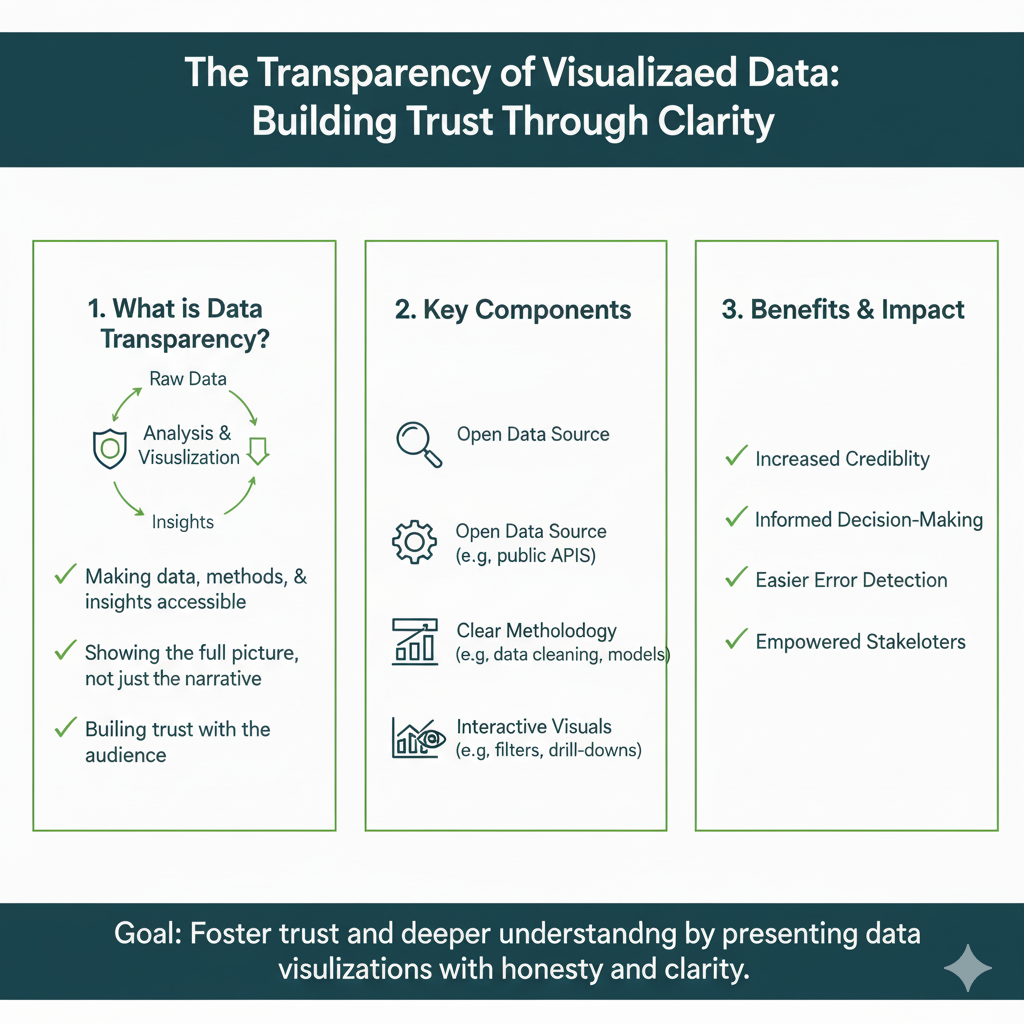
Showing your data visually can also build trust through a sense of transparency. A well-labeled bar chart that clearly shows the source of the data (e.g., “Source: 2024 Global Health Organization Survey”) feels more open and honest than a statistic hidden in a paragraph. It shows you have nothing to hide and are confident in your findings.
Real-Life Example in 2025:
A local public health clinic wants to encourage flu vaccinations, especially among hesitant populations. They could just put up a generic poster that says “Get Your Flu Shot Here.”
Instead, they partner with a designer to create an infographic titled “The Flu Fighter’s Guide: Protect Yourself, Protect Your Community.” displayed in waiting rooms and on social media. It features:
- A simple, illustrated flowchart of “How the Flu Virus Spreads from Person to Person.”
- A map of the local county from last year, with color-coded hotspots showing high flu activity.
- A clear, diagrammatic comparison of “Getting the Flu” (showing a timeline of sickness and potential hospitalization) vs. “Getting the Vaccine” (showing a timeline of your body building antibodies with mild or no side effects).
- It cites its sources at the bottom: “Data from the CDC and County Health Department.”
This visual, transparent demonstration of expertise and cause-and-effect makes the information more believable. It addresses concerns visually and makes patients more likely to trust the clinic’s recommendation and get the shot, ultimately improving public health outcomes.
How to Create an Effective Infographic (A Quick Start Guide)
Feeling inspired to create your own? The good news is that in 2025, you absolutely do not need to be a professional designer. Here’s a simple, actionable process:
- Define Your Single Goal: What is the one key message or action you want people to take away? Every element of the infographic should support this goal. Be ruthless.
- Gather and Filter Your Data: Collect your stats, quotes, and information. Then, filter it aggressively. If a data point doesn’t directly support your core goal, cut it.
- Create a Narrative Flow: Sketch a rough storyboard on paper. What is the headline? What is the problem? What are the 3-5 key points that form the journey? What is the conclusion?
- Choose a Template and Tool: Use a user-friendly online tool like Canva, Visme, or Piktochart. They have thousands of professionally designed infographic templates for every purpose. This removes the blank-page anxiety.
- Visualize, Don’t Just Decorate: For every key point, ask: “How can I show this instead of just saying it?” Use a chart for numbers, an icon for a concept, a flowchart for a process.
- Simplify and Refine: Step back from your first draft. Is any text too small? Is it too crowded? Can you remove any elements? Use plenty of “white space” (empty space) to let the design breathe.
- Maintain Brand Consistency: Use your organization’s or your personal brand colors and fonts. This makes your infographic look professional and helps with brand recognition.
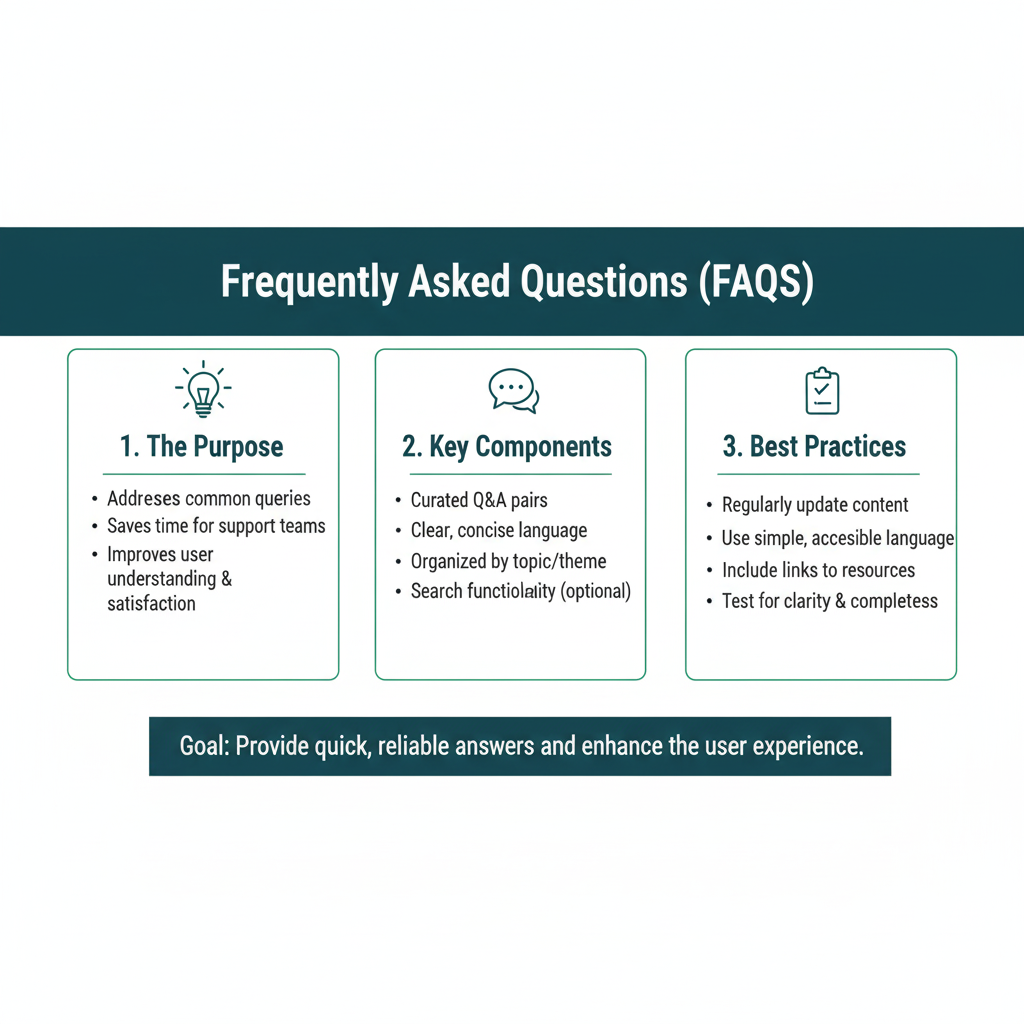
Frequently Asked Questions (FAQs)
Q1: I’m not a designer. Can I really create a good infographic?
Absolutely! The tools available in 2025 are built specifically for non-designers. Platforms like Canva are drag-and-drop, incredibly intuitive, and have thousands of high-quality templates. You are a curator and a storyteller first; the tool handles the complex design work. The key to a good infographic is clarity and a strong narrative, not complex artistic skill.
Q2: What’s the biggest mistake people make when creating infographics?
The number one mistake is overloading them with too much information, turning them into “infogra-phlegm.” An infographic is a summary, not an encyclopedia. If you find yourself using a tiny font size to fit everything in, or if you have more than five or six main data visualizations, you need to cut more content. Be ruthless in your editing. Simplicity is strength.
Q3: How long should an infographic be?
There’s no strict rule, but a good guideline is that it should be easily viewable on a screen without excessive scrolling. A long, vertical format (sometimes called a “skyscraper”) is very popular because it works perfectly on mobile devices and social media feeds. Focus on telling one story thoroughly, rather than trying to cover multiple unrelated topics in one graphic.
Q4: Are infographics still relevant with the rise of video content?
Yes, absolutely, and they often work best in tandem. Video is fantastic for narrative, emotion, and demonstration. Infographics are perfect for presenting data, statistics, and processes that a viewer might want to absorb at their own pace, screenshot for their own use, or refer back to quickly. In fact, animated infographics are a popular hybrid, where the elements of a static infographic are brought to life in a video.
The Bottom Line: See the Difference
In a world drowning in information, infographics are not just a life raft; they are a high-powered navigation system. They are not a passing trend but a fundamental and proven method for communication rooted in the very way our brains are built to operate.
They respect your audience’s time and cognitive limits. They transform the abstract into the concrete, the forgettable into the memorable, and the complicated into the effortlessly clear. Whether you’re a teacher trying to explain the water cycle, a manager presenting quarterly results, a marketer launching a new product, or an advocate fighting for a cause, using an infographic is one of the smartest, most effective choices you can make in 2025.
So, the next time you have a report to write, a presentation to give, or an important message to share, don’t just write it down. Visualize it. Structure it. Tell its story. Your audience will not only thank you for the clarity—they’ll actually understand and remember what you were trying to say. And that is a priceless result.